Terraform Cloud (now HCP Terraform) is a solid managed workflow for Terraform, but it’s not the right fit for every team, especially when you factor in pricing, governance requirements, and how tightly you want CI/CD and approvals to align with your existing engineering process.
If you’re evaluating a switch, the hardest part is usually understanding the trade-offs that actually matter for your environment.
In this guide, we’ll break down the most common reasons teams move away, what to look for in a replacement, and how different approaches compare across areas like policy and approvals, visibility and auditability, integrations, self-hosting vs. SaaS, and overall cost.
TL;DR
Terraform Cloud alternatives fall into three broad categories: dedicated IaC platforms (purpose-built for managing Terraform, OpenTofu, and often other IaC tools, with governance and self-service built in), generic CI/CD systems that run terraform plan / apply alongside your application pipelines, and self-hosted open-source PR automation.
The right choice often depends on:
- How much IaC scope you need beyond Terraform
- How much governance you need beyond plan/apply execution
- Whether you’d rather pay a license or absorb the operational cost of self-hosting
What is Terraform Cloud?
Terraform Cloud, now branded HCP Terraform and operated by IBM following the HashiCorp acquisition that closed in early 2025, is a managed service that extends Terraform’s capabilities. It offers a collaborative, cloud-based environment where teams can securely provision and manage infrastructure across various cloud providers and other tools and products that offer Terraform providers.
Features such as state management, secrets, policy-as-code, integrations with third-party tools, credential storage, and role-based access controls are just some of the benefits Terraform Cloud offers to streamline infrastructure deployment.
Terraform Cloud limitations
Terraform Cloud simplifies the overall management of your Terraform workflows, but here are some limitations you should be aware of:
- Terraform-only support – You will usually need multiple tools to manage infrastructure in an organization. With Terraform Cloud, you can manage only Terraform (and, to some extent, Terragrunt), which means you will need other products to manage the other products you use.
- Pricing – Terraform Cloud uses a RUM (Resources Under Management) model. The legacy user-based Free plan reached end-of-life on March 31, 2026. Organizations were migrated to the enhanced Free tier (introduced in 2023), which covers up to 500 managed resources with 1 concurrent run and unlimited users. Paid tiers (Essentials at $0.10, Standard at $0.47, Premium at $0.99 per resource-month) are billed hourly on peak managed resources, which becomes hard to predict as every security group rule, IAM policy, etc., counts as a billable resource. See the official pricing page.
- Vendor lock-in – In light of the BSL license changes HashiCorp introduced in August 2023, being restricted to Terraform can result in vendor lock-in, and switching to other vendors can be cumbersome when you need to do it.
- Integrations limited to run tasks – Terraform Cloud integrates with some tools, through their run tasks feature, but you cannot integrate with other tools if they are not supported as a run task first.
- Limits on policy numbers and run tasks in the lower tiers – In TFC’s Free and Standard tiers, you get one policy set that can have five policies in it and a single run task that can be used on a maximum of ten workspaces, which can be extremely limiting.
- Recent changes worth knowing about – Cost estimation, previously a built-in feature, has been removed from all tiers in 2026. The Replicated deployment option for Terraform Enterprise ended April 1, 2026, so existing Enterprise customers need to migrate to a newer deployment method (Docker, Kubernetes, Podman, or Nomad).
The pain usually shows up first in the bill. A team running 8,000 resources on Essentials wakes up to a $9,600 annual line item, half of which is security group rules and IAM policies they wrote once and haven’t touched in eighteen months.
The Reddit threads after the December 2025 free-tier email all read the same way: someone runs the math, posts a screenshot, and asks the same question. Why am I paying per resource for infrastructure that isn’t changing?
How we review software at Spacelift
We aim to make our recommendations practical and vendor-neutral. For each tool we include, we evaluate category fit, core capabilities, integrations, documentation quality, security/governance features (when relevant), and pricing transparency. We also reference public review signals to validate common strengths and limitations.
Spacelift is the publisher of this article, so the Spacelift entry below carries a vendor perspective. We’ve included ourselves so you can compare directly, but treat that section as our pitch, not an independent ranking.
Best Terraform Cloud alternatives
Top Terraform Cloud alternatives include:
Here’s a side-by-side comparison of the options we’ll discuss below:
| Tool | Multi-IaC | Pricing model | Self-host option | Policy-as-code |
| Spacelift | Terraform, OpenTofu, Terragrunt, Pulumi, CFN, K8s, Ansible | Plan-based, no RUM | Yes (workers or full self-host) | OPA |
| Pulumi Cloud | Pulumi languages (HCL in beta) | Credit/resource-based | Self-hosted on Business+ | CrossGuard |
| GitHub Actions | Any tool, but pipeline-only (no IaC-aware features) | CI minutes | Self-hosted runners | None native |
| GitLab CI/CD | Any tool, but pipeline-only (no IaC-aware features) | Per-user + minutes | Yes (GitLab CE/EE) | None native |
| CircleCI | Any tool, but pipeline-only (no IaC-aware features) | Credit-based | CircleCI Server | None native |
| env0 | Terraform, OpenTofu, Terragrunt, Pulumi, CFN, K8s | Per apply or environment | SaaS + self-hosted agent | OPA |
| Scalr | Terraform, OpenTofu, Terragrunt | Run-based | Self-hosted agents | OPA |
| Atlantis | Terraform / OpenTofu | Free (OSS) | Self-host only | None native |
1. Spacelift
Spacelift is a Terraform Cloud alternative that enhances your Terraform, OpenTofu, Terragrunt, Kubernetes, Ansible, Pulumi, and CloudFormation workflows. It uses OPA to implement policy-as-code, which can control various decision points throughout the application.
With Spacelift’s policies, you can define which resources your team can create, what kind of parameters those resources can have, the number of approvals you need for a deployment, where to send notifications, what happens when a pull request is open, and more.
To make the model concrete, here’s a Spacelift plan policy that restricts which EC2 instance types your team can deploy:
package spacelift

approved_types := {"t3.small", "t3.medium", "m6i.large", "m6i.xlarge"}

deny contains sprintf("EC2 instance type %s is not on the approved list", [resource.address]) if {
  some resource in input.terraform.resource_changes
  resource.type == "aws_instance"
  some action in resource.change.actions
  action in {"create", "update"}
  not approved_types[resource.change.after.instance_type]
}
The policy reads the Terraform plan, checks every aws_instance being created or updated, and blocks the run if the instance type isn’t on the approved list. The same Rego-based approach extends to approval policies (require two reviewers on production stacks), push policies (decide which branches trigger runs), and notification policies (route alerts based on stack metadata).
Spacelift can integrate with any tool you want, lets you bring your own Docker image, and also allows you to control what happens before and after every runner phase.
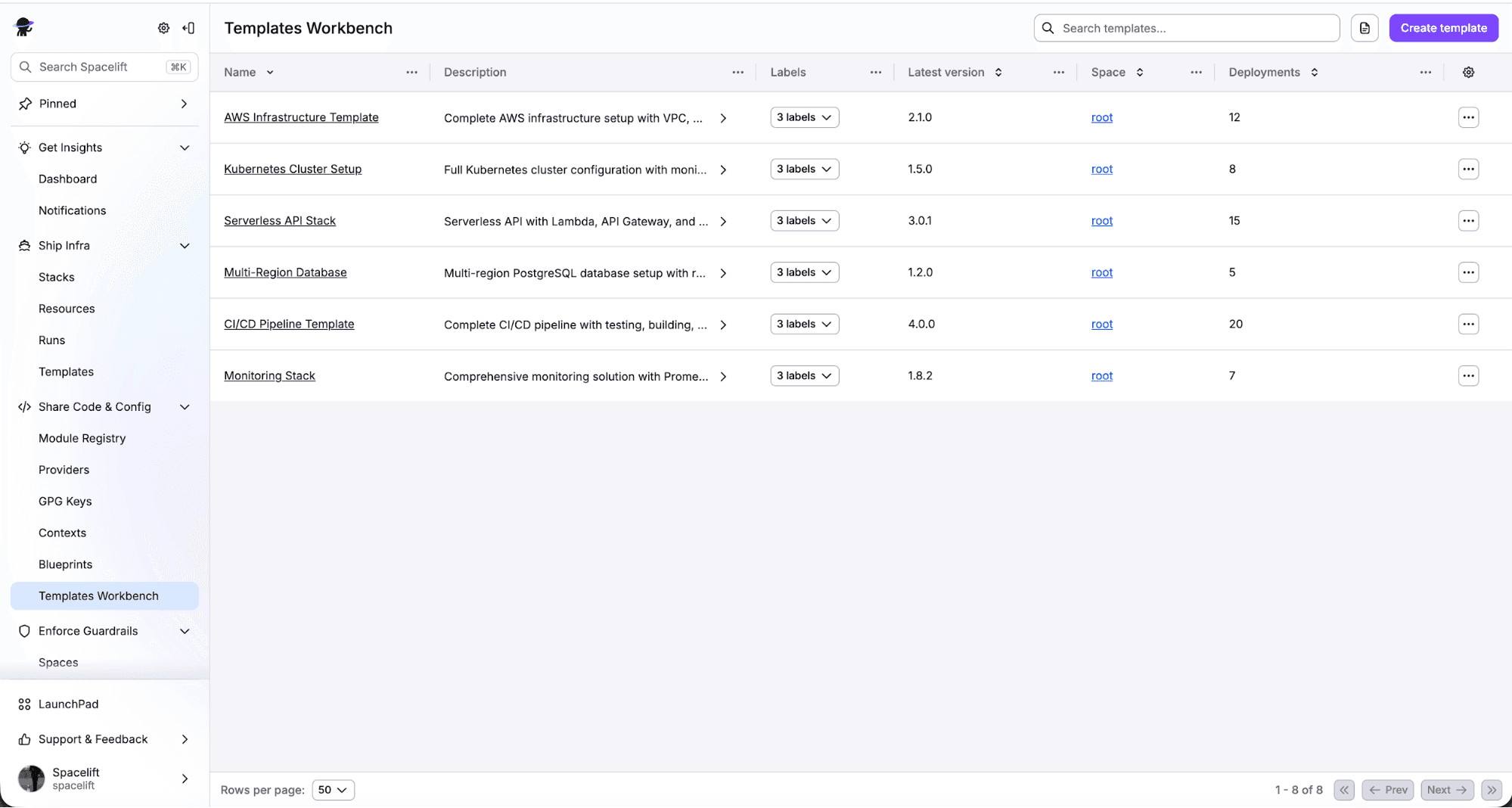
Apart from that, you can build self-service infrastructure using Spacelift’s Blueprints and Templates, which can be really helpful, especially for development teams that need to build infrastructure but don’t want to touch any IaC.
Spacelift Intelligence adds an AI layer (Infrastructure Assistant + Spacelift Intent for natural-language provisioning) that runs inside the same policy, credential, and audit model as the rest of the platform.
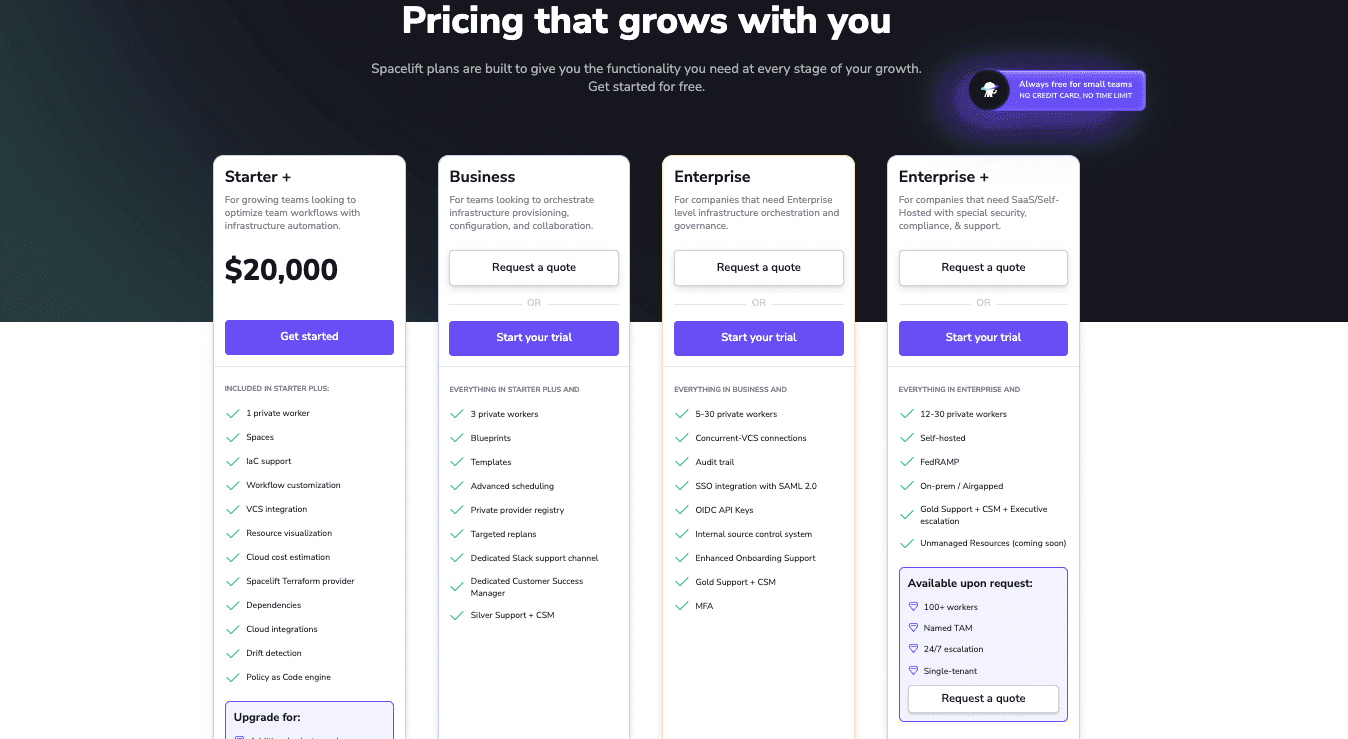
Pricing is plan-based rather than per-resource, so there is no RUM math to forecast. Paid plans start at $20,000/year (Starter+).
The main differences from Terraform Cloud are the IaC scope, the policy model, and how pricing scales. See the head-to-head at Spacelift vs. Terraform Cloud, and the migration walkthrough at How to Migrate From Terraform Cloud to Spacelift.
Key features
- Multi-IaC support across Terraform, OpenTofu, Terragrunt, Pulumi, CloudFormation, Kubernetes, and Ansible from one platform
- OPA-based policy as code with policies applied across plan, apply, push, approval, and notification decision points
- Self-hosted workers (on-prem, VPC, or air-gapped) with full SaaS control plane, or fully self-hosted deployment
- Self-service Blueprints and Templates for developer-facing provisioning without IaC knowledge
- Stack dependencies and contexts that propagate configuration and secrets across related workloads
Pricing
Spacelift uses a tier-based model with no RUM billing, which makes costs predictable and easy to forecast. See the full pricing page for details.
Best for
✅ Platform engineering teams managing multi-IaC environments at scale who need governance, self-service infrastructure, and enterprise-grade policy enforcement in one platform.
❌ Might not be the right fit if you only need a state backend, haven’t matured your infrastructure as code practice yet, or have a heavy Sentinel investment with no appetite to port policies to Rego. It’s also overkill for single-team setups with no compliance pressure or for workflows tightly coupled to HCP-specific services like HCP Vault dedicated or the HCP Packer registry.

Supply chain management platform Logixboard was a Terraform Cloud customer seeking a more reliable Terraform experience. By migrating from Terraform Cloud to Spacelift, they have slashed the time they spend troubleshooting deployments, freeing them for more productive work.
2. Pulumi Cloud
If your team is using Pulumi instead of Terraform, Pulumi Cloud is the managed SaaS backend for the Pulumi IaC framework, letting engineers define infrastructure in real programming languages like TypeScript, JavaScript, Python, Go, C#, and Java rather than a domain-specific language like HCL.
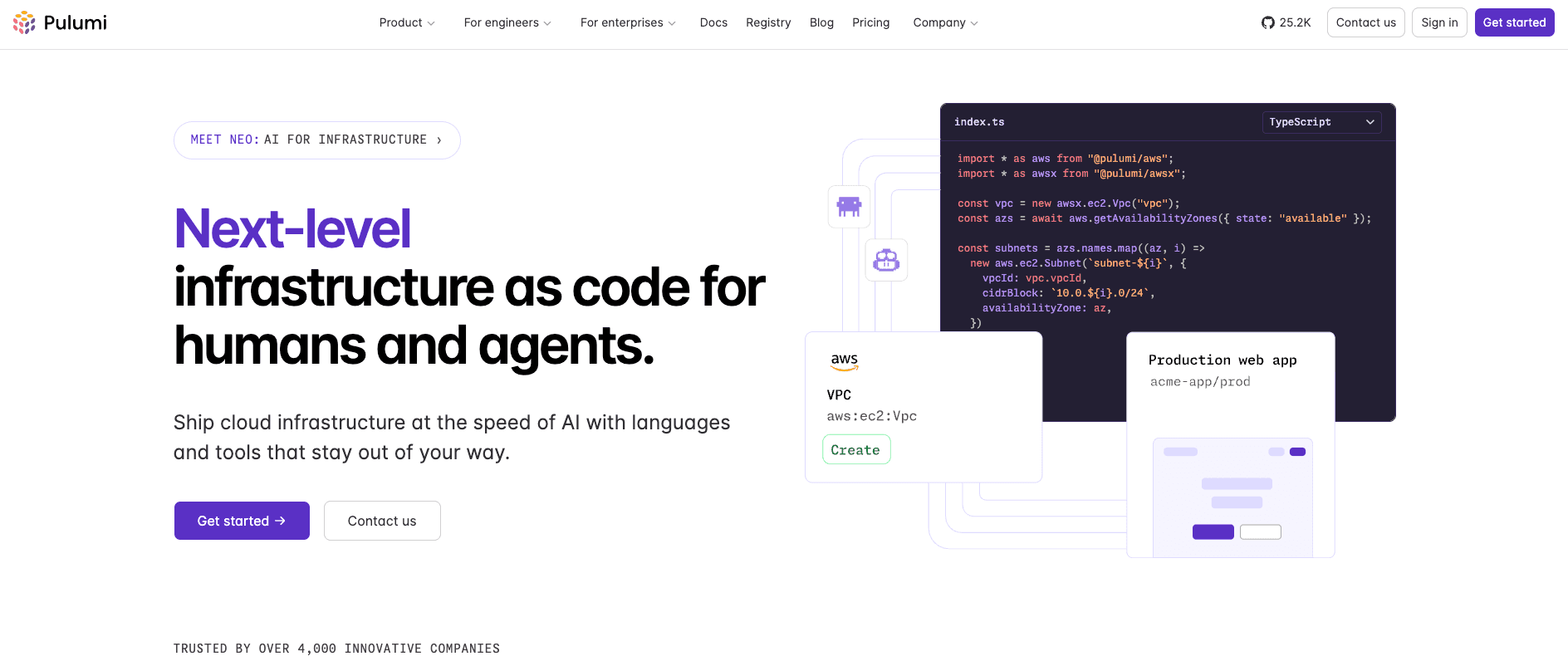
It offers a suite of capabilities to improve overall productivity and collaboration within engineering teams, and to manage infrastructure state, secrets, and configuration across any cloud environment.
In late 2025, Pulumi announced native HCL support and the ability for Pulumi Cloud to manage Terraform/OpenTofu state. As of May 2026, the Terraform state backend is in public preview and native HCL execution remains in beta. One thing worth noting is that Terraform resources stored in Pulumi Cloud count toward Resources Under Management (RUM) the same way Pulumi-managed resources do.
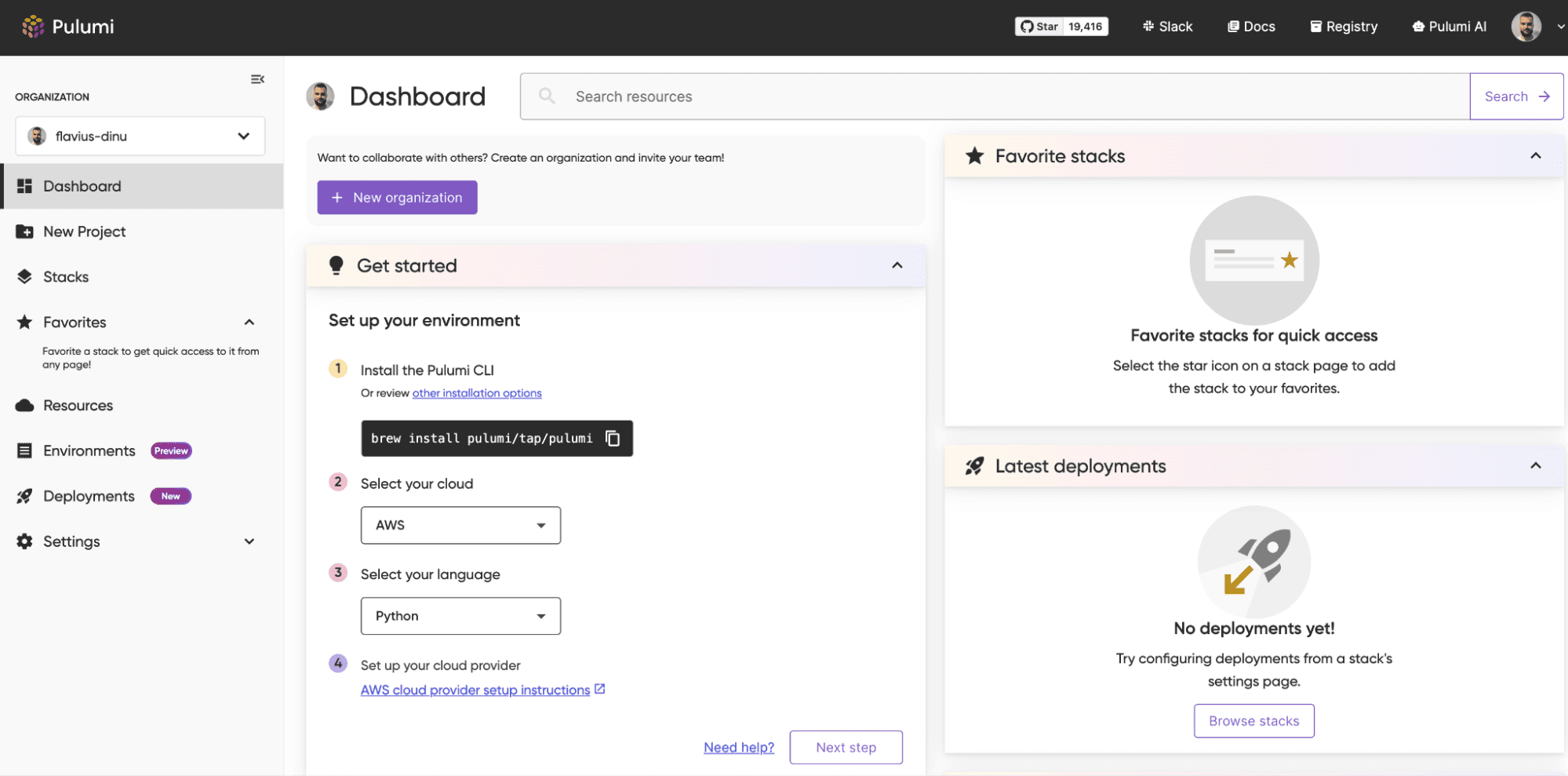
A notable capability with no direct Terraform equivalent is the Automation API: a programmatic interface that lets you embed Pulumi deployments inside application code rather than calling the CLI, which is ideal for self-service portals that provision environments on demand.
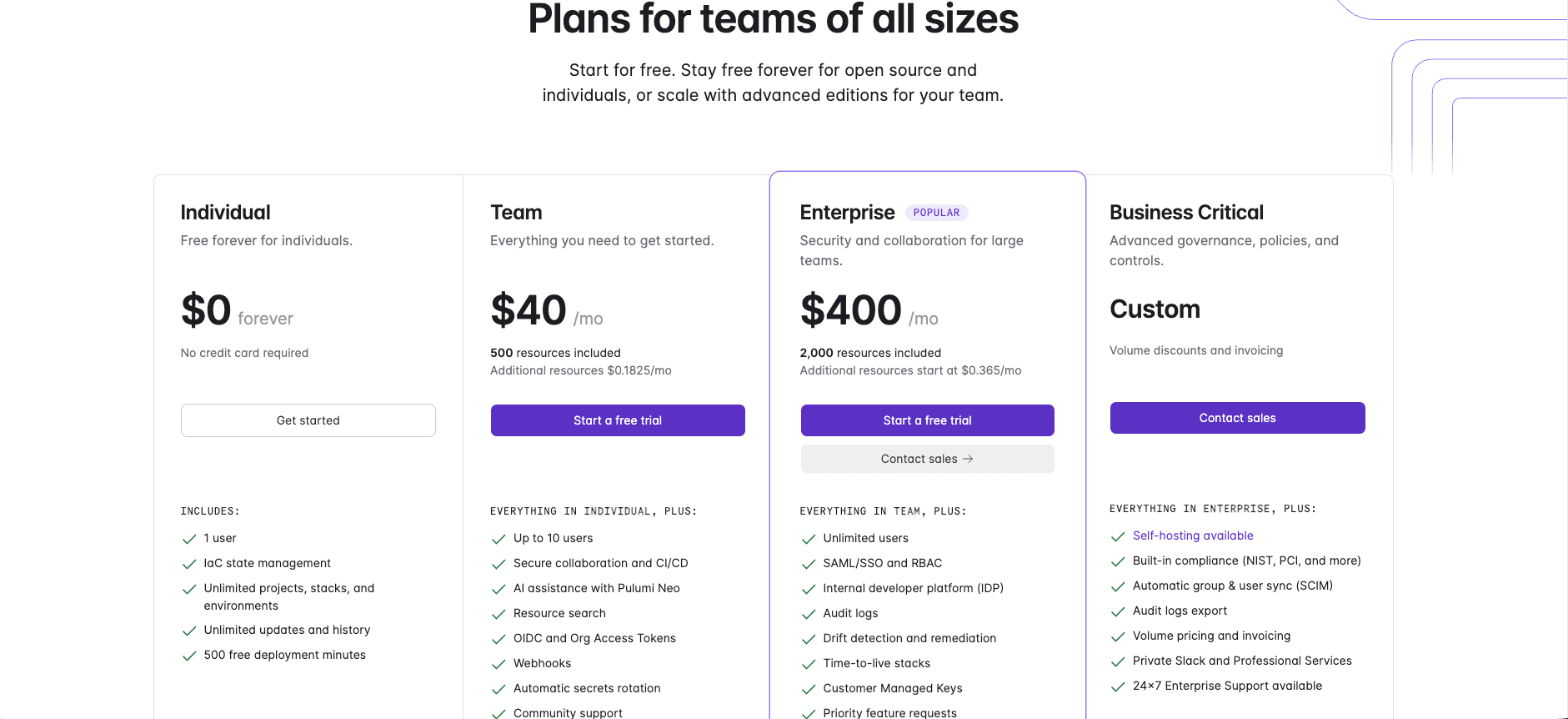
However, the Pulumi pricing uses a structure similar to Terraform Cloud’s RUM model, called Pulumi credits. You get 150k Pulumi Credits provided monthly at no cost, covering roughly 200 resources. On Pulumi’s website, you get multiple examples of how much you will have to pay for your resources.
Key features
- Multi-language IaC support across TypeScript, JavaScript, Python, Go, C#, Java, and YAML, with native HCL support added in January 2026
- Pulumi ESC (Environments, Secrets, and Configuration) for centralized secrets and environment management
- CrossGuard policy as code for compliance and governance enforcement
- Automation API for embedding deployments programmatically inside application code
- Drift detection, RBAC, audit logs, and SAML SSO on higher tiers
Pricing
Free individual tier available. Paid tiers use resource-based billing. See the Pulumi pricing page.
Best for
✅ Teams that already write in TypeScript, Python, or Go and want to apply software engineering practices to infrastructure, or organizations managing complex multi-cloud setups with custom deployment logic.
❌ Pulumi Cloud may not suit teams committed to HCL workflows, since adopting it typically pushes you toward Pulumi’s SDK model in TypeScript, Python, Go, or C#. It can also be costly at scale because pricing scales with managed resources, and some niche SaaS providers remain less mature than Terraform’s registry equivalents.
3. GitHub Actions
GitHub Actions is a generic CI/CD platform that can be used to implement your Terraform workflows.
It offers many reusable tasks called “Actions” that can help you build your IaC workflows fast, and it’s often the first thing teams reach for when they want to move off Terraform Cloud without paying for another dedicated platform. If your code already lives in GitHub, the appeal is obvious: one place for application CI, infrastructure CI, secrets, and access control, with no new vendor to onboard.
With GitHub Actions, you declare your workflow in a .github/workflows/ YAML file, so it uses YAML to describe the pipelines, and you also have the option to build your own reusable actions or call shared workflows across repos.
The hashicorp/setup-terraform Action handles installing the CLI, and most teams pair it with OIDC for short-lived cloud credentials so they don’t have to store long-lived AWS, Azure, or GCP keys as repo secrets.
A minimal plan-on-PR workflow looks like this:
name: terraform-plan
on: pull_request
permissions:
  id-token: write   # required for OIDC
  contents: read
jobs:
  plan:
    runs-on: ubuntu-latest
    steps:
      - uses: actions/checkout@v6
      - uses: aws-actions/configure-aws-credentials@v4
        with:
          role-to-assume: arn:aws:iam::123456789012:role/terraform-ci
          aws-region: us-east-1
      - uses: hashicorp/setup-terraform@v3
        with:
          terraform_version: 1.9.8   # pin to a known version
      - run: terraform init && terraform plan -no-color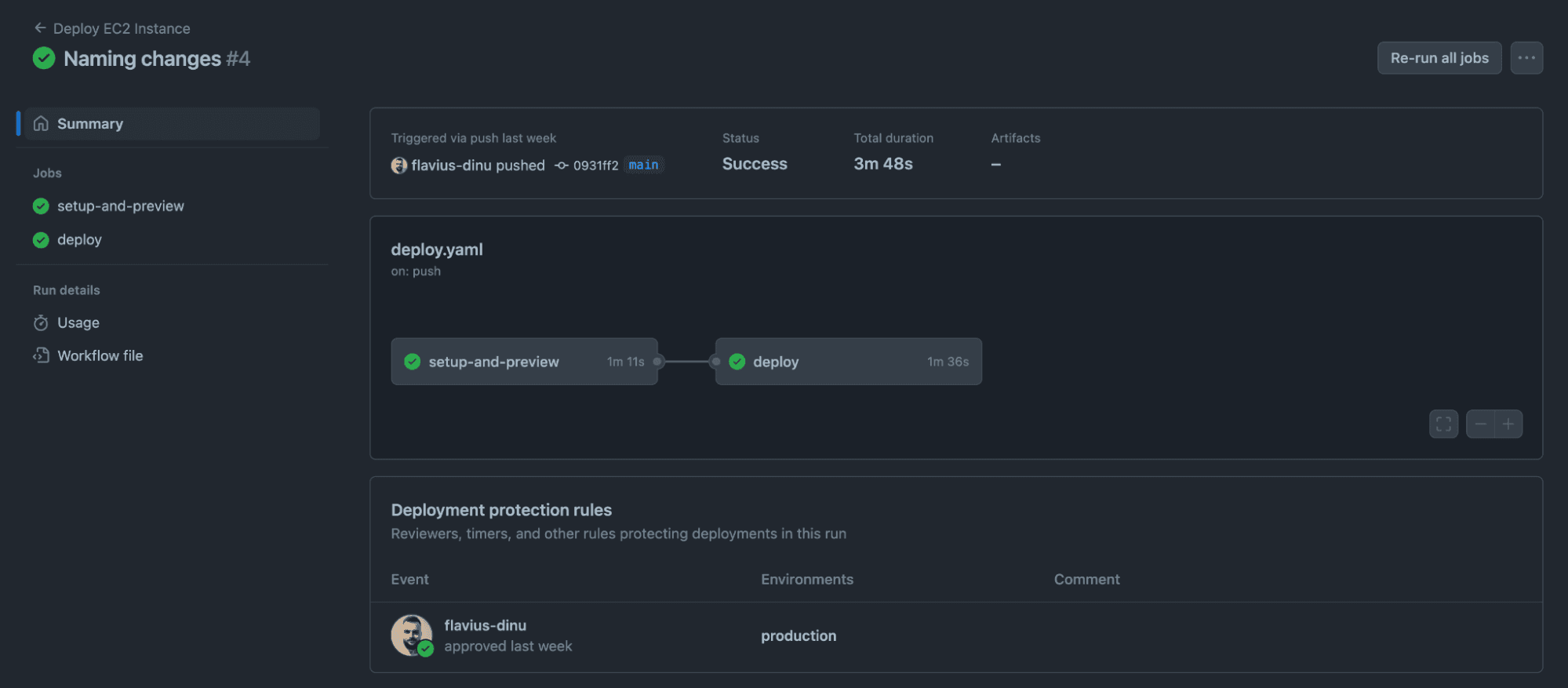
Pricing is straightforward on paper and harder in practice. Public repos and self-hosted runners are free. Private repos get a monthly minute allowance per plan, with overage billed per minute by runner type. Storage for artifacts and caches accrues by GB-hour, so a forgotten plan artifact can quietly add to the bill. For most infrastructure repos, the dollar cost is modest. The real cost is the engineering time spent maintaining the pipeline.
GitHub Actions can be a really good alternative to Terraform Cloud when your team is small, your workflow is simple, and you want full control over how infrastructure gets built and deployed. It starts to strain once you need governance across many teams, drift detection across many accounts, or self-service patterns for developers who don’t want to read YAML.
Read more about why GitHub Actions is not such a good idea for IaC at scale.
Key features
- Native GitHub integration with PR checks, deployment environments, and status badges all in one place
- Over 20,000 marketplace Actions, including dedicated Terraform, OpenTofu, and cloud provider Actions
- OIDC-based short-lived cloud credential injection for AWS, Azure, and GCP, eliminating the need for static credentials
- Hosted Linux, Windows, macOS, ARM, and GPU runners, with self-hosted runners supported on all tiers
- Environment protection rules and required reviewers for gated deployments
Pricing
Compute minute-based with a free tier and paid plans included in GitHub subscriptions. See GitHub’s pricing page.
Best for
✅ Teams already on GitHub who want low-overhead Terraform automation for simple pipelines, or teams running general software and infrastructure workflows in a single system without needing dedicated IaC governance.
❌ It falls short as a Terraform Cloud alternative when you need native state management with locking, since you’d have to configure and secure a remote backend (S3, Azure Blob, GCS) separately, rather than getting managed state, drift detection, and run history out of the box.
4. GitLab CI/CD
GitLab CI/CD is similar to GitHub Actions, helping you build IaC workflows with Terraform, though it is a more general-purpose pipeline tool than a dedicated IaC platform.
Pipelines are defined in a .gitlab-ci.yml file committed to your repository, and you can use the GitLab-managed Terraform state HTTP backend as a built-in remote backend with encryption at rest and in transit, automatic locking, and state versioning tied to GitLab project permissions.
That removes the need to stand up a separate S3 bucket and DynamoDB table for state, which is one of the bigger day-one advantages over GitHub Actions for teams already on GitLab.
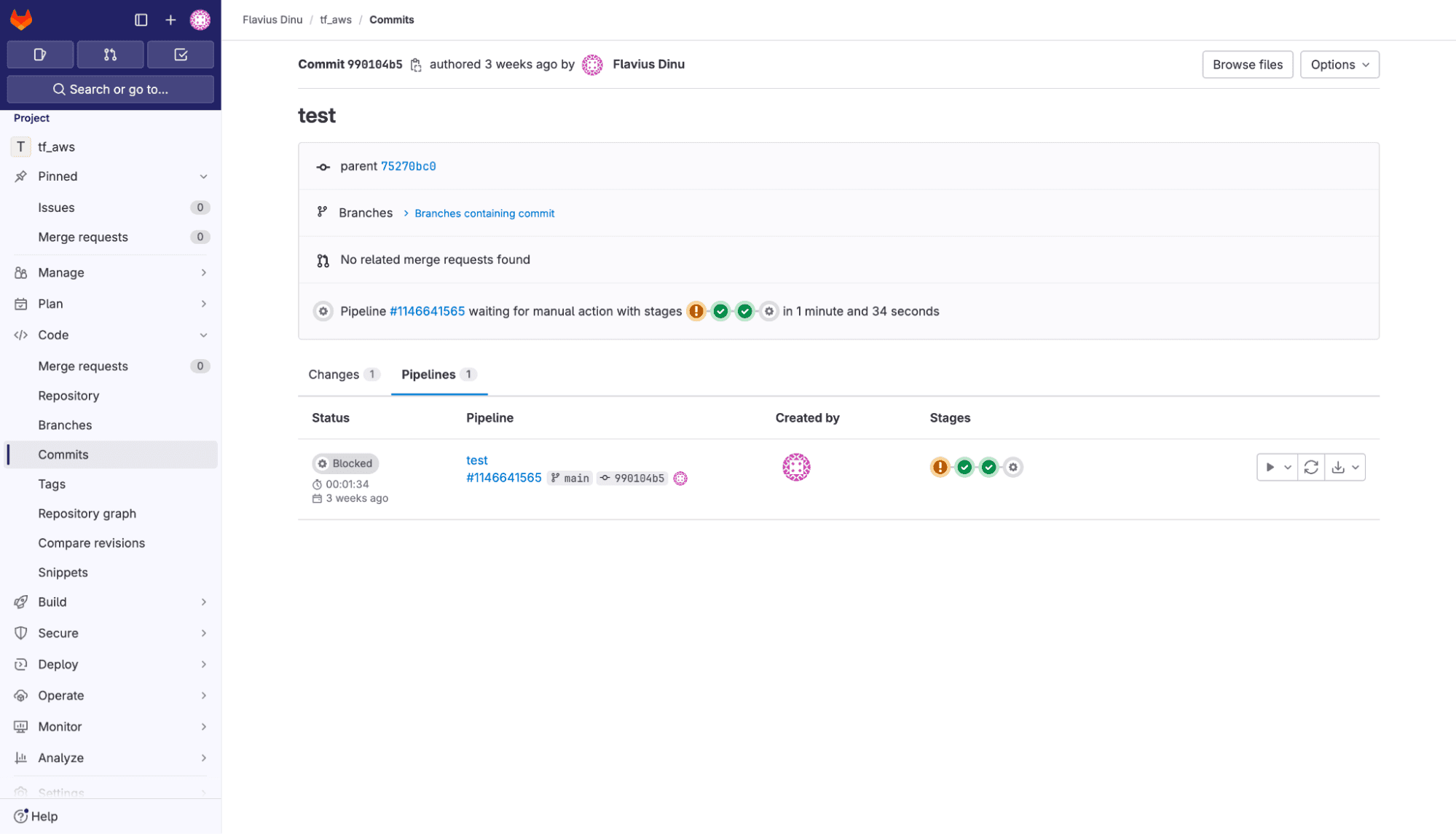
The trade-off with GitLab CI is the same as with any generic CI tool. You get pipeline execution, not infrastructure governance. The runner kicks off your Terraform or OpenTofu commands, captures the logs, and reports pass or fail. Everything beyond that is yours to build.
One thing to know if you are setting this up today: the official Terraform CI/CD templates (Terraform/Base.gitlab-ci.yml) were deprecated following HashiCorp’s license change and removed in GitLab 18.0. If your pipelines still reference them, you have two options.
Pin to a pre-18.0 GitLab release to keep using the Terraform-based template, or migrate to the GitLab OpenTofu CI/CD component, which is the path GitLab now recommends.
Key features
- Native Terraform state management with no external backend required
- Built-in IaC scanning (SAST for Terraform and Kubernetes manifests) included on paid tiers
- Parent-child and multi-project pipelines for monorepo support
- GitLab Duo AI assistant with CI/CD fix automation
- Self-managed option via GitLab CE (free and open source) with no per-minute compute charges
Pricing
Included in GitLab’s per-user subscription tiers, with a free tier and paid plans available. See GitLab’s pricing page.
Best for
✅ Teams already hosting code on GitLab who want a single-vendor DevSecOps platform, particularly those who value native Terraform state management, built-in security scanning, and the option to self-host without per-minute fees.
❌ It’s a reasonable starting point if you’re already standardized on GitLab with modest infrastructure needs, but at scale, it tends to become the brittle, homegrown pipeline that pushes teams toward dedicated infrastructure orchestration in the first place.
Download The Practitioner’s Guide to Scaling Infrastructure as Code

5. CircleCI
CircleCI is a general-purpose CI/CD platform that can run your Terraform workflows alongside the rest of your application pipelines. Teams pick it for IaC when CircleCI is already the CI system of record and they would rather reuse existing runners and team familiarity than introduce a second tool.
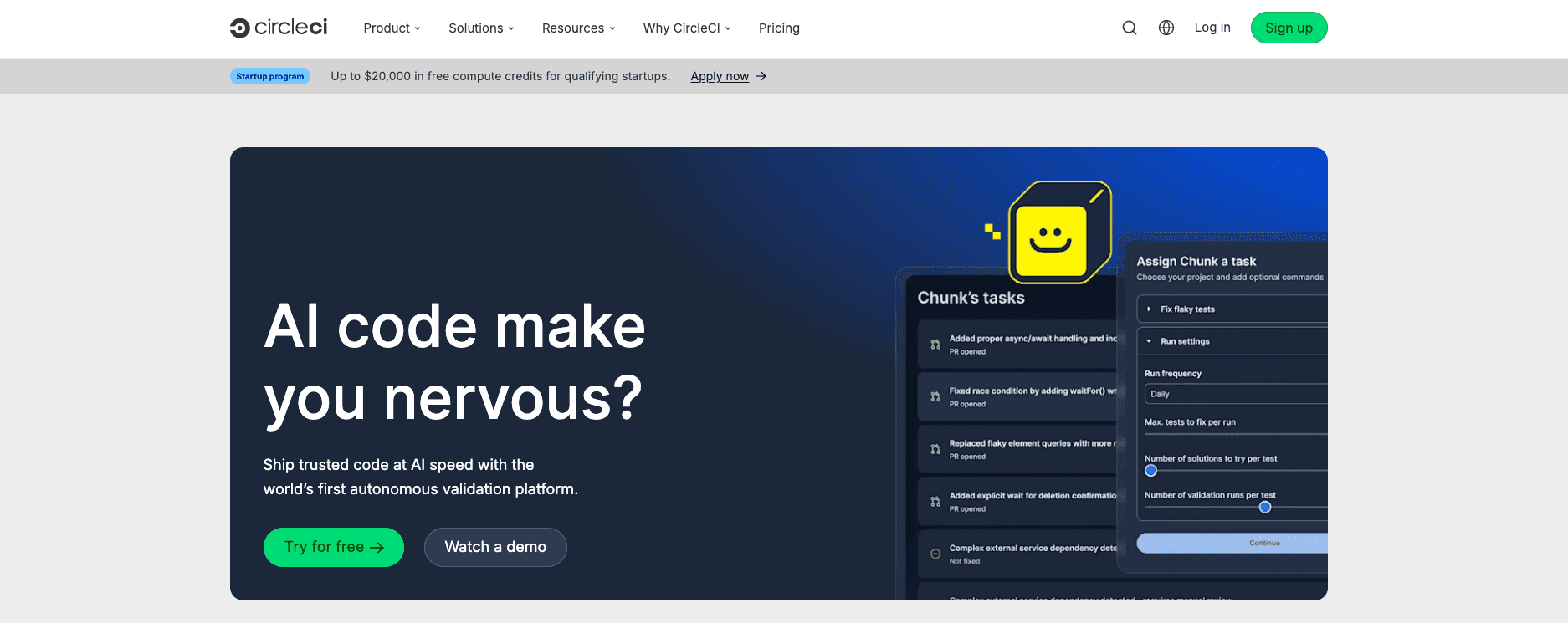
It can orchestrate Terraform workflows through its reusable orbs, which are versioned pipeline templates that can be imported and composed into your workflows. Docker layer caching speeds up repeated terraform init runs, and CircleCI’s SOC 2 Type II compliance and FedRAMP Tailored designation make it a viable option for teams in regulated industries
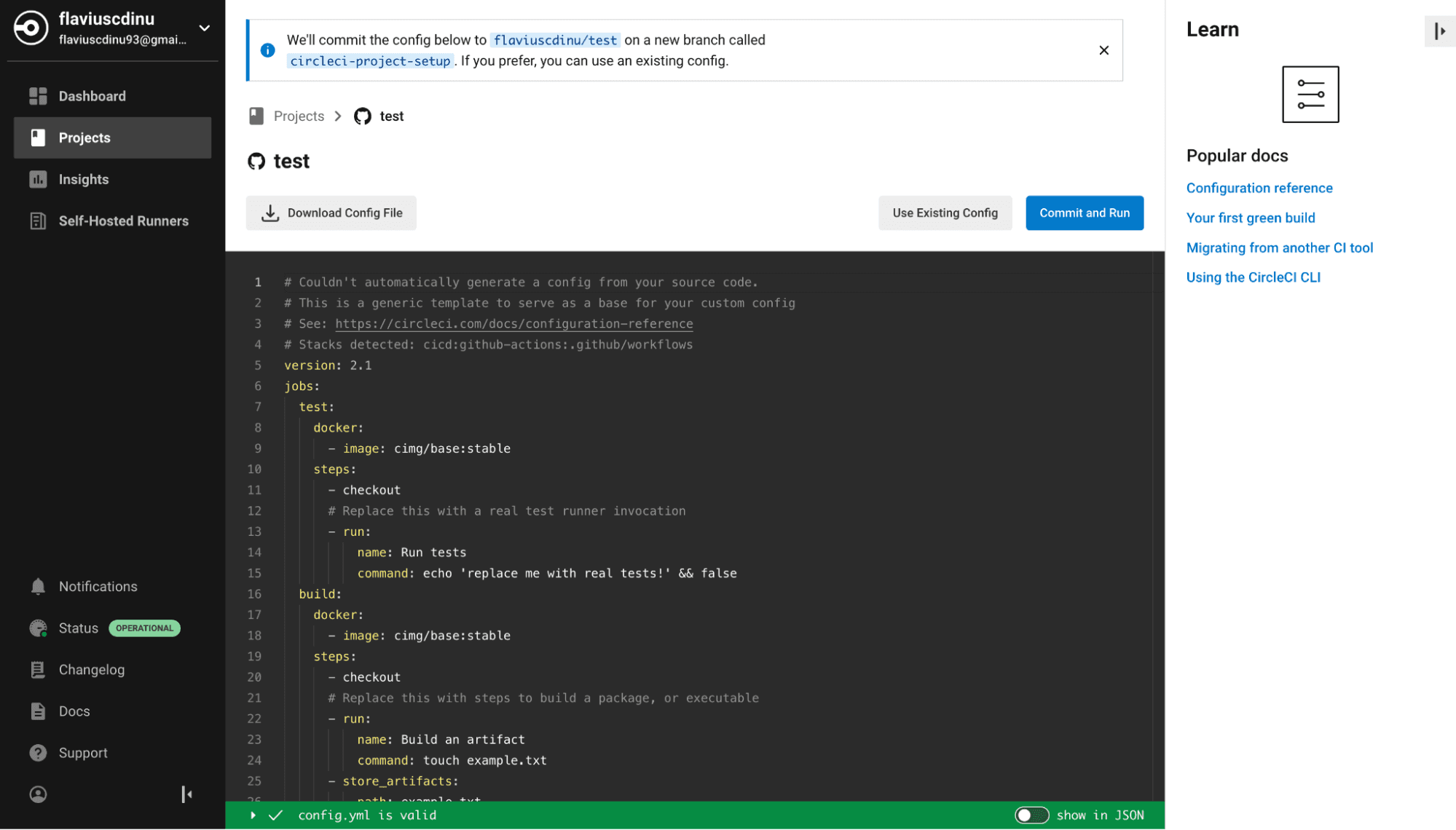
CircleCI pricing is credit-based. The Free plan covers 6,000 build minutes, Performance starts at $15/month for 30,000 credits, and Scale and Server tiers are custom-priced. Credit consumption is harder to forecast than per-resource or per-run billing, especially once self-hosted runners and concurrent applies enter the mix.
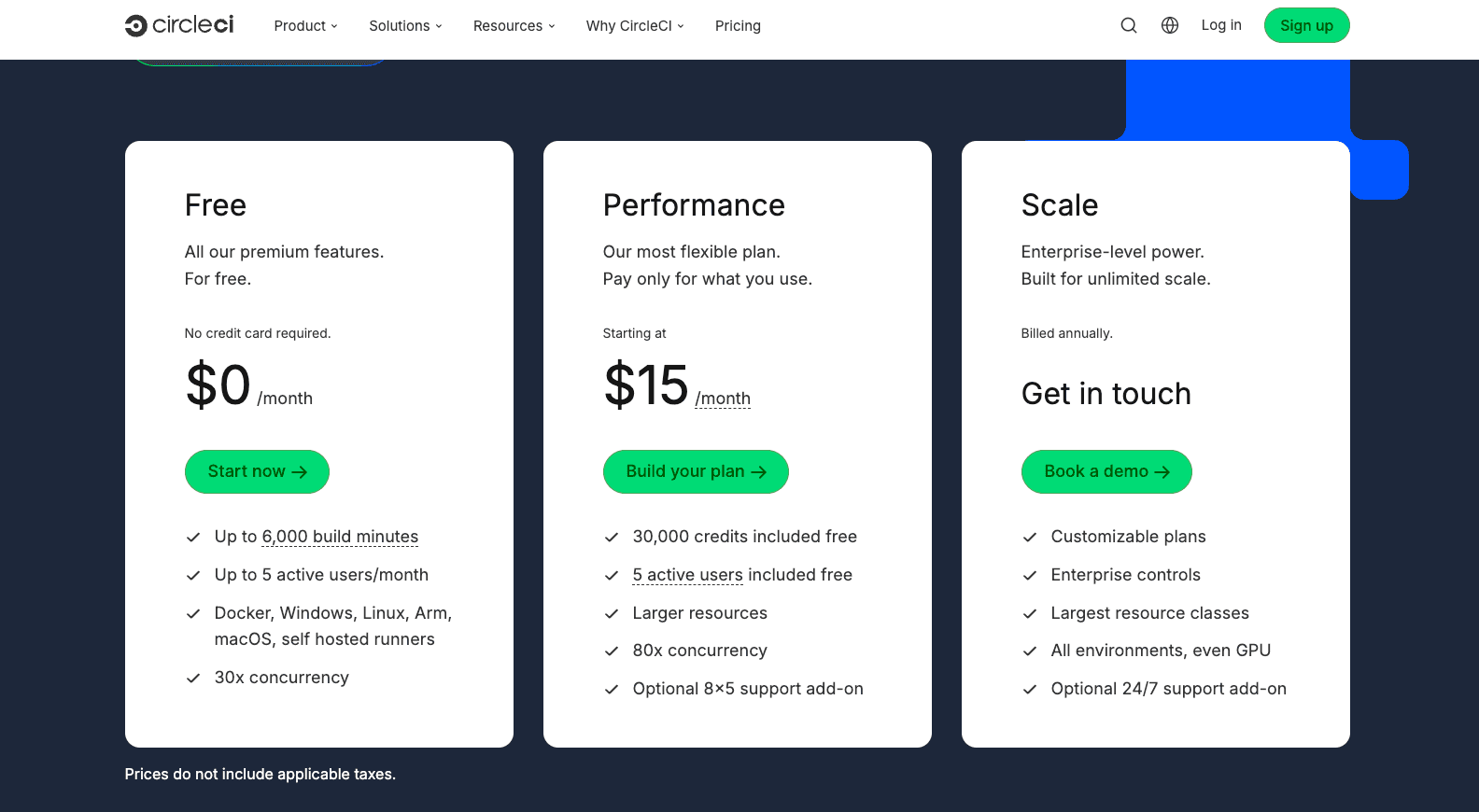
The same limitations that apply to other generic CI/CD platforms apply here: there is no native understanding of Terraform state, plan review, drift detection, or policy enforcement.
Teams running complex Terraform configurations at scale may find that plan and apply cycles take a long time with no native way to break infrastructure pipelines into stages.
Key features
- Reusable orbs for Terraform, AWS, and other infrastructure tooling, making pipeline setup faster
- Docker layer caching for faster
terraform initand dependency loading on repeated runs - SOC 2 Type II compliance and FedRAMP Tailored designation for regulated industries
- CircleCI Server, a self-hosted option deployable on your own infrastructure
- Wide resource class selection from small shared containers up to large dedicated VMs
Pricing
Credit-based, with a free tier and paid plans that scale with usage. See CircleCI’s pricing page.
Best for
✅ CircleCI fits teams already invested in its platform who want to extend application pipelines with Terraform runs, and organizations in regulated sectors needing FedRAMP-authorized CI/CD.
❌ CircleCI lacks dedicated Terraform governance, state management, and policy enforcement, making it a poor fit when those capabilities are the priority. Purpose-built tools like Terraform Cloud or Spacelift handle these needs natively, while CircleCI works best for teams extending existing pipelines or requiring FedRAMP-authorized CI/CD.
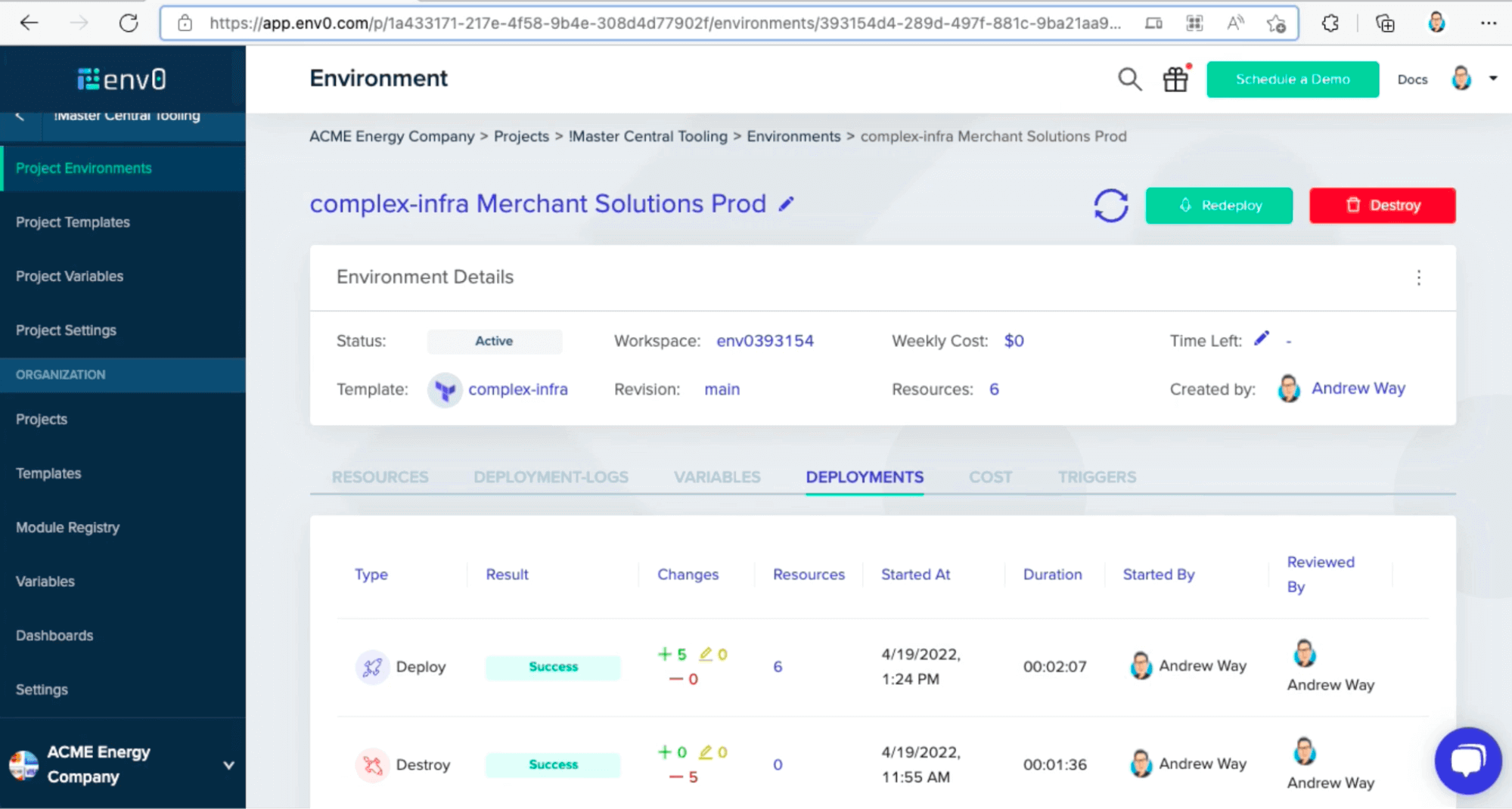
6. Env0
env0 (also branded env zero) is an IaC orchestration platform that runs Terraform, OpenTofu, Terragrunt, Pulumi, CloudFormation, and Kubernetes from a single control plane.
It positions itself around governed self-service: developers deploy environments through templates and PR-driven workflows, while platform teams keep control through policies, approvals, RBAC, and TTL rules that auto-destroy idle environments.
You connect a VCS repo, env0 detects the IaC tool and version, and plans run on pull requests with the output posted back to the PR. Applies happen on merge or after manual approval.
OPA-based policies run during the plan stage and can block non-compliant changes. Cost estimation through Infracost shows the spend delta before apply, and drift detection flags out-of-band changes with a path to redeploy from code.
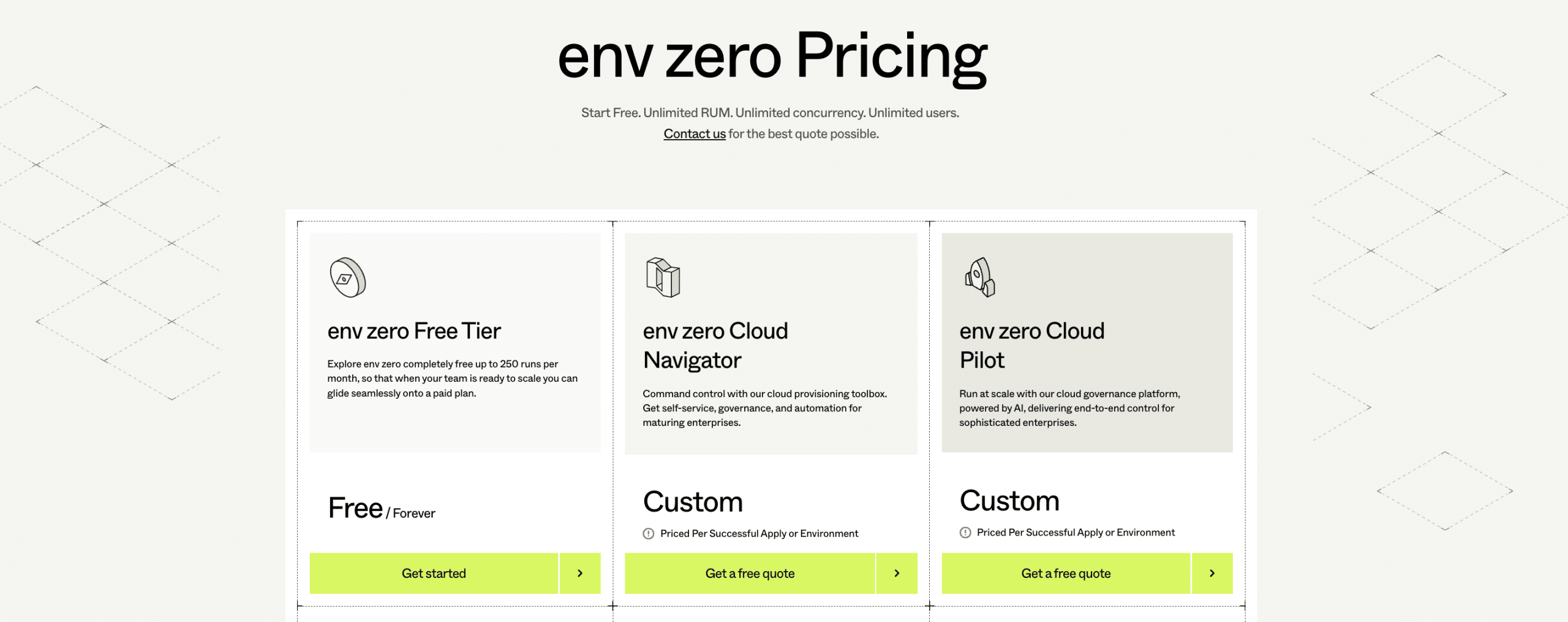
Pricing is consumption-based rather than per-resource. A free-forever plan covers 250 runs per month and up to 30 active environments with unlimited users, and includes the Cloud Navigator feature set plus Cloud Compass coverage tracking on one cloud account. Cloud Navigator (custom-priced, billed per successful apply or environment) lifts the cap to 100 active environments with unlimited runs, concurrency, and agents. Cloud Pilot removes the environment cap and adds Cloud Analyst AI, advanced drift analysis, cost management, and enterprise integrations.
Compared to Terraform Cloud, env0 covers more IaC tools— Terraform, OpenTofu, Terragrunt, Pulumi, CloudFormation, Helm, and Kubernetes, versus HCP Terraform’s essentially Terraform-only execution. env0 includes drift detection broadly across its plans, while HCP Terraform gates it behind the Standard tier, and env0 still ships cost estimation, which HCP Terraform removed from all tiers in 2026.
The trade-off is that env0’s cloud-account scanning (Cloud Compass) currently covers AWS only, so multi-cloud shops may still need a separate inventory source for Azure and GCP.
Key features
- Multi-IaC support across Terraform, OpenTofu, Terragrunt, CloudFormation, Pulumi, Kubernetes, and Ansible
- Built-in cost monitoring per environment using actual cloud provider spend data, with Terratag for consistent resource tagging
- Self-service portal with templates so non-technical teams can deploy infrastructure without writing IaC
- Scheduled drift detection with optional auto-remediation and project-level drift policies
- Hybrid deployment model: full SaaS or SaaS with a self-hosted agent for air-gapped environments
Pricing
Free tier available. Paid tiers quoted per successful apply or environment. See env zero’s pricing page.
Best for
✅ Platform and DevOps teams that need strong FinOps controls alongside IaC governance, particularly organizations where multiple business units share cloud infrastructure and need per-team cost visibility.
❌ env0 may not fit when teams need deep native integration with non-Terraform IaC tools at scale, particularly Pulumi, AWS CloudFormation, or Azure Bicep, since env0’s strongest coverage centers on Terraform and OpenTofu.
See also: env zero vs. Spacelift for a deeper feature-by-feature breakdown.

The team decided to make a case for adopting a specialized platform to manage their infrastructure and started researching options including env0, Atlantis, and Spacelift. They signed up for a Spacelift demo and trialed a few of their dev/staging environments on the platform. The benefits of having Spacelift inside their toolchain became evident quickly.
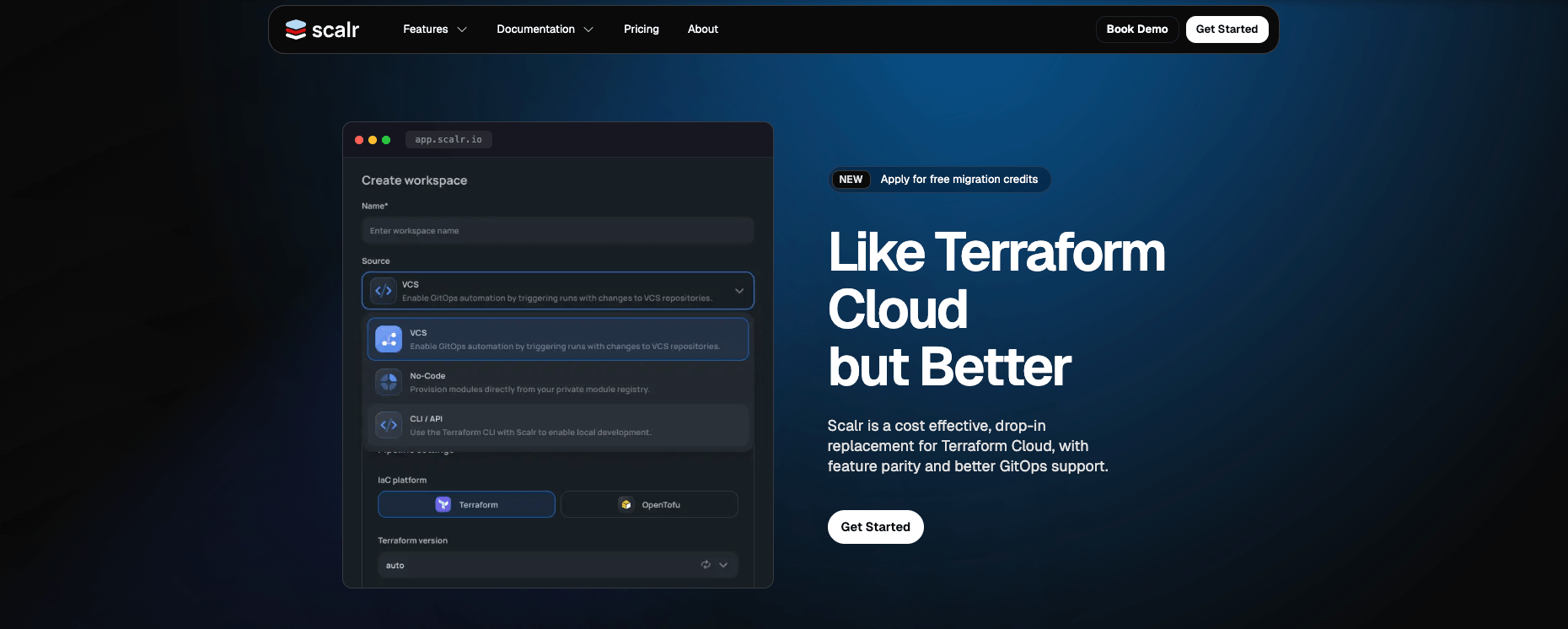
7. Scalr
Scalr is a cloud management platform that optimizes IaC practices, offering enterprises a unified approach to managing cloud resources across various environments.
The platform organizes work into a three-tier hierarchy of account, environment, and workspace, so policies, modules, and provider configurations defined at the account scope automatically apply downstream.
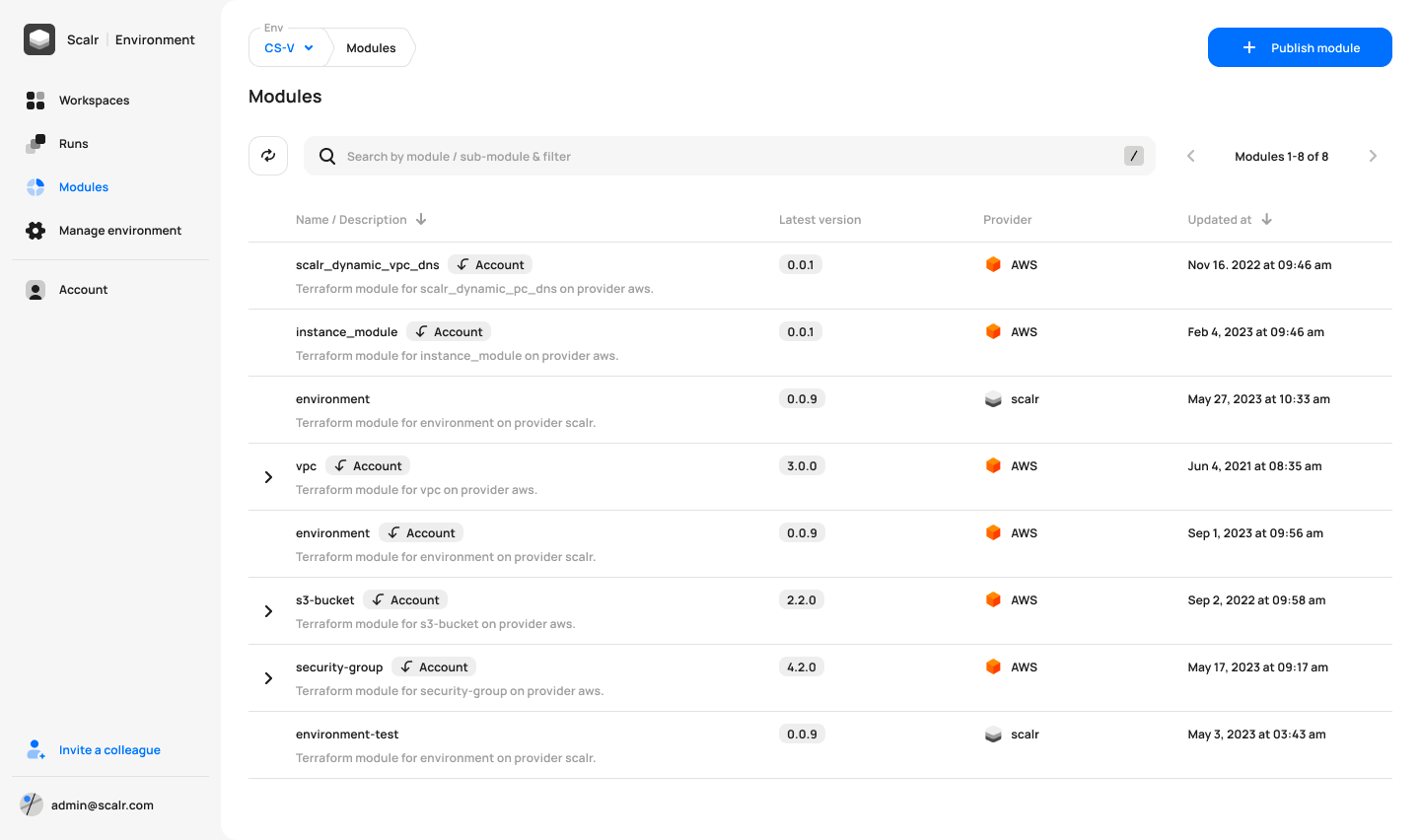
Scalr focuses exclusively on the Terraform and OpenTofu ecosystem. It integrates with Terraform to streamline the provisioning, compliance, and governance of cloud infrastructure, ensuring consistent deployments and enabling policy enforcement at scale.
Atlantis-style PR commands (/scalr plan, /scalr apply, /scalr approve) are supported natively, which Terraform Cloud doesn’t offer.
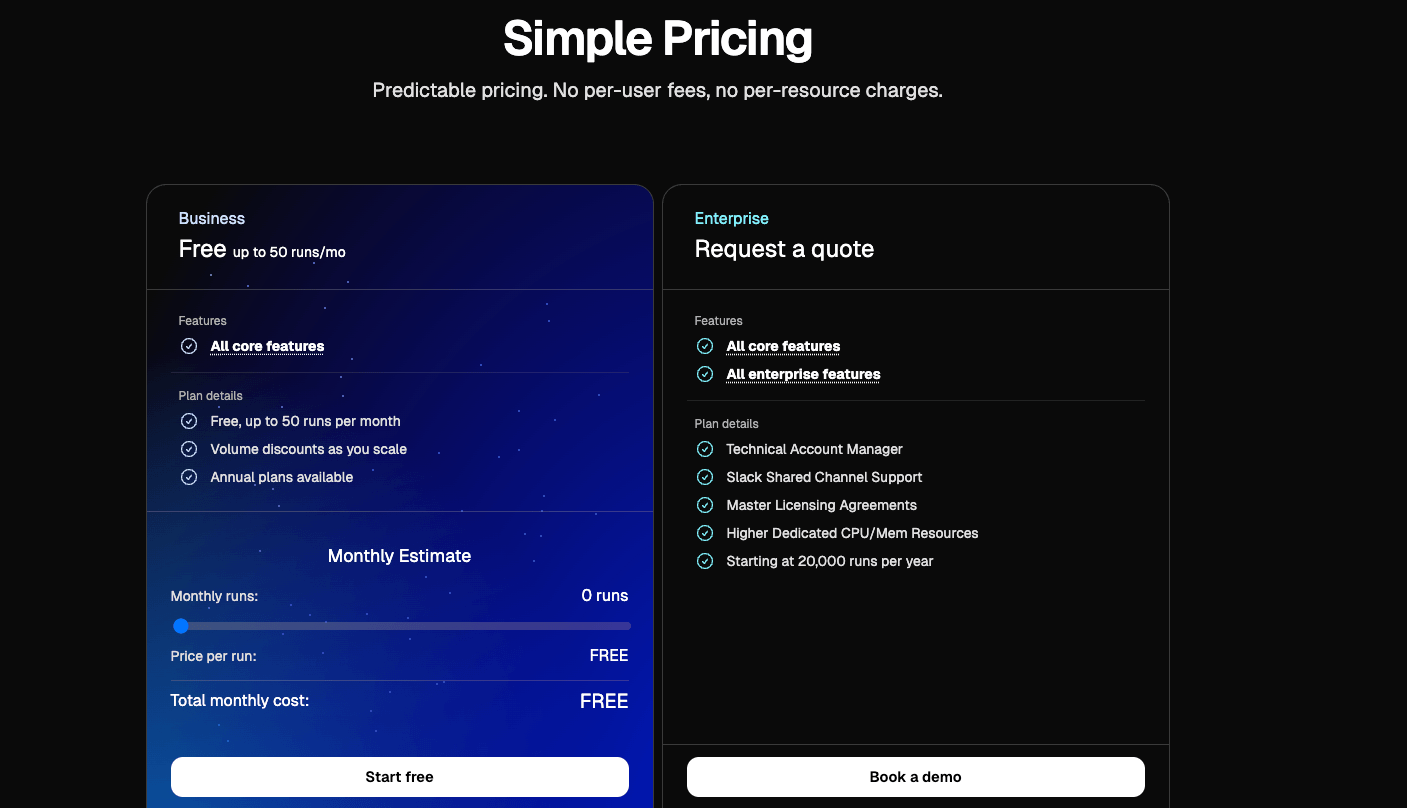
Pricing is run-based rather than per-resource. The free tier covers 50 qualifying runs per month with two concurrent runs and all features included. Paid plans scale with run volume rather than user count or managed resources, and runs stopped by OPA policies, drift detection runs, and failed pre-checks aren’t counted against your quota.
Key features
- Native support for Terraform, OpenTofu, and Terragrunt with a workspace structure that mirrors Terraform Cloud for easy migration
- GitOps PR automation with run reports posted directly to pull requests and slash commands for plan and apply
- OPA integration for policy as code, plus OIDC connections for short-lived cloud credentials
- Run-based pricing with no charges for users, workspaces, resources under management, or private agents
- Platform metrics with health checks and security audits for engineering visibility across your IaC estate
Pricing
Free tier available. Enterprise tier that scales with run volume. See Scalr’s pricing page.
Best for
✅ Platform teams currently on Terraform Cloud who want to migrate to a more cost-predictable alternative without changing their existing workspace structure, governance model, or developer workflows.
❌ Scalr is intentionally Terraform and OpenTofu only, so if your stack also includes CloudFormation, Pulumi, or Kubernetes manifests, you’ll want something broader.
8. Atlantis
Atlantis is an open-source self-hosted service that runs Terraform from pull request comments. You install it on a VM, Kubernetes cluster, or Fargate task, connect it to your VCS, and engineers run atlantis plan and atlantis apply as comments on the PRs that actually change infrastructure.
How the PR workflow looks in practice:
An engineer opens a PR against a configured repo. Atlantis runs terraform plan automatically and posts the output as a PR comment. Reviewers discuss the diff inline, and once approved, someone comments atlantis apply to execute.
Locking happens per project (each directory plus Terraform workspace combination), so once a plan runs in one PR, any other PR touching the same project is blocked until the first is merged, closed, or unlocked.
Configuration sits in a single atlantis.yaml at the repo root:
version: 3
projects:
  - name: production-network
    dir: terraform/prod/network
    apply_requirements: [approved, mergeable]
    workflow: production
workflows:
  production:
    plan:
      steps: [init, plan]
    apply:
      steps: [apply]
The apply_requirements block is where most of the real governance lives. Combined with branch protection rules, it determines which PRs can run apply and under what conditions. Note that apply_requirements and workflow are restricted keys, so the server-side repos.yaml must list them under allowed_overrides before repo-level config takes effect.
Atlantis predates most of the commercial IaC platforms on this list and remains the reference implementation for the PR-comment workflow that newer tools have since adopted in various forms. Atlantis remains actively maintained, with around ~9.1k GitHub stars, and a v0.43.0 release shipped May 5, 2026.
The biggest advantage Atlantis has over Terraform Cloud is the fact that you only need to pay for the infrastructure hosting it, not for RUM.
Key features
- Comment-driven PR workflow where atlantis plan and atlantis apply run directly in your pull request
- Built-in directory locking to prevent concurrent conflicting applies on the same module
- Configurable approval requirements for production applies with the audit trail stored in PR history
- Cloud-native credential support via AWS instance profiles, GCP Workload Identity, and similar, with no static credentials required
- Fully free and open-source under the Apache 2.0 license, with deployment options covering VMs, Kubernetes, and Fargate
Pricing
Completely free and open-source. You pay only for the compute infrastructure hosting the service.
Best for
✅ Small to medium teams that want GitOps-driven Terraform automation, are comfortable running their own service, and either don’t need drift detection and centralized policy or already solve those elsewhere.
❌ Larger teams with compliance pressure, multi-IaC stacks, or no platform engineer to own the upgrade and on-call story. Atlantis is free to license but not free to run.
See Atlantis vs. Terraform Cloud for a deeper comparison, or the Atlantis alternatives guide if you’ve outgrown the self-hosted model.
How to choose a Terraform Cloud alternative
Choosing a Terraform Cloud alternative begins with understanding what you’re really replacing and how your infrastructure practice will evolve.
- Know what you actually use – List which Terraform Cloud features you rely on most: remote state, running plan/apply, policies, secrets, or collaboration. If it’s mostly “remote backend with a UI”, generic CI + remote state may be enough. If you depend on governance and environment management, you likely need a dedicated IaC platform.
- Map your IaC tools – Decide if you’re Terraform-only, moving toward OpenTofu, or already multi-IaC (CloudFormation, Kubernetes, Pulumi, etc.). Terraform-only broadens your options, while multi-IaC pushes you toward platforms that can standardize across all of them.
- Choose your operating model – Decide between SaaS vs self-hosted and generic CI vs IaC-specific platform. SaaS and IaC platforms reduce operational burden and add governance; self-hosted and generic CI give you more control but require more engineering effort.
- Compare pricing models, not just prices – Look at how you’re billed: per resource, per seat/workspace, CI minutes, or “free but self-hosted”. Run rough numbers for your current workspaces, resources, and team size to avoid surprises as you scale.
- Check governance and security – Verify support for policy-as-code, RBAC/SSO, audit logs, and secure secrets handling. If you’re in a regulated environment, make sure the tool aligns with your compliance and data residency requirements.
- Focus on developer experience – Prioritize Git-centric workflows, clear feedback (plans, diffs, status checks), and self-service patterns for common environments. A tool developers enjoy using is far more likely to be adopted consistently.
- Evaluate migration and lock-in – Check how easy it is to import existing state, mirror your current approval process, and leave later if needed. Favor tools that keep you on standard Terraform/OpenTofu code and don’t bury business logic in proprietary constructs.
When should you stick with Terraform Cloud?
If any of these describe your situation, the migration cost may outweigh the savings:
- You’re under 500 managed resources and using Terraform only – The enhanced Free tier still covers you, with unlimited users.
- You’ve made significant investments in Sentinel policy or run-time tasks – Sentinel doesn’t port to other platforms. If your governance is mature on HCP Terraform, rebuilding it elsewhere is real work.
- Your team is small, and your workspace model maps cleanly to your team layout – The collaboration features were the original value proposition, and they still work.
- Your compliance posture depends on the specific certifications provided by HashiCorp – Verify a replacement covers the same ground before assuming.
The pricing argument starts to matter when your state crosses roughly 1,000 to 2,000 managed resources, or when you need IaC tools beyond Terraform.
Key points
Many platforms can be considered Terraform Cloud alternatives. Most teams moving off Terraform Cloud land in one of four buckets:
- Multi-IaC governance platforms if you need one control plane across Terraform, OpenTofu, Pulumi, CloudFormation, Kubernetes, and Ansible.
- Terraform/OpenTofu-focused platforms if you want a near drop-in HCP Terraform replacement with the same workspace model and more predictable pricing.
- Generic CI/CD systems if you mainly need somewhere to run
terraform plannext to your application pipelines, and you’re prepared to build state management, drift detection, and governance yourself. - Self-hosted open-source PR automation if you’d rather absorb operational cost than pay a license, and you have the team to run it.
This article focused on alternatives to Terraform Cloud/HCP Terraform as a platform, i.e., tools that manage Terraform (or similar IaC) workflows, state, and governance. If you’re instead looking to move away from Terraform itself to a different IaC engine (OpenTofu, CloudFormation, Pulumi, Crossplane), see our companion guide on Terraform alternatives.
If you want to learn more about Spacelift, create a free account or book a demo with one of your engineers.
The best Terraform Cloud alternative
Spacelift is a Terraform Cloud alternative that works with Terraform, Terragrunt, and many other IaC frameworks. It offers a predictable pricing model and supports self-hosted on-prem workers, workflow customization, drift detection, and much more.
Frequently asked questions
What’s the best Terraform Cloud alternative for enterprises?
For most enterprises, Spacelift is the strongest Terraform Cloud alternative because it pairs a mature policy and governance layer with flexible execution architecture and broad IaC support. It fits well when you need centralized control across many teams, accounts, and repos without forcing a single workflow model.
What’s the best self-hosted alternative to Terraform Cloud?
The best self hosted alternative to Terraform Cloud for most teams is Spacelift (self hosted), because it matches Terraform Cloud’s core value, orchestrated runs with policy, RBAC, approvals, and VCS driven workflows, while supporting multiple IaC tools. If you want the closest Terraform native experience with minimal platform overhead, Terraform Enterprise is the direct self hosted equivalent, but it is commercial and heavier.
What’s the cheapest Terraform Cloud alternative if we want to avoid RUM?
The cheapest Terraform Cloud alternative, if you want to avoid RUM, is usually self-hosted Terraform with a simple CI runner, for example GitHub Actions, GitLab CI, or Jenkins, plus an S3-compatible remote state backend with DynamoDB locking. You keep the core workflow, avoid any per-user licensing and usage-based billing, and pay mostly for commodity compute and storage.