In nearly two decades of consulting work, I’ve lost count of how many times I’ve walked into an environment, pulled up a cloud console, and found the digital equivalent of a front door propped wide open. Publicly exposed storage buckets. Security groups allowing 0.0.0.0/0 on port 22. IAM roles with wildcard permissions that someone “temporarily” granted three years ago.
I started consulting back when the cloud was still the new kid on the block, when “lift and shift” was the dominant migration strategy, and organizations were rushing to move workloads out of their data centers without fully understanding what they were moving into. It was a chaotic, exciting time, and it produced a staggering amount of technical debt that many companies are still paying down today.
A lot of those early misconfigurations are still sitting there, quietly humming along, waiting to become tomorrow’s breach headline.
Cloud misconfiguration is consistently ranked among the top causes of data breaches, and yet it remains one of the most preventable security issues in modern IT. In this post, we’ll walk through what cloud misconfiguration actually is, why it keeps happening, what it costs, and — most importantly — what you can do about it.
What we’ll cover:
TL;DR
Cloud misconfiguration is any cloud setting, permission, or deployment choice that deviates from security best practices or least privilege. These include public storage buckets, open inbound ports, or overly permissive IAM roles. It consistently ranks among the top causes of data breaches, yet it’s also one of the most preventable.
- Why it happens: Insecure vendor defaults, the speed of cloud provisioning, lift-and-shift migrations, knowledge gaps, poor visibility, and shared-responsibility confusion.
- What it costs: Data breaches, regulatory fines (GDPR, HIPAA, PCI-DSS), outages, runaway cloud bills, and lasting reputational damage. IBM puts the 2025 global average breach at $4.44M ($10.22M in the US).
- How to detect it: CSPM tools, infrastructure as code scanning, cloud-native policy services, SIEM-integrated audit logs, and continuous compliance monitoring.
- How to prevent it: Make the secure path the default, define everything as code, enforce policy as code, apply least privilege, provision from hardened landing zones, and run regular access reviews.
What is cloud misconfiguration?
Cloud misconfiguration is any setting, permission, or deployment choice in a cloud environment that deviates from security best practices or the principle of least privilege. It can be as obvious as a storage bucket set to public or as subtle as a logging service that silently drops events because a buffer was sized incorrectly.
The critical thing to understand is that most cloud services ship with defaults, and those defaults are rarely optimized for your specific security posture. They’re optimized for ease of onboarding.
That gap between “works out of the box” and “secure for production” is where most misconfigurations live.
Common types of cloud misconfiguration
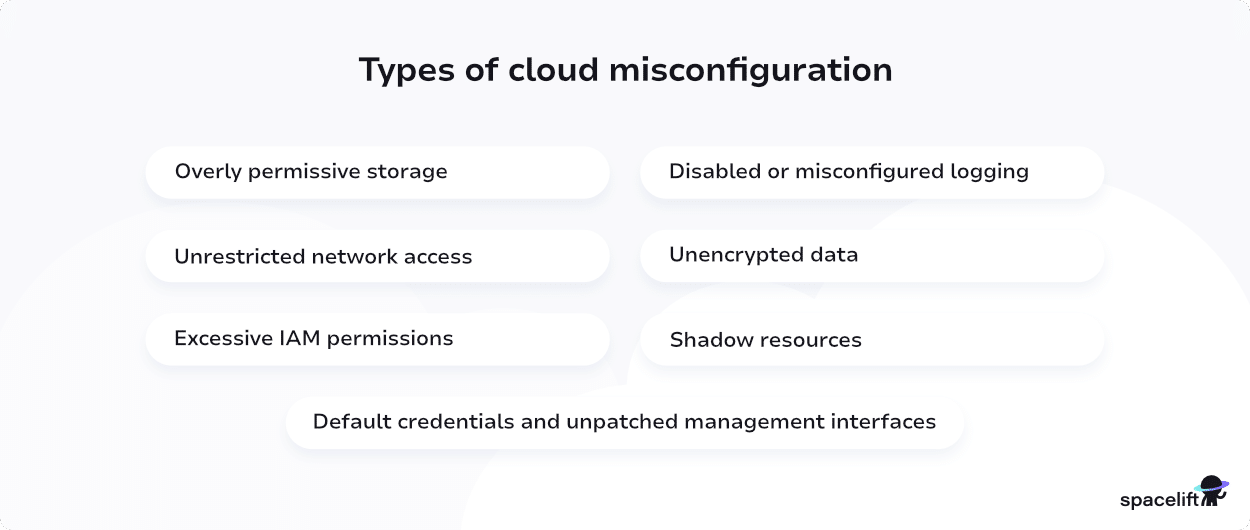
Some of the suspects that appear repeatedly include:
- Overly permissive storage. Public S3 buckets, Azure Blob containers with anonymous read access, and GCS buckets with allUsers in the IAM policy. Often, these were meant to host a single public asset and then became the default dumping ground.
- Unrestricted network access. Security groups, NSGs, or firewall rules that allow inbound traffic from anywhere on sensitive ports: SSH, RDP, database ports, and admin panels. During the early lift-and-shift era, I saw entire on-premises firewall rulesets copied verbatim into AWS security groups, including rules that made sense behind a corporate perimeter but were catastrophic when exposed to the open internet.
- Excessive IAM permissions. Roles attached to everything, users with admin-level access “just to get things working,” and service accounts with wildcard resource permissions.
- Disabled or misconfigured logging. CloudTrail is disabled in certain regions, flow logs are not enabled, or logs are written to a bucket nobody monitors.
- Unencrypted data. Volumes, snapshots, databases, and backups are stored without encryption at rest, or traffic is moving between services without TLS.
- Default credentials and unpatched management interfaces. Admin consoles left on default ports, default usernames still active, and MFA not enforced on privileged accounts.
- Shadow resources. Instances, databases, and entire accounts spun up outside of central governance, often by well-meaning developers who needed to move fast.
Causes of cloud misconfiguration
Misconfiguration is rarely the result of a single bad decision. It’s almost always the compounding effect of several factors:
1. Insecure defaults
This is the big one, and it’s the pattern I’ve seen most consistently over my career. Vendors optimize defaults for easy adoption, not security.
Someone clicks through a setup wizard, accepts the defaults, and moves on. Six months later, nobody remembers what was configured and what wasn’t. The secure setting is almost always available. It just isn’t the one selected for you, so reaching it takes a deliberate step that a rushed setup skips.
2. The speed of cloud provisioning
In the on-prem world, standing up a new server took weeks and involved multiple approvals. In the cloud, it takes thirty seconds and a credit card. That velocity is a feature, but it outpaces most organizations’ governance processes.
Infrastructure as code (IaC) raises the stakes further. A single terraform apply can create dozens of resources across multiple accounts in one run, so a mistake buried in a reused module replicates everywhere before anyone reviews it.
3. Lift-and-shift migrations
When I was consulting during the early cloud adoption wave, lift-and-shift migrations were everywhere. Teams would replicate their on-prem architecture in the cloud without rethinking the security model.
The assumption was that a firewall rule that worked in the data center would work in AWS. It wouldn’t, because the threat model is completely different when your resources have public IPs by default.
4. Knowledge gaps
Cloud platforms are vast. AWS alone has over 200 services, each with its own quirks. Expecting every engineer to know every nuance of every service is unrealistic, and misconfigurations often come from someone touching a service they’ve never worked with before.
And the target keeps moving. AWS, Azure, and Google Cloud ship new services and features constantly, so even an engineer who knew a service last year can hit a default or option that didn’t exist then.
5. Lack of centralized visibility
Multi-account, multi-region, multicloud environments are nearly impossible to audit manually. If you can’t see it, you can’t secure it.
Drift makes this worse. A quick manual change in the console that never makes it back into code leaves your real environment quietly out of sync with what you think you deployed, and you usually find out during an incident.
6. Shared responsibility confusion
Cloud providers secure the infrastructure; customers secure what they put on it. That line is well-documented but still widely misunderstood, particularly in organizations new to cloud.
The confusion is sharpest with managed and serverless services. Teams assume that because the provider patches the host and runs the service, it also secures what runs on top. It doesn’t. Your data and your access configuration stay yours, no matter how managed the service is.
Impacts of cloud misconfiguration
The consequences of cloud misconfigurations range from minor annoyances to existential threats, and the most visible of these is the data breach.
Exposed customer records, intellectual property, credentials, or internal documents can end up on the open internet or for sale on underground forums, and that exposure rarely stays contained.
The financial fallout follows close behind: Breach response, regulatory fines under regimes like GDPR, HIPAA, and PCI-DSS that carry real teeth, legal costs, and customer remediation all add up fast. A single exposed storage bucket has cost companies tens of millions of dollars.
The damage isn’t only financial. Customers lose trust, partners reconsider contracts, and in regulated industries the reputational hit can outlast the monetary one by years. Misconfigurations also threaten the day-to-day running of a business, because they don’t only cause breaches, they cause outages. An incorrectly configured load balancer or a cascading IAM change can take down production just as easily as an attacker can.
There are subtler drains as well. An exposed compute instance with weak credentials is a goldmine for attackers looking to mine cryptocurrency on someone else’s dime, and a monthly cloud bill can balloon from a few thousand dollars into six figures in a matter of days.
Finally, many misconfigurations are direct violations of compliance requirements, and those violations can trigger audits, the loss of hard-won certifications, and even contract cancellations, compounding every other cost on this list.
How to detect and monitor cloud misconfiguration
The good news is that detection has improved dramatically over the last several years. A few of the approaches that actually work include:
- Cloud Security Posture Management (CSPM) tools continuously scan your environment against a library of best-practice rules and compliance frameworks. Tools in this category, native options like AWS Security Hub, Microsoft Defender for Cloud, and GCP Security Command Center, as well as third-party platforms are essentially table stakes at this point.
- Infrastructure as Code scanning. Tools like Checkov, Trivy, and Terrascan catch misconfigurations before they’re ever deployed, by analyzing your Terraform, CloudFormation, or Bicep templates.
- Cloud provider native services. AWS Config, Azure Policy, and Google Cloud Organization Policy let you define rules and get alerts when resources drift out of compliance.
- Audit logs and SIEM integration. CloudTrail, Azure Activity Logs, and Google Cloud Audit Logs should be flowing into a SIEM where anomalies can be detected and investigated.
- Regular penetration testing and red team exercises. Automated tools catch the known issues; humans catch the creative ones.
- Continuous compliance monitoring. Rather than treating compliance as a point-in-time audit, bake it into your deployment pipeline and your monitoring stack.
How to prevent cloud misconfiguration
Detection is necessary but not sufficient. By the time a tool flags a misconfiguration, the exposure has often already existed for hours or days, and you’re left reacting to problems that should never have reached production.
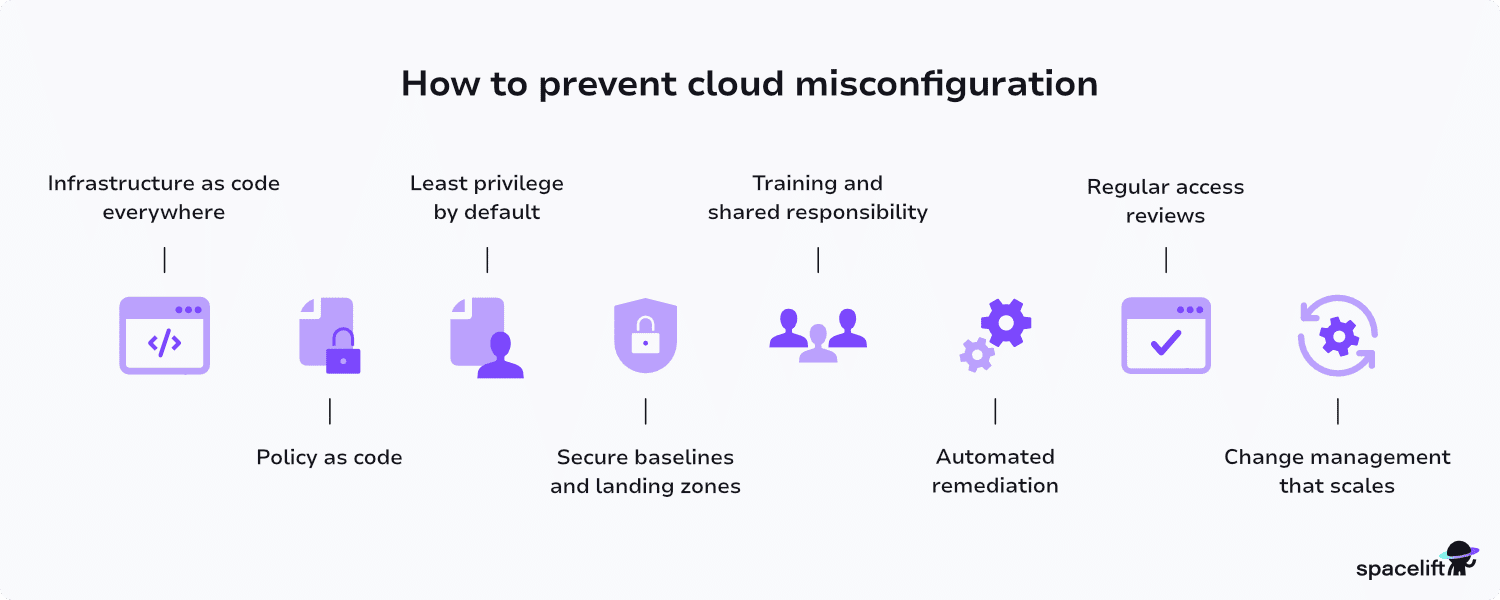
Prevention is where the real leverage is. The goal is to make the secure path the default path, so bad configurations are blocked at the source rather than discovered after the fact:
- Infrastructure as code, everywhere. If your environment is defined in code, it’s reviewable, version-controlled, and scannable. Click-ops in the console is where most misconfigurations originate.
- Policy as code. Tools like Open Policy Agent (with appropriate integration), AWS Service Control Policies, and Azure Policy let you codify guardrails that prevent bad configurations from ever being deployed, rather than just flagging them after the fact.
- Least privilege by default. Start every role, user, and service account with no permissions and grant only what’s needed. This is harder than it sounds but pays dividends.
- Secure baselines and landing zones. Every new account or subscription should be provisioned from a hardened template, logging enabled, encryption on, public access blocked, and MFA enforced. Don’t let anyone start from a blank slate.
- Training and shared responsibility. Developers shouldn’t need to be security experts, but they should understand the basics of the cloud services they’re using. Invest in ongoing education.
- Automated remediation. For well-understood issues (public buckets, disabled encryption, etc.), auto-remediation playbooks can fix problems faster than any human.
- Regular access reviews. Permissions accumulate. Roles that made sense two years ago may no longer be necessary. Build a quarterly or biannual review into your operational rhythm.
- Change management that scales. Your governance process needs to match the velocity of the cloud. Heavyweight change advisory boards don’t work; automated policy enforcement does.
Why use Spacelift to improve your cloud infrastructure management?
A platform like Spacelift can help your organization manage cloud infrastructure more efficiently.
Spacelift is the infrastructure orchestration platform built for the AI-accelerated software era. It manages the full lifecycle for both traditional infrastructure as code and AI-provisioned infrastructure, supporting tools like OpenTofu, Terraform, Ansible, Pulumi, Kubernetes, and CloudFormation.
Security is one of Spacelift’s top priorities, with features such as policy as code, encryption, single sign-on (SSO), MFA, and private worker pools built into the product. Spacelift is SOC 2 Type II audited and provides compliance and security artifacts, including GDPR resources and its DPA, through the Spacelift Trust Center.
It is also the first IaC orchestration platform to receive FedRAMP authorization, delivering flexible, policy-driven automation to federal agencies and contractors seeking secure, compliant infrastructure workflows.
The power of Spacelift lies in its fully automated approach. Once you’ve created a Spacelift stack for your project, changes to the infrastructure as code files in your repository are automatically applied to your infrastructure.
For non-critical workloads like tests, POCs, and demos, Spacelift Intelligence adds an AI-powered layer that enables natural language provisioning, diagnostics, and operational insight, so developers can request infrastructure without writing configuration code while platform teams retain full governance and visibility.
Spacelift’s pull request integrations keep everyone informed of what will change by displaying which resources are going to be affected by new merges. Spacelift also allows you to enforce policies and automated compliance checks that prevent dangerous oversights from occurring.
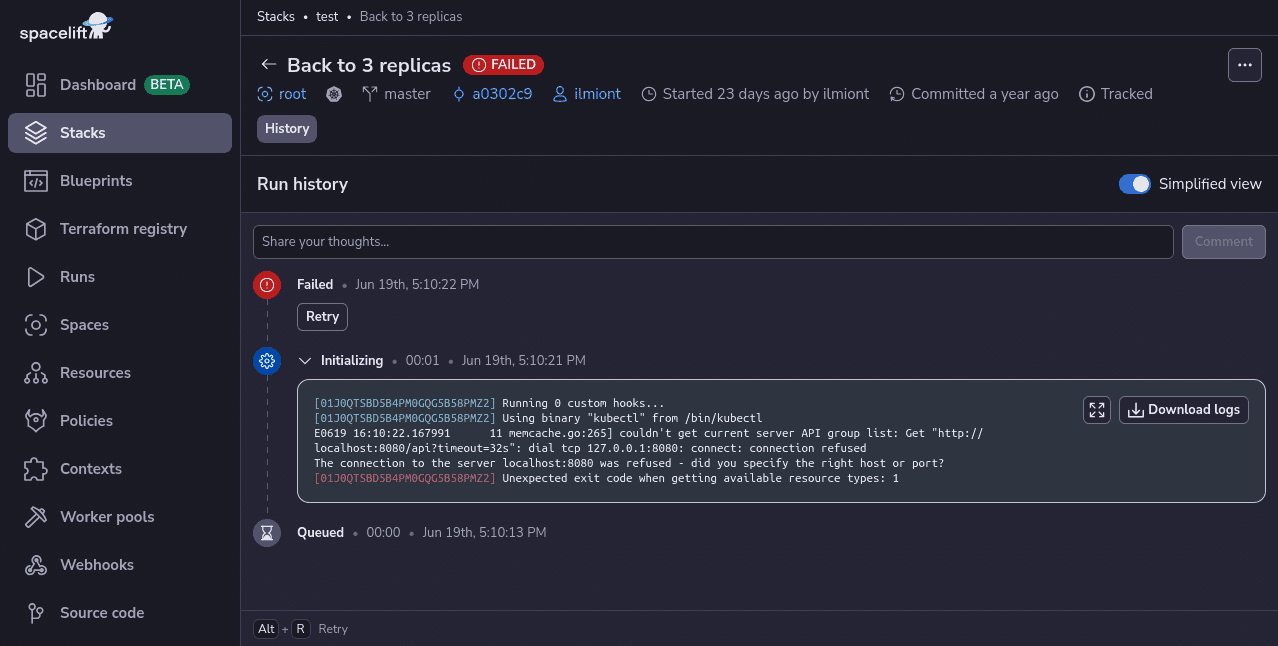
Spacelift includes drift detection capabilities that periodically check your infrastructure for discrepancies compared to your repository’s state. It can then launch reconciliation jobs to restore the correct state, ensuring your infrastructure operates predictably and reliably.
With Spacelift, you get:
- Policies to control what kind of resources engineers can create, what parameters they can have, how many approvals you need for a run, what kind of task you execute, what happens when a pull request is open, and where to send your notifications
- Stack dependencies to build multi-infrastructure automation workflows with dependencies, having the ability to build a workflow that, for example, generates your EC2 instances using Terraform and combines it with Ansible to configure them
- Self-service infrastructure via Blueprints and Templates, enabling your developers to do what matters — developing application code while not sacrificing control
- Creature comforts such as contexts (reusable containers for your environment variables, files, and hooks), and the ability to run arbitrary code
- Drift detection and optional remediation
If you want to learn more about Spacelift, create a free account today or book a demo with one of our engineers.
Key takeaways
Cloud misconfiguration is one of the most common and preventable security risks in modern IT. Here are some important points to remember:
Insecure defaults are the root cause of most issues. Assume every service you spin up needs to be hardened before it’s production-ready. Lift-and-shift migrations carry hidden security debt, and if your organization went through one in the early cloud era, it’s worth going back and auditing what’s still there.
Visibility is everything: you cannot secure what you cannot see, so invest in CSPM and native monitoring early. Shift security left by using infrastructure as code and policy as code so that misconfigurations are prevented at deploy time, not discovered after a breach. And finally, treat security as a continuous process, not a project, the cloud changes constantly, and your posture needs to evolve with it.
The organizations that get this right have made security a default, automated the boring parts, and built a culture where getting configuration right is just how work gets done.
Solve your infrastructure challenges
Spacelift is a flexible orchestration solution for IaC development. It delivers enhanced collaboration, automation, and controls to simplify and accelerate the provisioning of cloud-based infrastructures.
Frequently asked questions
What is an example of a misconfiguration?
A publicly accessible Amazon S3 bucket or Azure Blob container that exposes sensitive data because access controls were set to public instead of private. Other frequent examples include unchanged default credentials, overly permissive IAM roles, and disabled logging.
What is the difference between a vulnerability and a misconfiguration?
A vulnerability is a flaw in software or hardware code that an attacker can exploit, typically fixed through patching. A misconfiguration is an incorrect or insecure setting applied to an otherwise sound system, fixed by adjusting the configuration rather than the code.
What is a common reason for cloud security misconfigurations?
Cloud security misconfigurations are often caused by human error driven by the complexity of multicloud environments and the shared responsibility model, where teams must configure resources across providers with different defaults and tools. Over 80% of configuration errors originate from manual setup or oversight.
What is the cost of cloud misconfiguration?
According to IBM’s 2025 Cost of a Data Breach Report, the global average reached $4.44 million per incident, with US companies averaging $10.22 million, plus indirect costs from regulatory fines, downtime, and reputational damage.