Working with infrastructure at scale is challenging enough, but adding multiple cloud providers compounds the challenge.
IaC tools like Terraform or OpenTofu can reduce the complexity of working with multiple cloud providers, but you still need an infrastructure orchestration platform to implement security mechanisms that detect misconfigurations and vulnerabilities, block certain changes from occurring, implement drift detection and remediation, and ensure that all these operations are auditable.
In this article, we will explore how Spacelift can help you solve all these problems by providing a single orchestration layer for multicloud infrastructure governance.
What we’ll cover:
Why is multicloud governance challenging?
With a single cloud provider your team has experience using, managing IaC at scale can seem simple, until you need to manage multiple accounts and environments. Adding other cloud providers introduces different kinds of services you must understand.
Whereas every major cloud provider offers an identity and access management (IAM) service, they work slightly differently. AWS uses IAM roles and policies; Azure relies on Microsoft Entra ID (formerly Azure Active Directory) with service principals and managed identities; and Google Cloud uses service accounts with IAM bindings. Each of these cloud providers has its own permission model and its own credential lifecycle.
IAM is just one of many services across different cloud providers, so these problems scale with the number of services you are using.
Even if you are an expert in implementing governance across AWS, for example, adding a second or a third provider will introduce significant complexity. You’ll end up with:
- Credential sprawl: Using static API keys and secrets invites attackers to exploit your cloud providers. Spreading these credentials across different CI/CD pipelines will significantly complicate multicloud governance.
- Inconsistent policy enforcement: Implementing a security rule that prevents publicly accessible S3 buckets in AWS, doesn’t mean the same rule will be applied automatically to Azure Blob Storage and Google Cloud Storage.
- Blind spots in drift detection: Manual changes are inevitable, and so is drift. If you are only monitoring drift in Azure, for example, you’re going to miss unauthorized changes in AWS and Google Cloud.
- Audit fragmentation: Each cloud provider has its own audit trail. You will need to stitch these trails together, which will be a very error-prone and painful process.
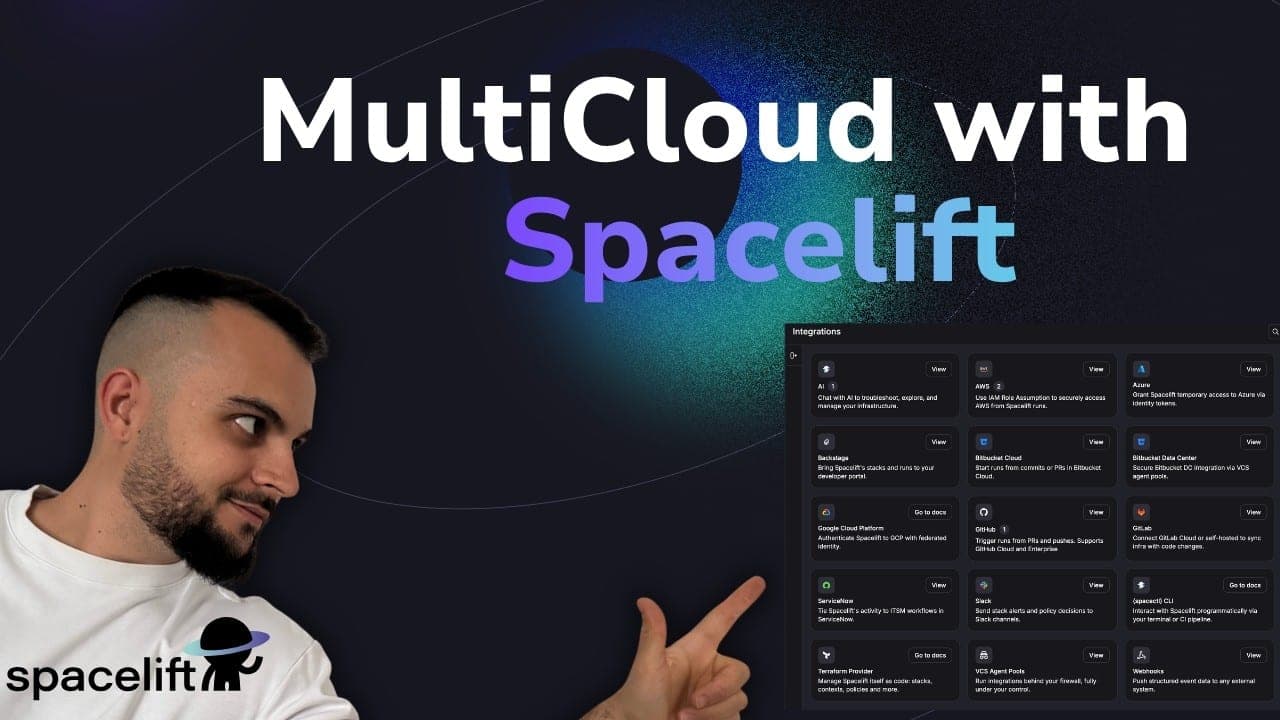
Multicloud governance falls apart the moment your access reviews and compliance audits have to happen three separate times. The video below shows how Spacelift pulls AWS, Azure, and GCP into one control plane:
How to connect Spacelift to AWS, Azure, and Google Cloud
Spacelift can help you connect to the major cloud providers through short-lived, dynamic credentials in two ways: via OIDC or the platform’s native integrations.
Native cloud integrations and OIDC
The native integrations for AWS, Azure, and Google Cloud are easy to set up and provide a convenient way to work with your cloud providers. You can control which permissions Spacelift has in your cloud accounts, and each integration connects to the cloud provider’s identity systems, enabling your Spacelift Stacks to authenticate and manage resources without hardcoded credentials.
These native cloud integrations are configured at the account level and live in specific Spaces, helping you implement the principle of least privilege (PoLP) at a granular level. You can scope cloud access by team, environment, or project.
How the native integrations work
Spacelift’s cloud integrations eliminate long-lived static credentials by generating short-lived access tokens at run time.
- For AWS, Spacelift assumes an IAM role via STS, producing temporary credentials exposed as environment variables during the run. These credentials default to a one-hour expiry and are never stored. Every resource change maps back to a specific run ID in CloudTrail.
- For Google Cloud, Spacelift generates a temporary OAuth token for a dedicated service account, injected as
GOOGLE_OAUTH_ACCESS_TOKENinto the run environment. - For Azure, Spacelift offers a managed integration that handles automatic secret creation and rotation, alongside options for static credentials or managed service identities on private workers.
Generic OIDC and Vault integration
Beyond these native integrations, Spacelift exposes a generic OpenID Connect integration compatible with any service provider. Each run receives a signed JWT containing claims such as space, stack ID, and run type, which you can use to build fine-grained access policies on the provider side.
This is particularly useful for integrating with HashiCorp Vault or its open-source alternative OpenBao when you need to authenticate with services beyond the three major cloud providers. Read this article to learn how to integrate Spacelift with Vault.
Short-lived credentials and security benefits
Every time a Spacelift run using these cloud integrations executes, the platform requests temporary credentials from the cloud provider. Those credentials are only valid for the duration of the run.
The security benefit is clear: You eliminate the need to store long-lived API keys, secrets, or tokens. Static credentials are one of the most common attack vectors in cloud infrastructure. With Spacelift, you reduce the attack surface. Even if credentials were somehow intercepted, they would expire in minutes, not days or months.
With Spacelift’s audit trail, you also get a clear view of when credentials were issued and which stack used them.
Organizing multicloud infrastructure with Spaces
Spaces are logical containers that Spacelift uses to organize stacks, policies, contexts, cloud integrations, worker pools, and other resources.
Every Spacelift account starts with a root space, and from there, you can create a tree structure of child spaces that maps to however you see fit. A space can have inheritance enabled, making it easy to use resources from a parent.
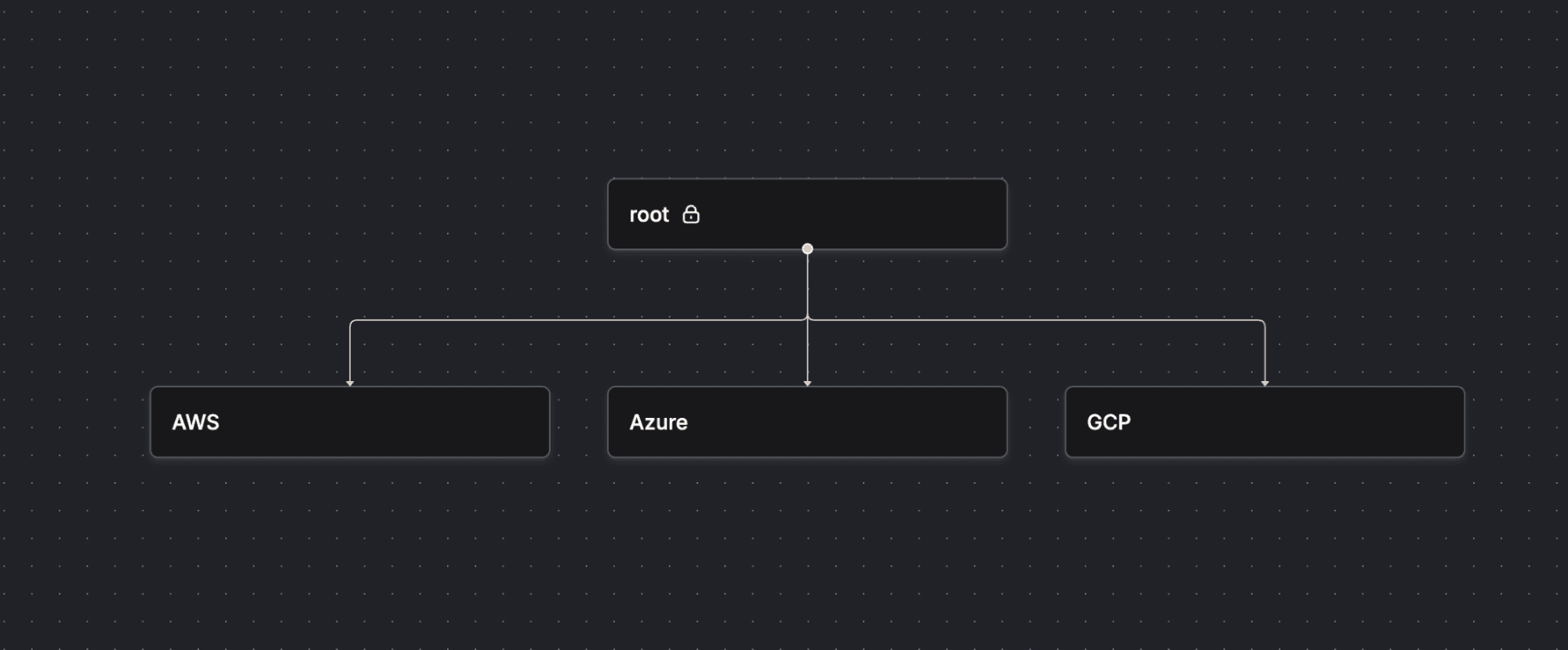
Here are some common patterns for multicloud setups:
- Cloud provider pattern: You can create top-level spaces for each cloud provider you use, with sub-spaces for each environment. This will make it easy to attach cloud integrations, policies, and contexts to the right group.
- Team pattern: If different teams own different parts of the infrastructure, you can create separate spaces per team, with sub-spaces for each cloud provider, and, in some cases, even go a step further and create sub-spaces per environment. In this way, your networking team won’t be able to modify something in your data team, for example.
- Environment pattern: You can also organize by environment, creating top-level spaces for dev, qa, staging, and production, then nest cloud-specific sub-spaces underneath.
Access control and environment isolation
Traditionally, Spacelift provided three built-in roles inside spaces: reader (you can view resources within a space, but cannot make changes), writer (reader permissions plus the ability to trigger runs and modify environment variables), and admin (writer permissions plus the ability to create and modify resources). This is the legacy approach.
Spacelift has now switched to custom roles with more granular permissions. In this new RBAC system, Spacelift uses actors (users, API keys, IdP groups) that can perform actions (the smallest unit of permission granularity that a user can perform; e.g., space:admin, run:promote, run:review), on subjects (e.g., Stacks, Contexts, Policies), within a space.
So, for example, you can implement something like: User Bob can run:promote on Stacks in the Dev Space.
Roles can be assigned from three different sources (Direct Role Assignment, IdP Group Assignment, and Login Policy).
Here is more information on how Spacelift RBAC actually works.
Spacelift governance capabilities across clouds
Managing governance across multiple clouds usually means stitching together different tools and workflows. Spacelift handles it from a single control plane.
1. RBAC across cloud environments
Spacelift provides a single RBAC layer that sits above all your cloud environments.
When a user logs into Spacelift, their permissions are defined by the RBAC layer mentioned above, which controls which subjects they can access, including cloud integrations. Their cloud-level permissions are handled by the cloud integration, but the decision about who can trigger a run against those stacks is made by the RBAC system.
This gives you a single, consistent access model for your operations across multiple cloud environments, even if these providers have completely different identity systems.
2. Automating governance with policy as code
Spacelift uses Open Policy Agent (OPA) for its policy framework, and supports several policy types:
- Plan policies: Control what kind of resources users can create/what kind of parameters these resources can have
- Approval policies: Control who can approve or reject runs (both Stack and Task runs)
- Notification policies: Control where to send notifications (Slack, MS Teams, email, webhooks)
- GitPush policies: Control what happens when a pull request or merge happens
- Trigger policies: Control what kind of events cause a stack to run
Spacelift also offers a Policy Library with built-in policies, so you don’t need to start writing policies from scratch; you can import common ones into your environments and then modify them based on your organization’s requirements.
All policies can be auto-attached to your Stacks based on autoattach:magic_label label (replace magic_label with whatever label you’d like, and then just add that label to a stack).
3. Detecting and remediating drift across stacks
Infrastructure drift is inevitable, regardless of the cloud provider you are using. Spacelift’s drift detection doesn’t care if you are using AWS, Azure, Google Cloud, or any other cloud provider.
Drift detection runs a schedule you define and helps you detect changes outside your Spacelift deployment process. It can also remediate drift for you by reverting to the state of the infrastructure in your VCS system.
Find out more about the hidden impacts of infrastructure drift.
Note: Drift detection requires private workers.
4. Audit trails and compliance reporting
Spacelift provides a built-in audit trail that records all changes, actions, and events in your account. In frameworks like SOC2, HIPAA, and GDPR, you need to demonstrate who changed what, and when, and in multicloud environments, this can be a tedious process.
By managing your multicloud infrastructure with Spacelift, the audit trail records everything happening across your multicloud Stacks, making it easy to understand who did what. You can also forward all these events to an external endpoint.
5. Private workers for regulated workloads
By default, in the SaaS version, Spacelift executes runs on a managed public worker pool. This works very well for many teams, but organizations in regulated industries often need more control over where their infrastructure runs.
With private workers, you can host your own runner that executes Spacelift workflows inside your own cloud account, or even on-premise. Read more about the differences between public and private workers.
By leveraging private workers, you unlock features like drift detection, and you can also increase your run concurrency. In a multicloud governance context, you might want to run private worker pools on each cloud provider, and, for example, ensure that your AWS production runs happen on AWS workers, and the same holds for Azure and Google Cloud.
Key points
Multicloud governance can be especially difficult without a central orchestration platform. This is because each provider offers its own services, making it challenging to consolidate everything in a single place.
Spacelift helps you achieve a single orchestration layer that connects natively to major cloud providers and other providers via OIDC. With Spacelift Spaces, you can implement fine-grained RBAC across your providers, while OPA policies enforce rules at every stage of your deployment lifecycle. By leveraging drift detection and remediation, you can easily catch unauthorized changes across your stacks, and by using the audit trail, you will have a single source of truth for every infrastructure operation.
If you want to make multicloud infrastructure governance easy, book a demo with one of Spacelift’s engineers to learn even more about what you can do.
Keep infrastructure moving at AI speed
Spacelift Intelligence keeps platform teams ahead. Fuse traditional IaC and GitOps pipelines with an AI deployment model and a powerful Infrastructure Assistant.
Frequently asked questions
Can one Spacelift Stack manage resources across multiple clouds?
A single Spacelift stack can manage resources across multiple clouds. Since a stack executes your OpenTofu/Terraform code, you can configure multiple providers (AWS, Google Cloud, Azure) in that code.
How do dynamic credentials work across cloud providers?
Spacelift’s cloud integrations eliminate long-lived static credentials by dynamically generating short-lived access tokens for AWS, Azure, and Google Cloud.
- For AWS, Spacelift assumes an IAM role via STS to produce temporary credentials that are automatically injected into runs.
- For Google Cloud, Spacelift uses OIDC to generate a temporary OAuth token exposed as GOOGLE_OAUTH_ACCESS_TOKEN in the run environment.
- Azure supports a similar Spacelift-managed integration that handles automatic secret creation and rotation.
Beyond these native integrations, Spacelift also offers a generic OIDC integration that works with any provider supporting OpenID Connect, including HashiCorp Vault, giving you a single, consistent credential exchange mechanism.
Can policies differ by cloud or environment?
Yes. Spacelift policies are written in OPA/Rego and can evaluate stack metadata like labels and cloud provider, so a single policy can enforce different rules per cloud or environment. You can also scope policies structurally using Spaces, where, through space inheritance, you can share policies and other resources from parent to child spaces, letting you apply distinct governance to production versus development stacks automatically.
Does Spacelift support self-hosted or air-gapped multicloud deployments?
Yes. Spacelift can be deployed as a fully managed SaaS, self-hosted in your own cloud, or on-premises, including air-gapped environments with no external network access. Self-hosted runs on AWS (including GovCloud), Azure, Google Cloud, and on-premise Kubernetes, and supports regional and sovereign cloud providers as well.