
Container orchestrators are tools that automate container deployment, administration, and scaling tasks. They allow you to reliably manage fleets of hundreds or thousands of containers in production environments.
Container orchestration tools simplify container operations by letting you think in terms of application components instead of individual containers. They’re able to take control of all your app’s requirements, including config values, secrets, and network services.
In this article, we’ll explore some of the best and most popular orchestrators and related tools.
Although Spacelift is not a container orchestrator, as an infrastructure orchestration platform, it improves the management of your Kubernetes, Helm, Kustomize, or even Crossplane configurations. This integration ensures consistency, repeatability, and scalability in container deployments, making it easier to maintain distributed applications.
Why use container orchestrators?
Container orchestrators run containers across public cloud, private cloud, and on-premises environments.
- They give you a consistent way to deploy, then roll out changes across every instance with built-in rollback when something breaks halfway through.
- They watch for failed containers and replace them before anyone notices.
- They scale your applications up when traffic spikes and back down when it doesn’t, on a schedule or on a signal from your metrics pipeline.
Without orchestration, every one of those is work a human has to do, usually under time pressure, with no guarantee the next run looks like the last. Orchestrators turn those operations into a default behavior of the cluster rather than a task on someone’s plate.
How we review software at Spacelift
We aim to make our recommendations practical and vendor-neutral. For each tool we include, we evaluate category fit, core capabilities, integrations, documentation quality, security/governance features (when relevant), and pricing transparency. We also reference public review signals to validate common strengths and limitations. Review data is included for context and reflects what was publicly available at the time of writing.
Top container orchestration tools
Container orchestration needs to be supported by a robust toolchain that lets you deploy, configure, and monitor your applications. When selecting a tool, you should consider its ease of use, how well it integrates with other solutions, the administrative overhead it creates, and its track record for security and support.
Here’s a list of some of the best container orchestration tools you can choose in no particular order.
1. Kubernetes
Kubernetes is the best-known container orchestration tool. It was originally created at Google, drawing on years of experience running their internal cluster manager Borg at planet scale. Kubernetes development is now led by the Cloud Native Computing Foundation (CNCF).
Kubernetes uses a declarative model to define the ideal state of your container infrastructure. You write YAML that describes the state you want (which containers, how many replicas, how they’re networked, what they have access to) and the control plane works in a loop to make reality match.
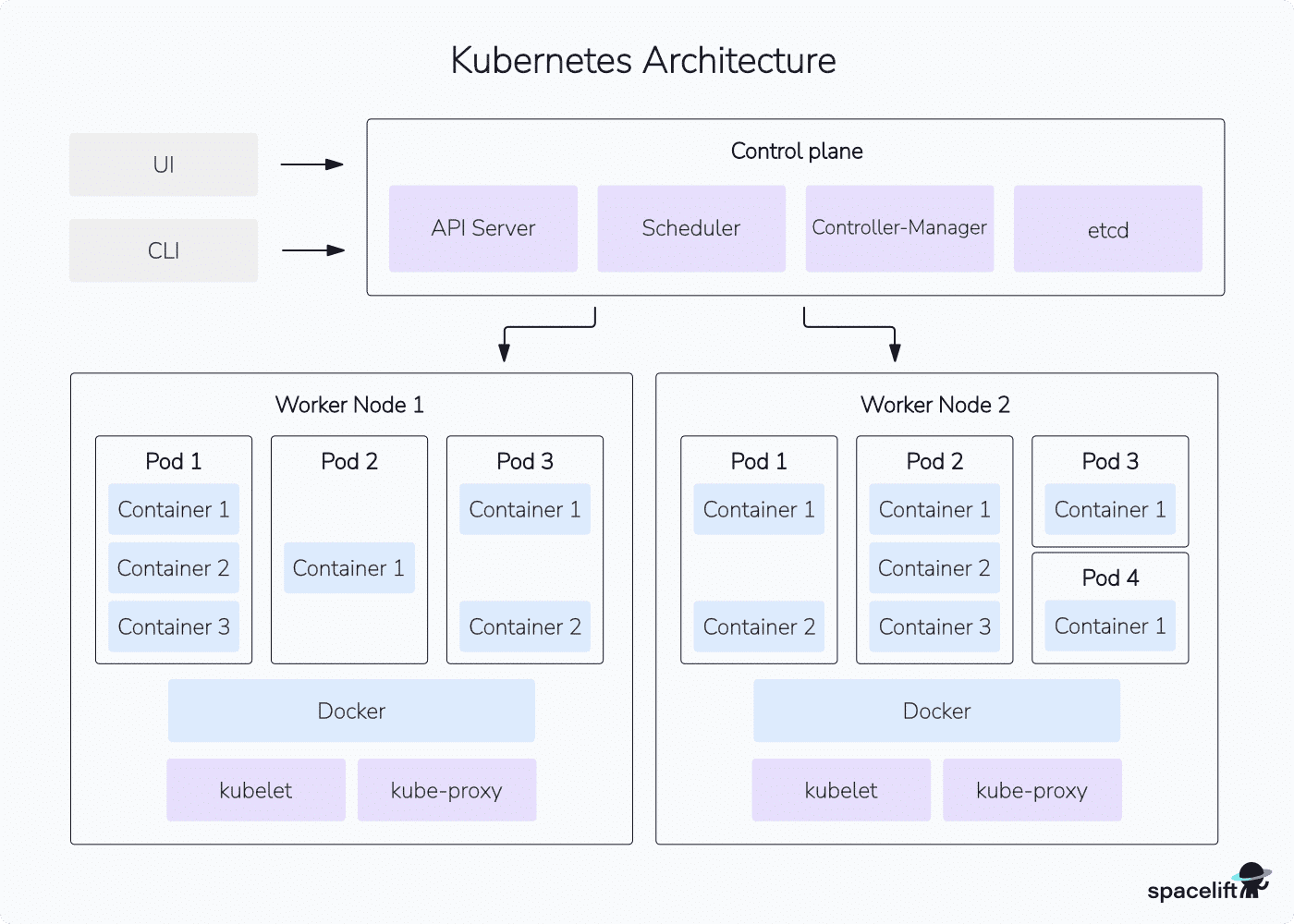
The Kubernetes architecture has two halves: a control plane (API server, scheduler, controller manager, etcd) and a fleet of worker nodes running kubelet and a container runtime. The scheduler places work on the nodes, the controllers watch for drift, and the kubelets do the actual running.
License/pricing: Apache 2.0 (Open source)
Website: https://kubernetes.io/
Kubernetes ratings and reviews:
- G2: 4.6/5 (149 reviews)
- Community signal: ~122k GitHub stars, three minor releases per year on a steady cadence
2. OpenShift
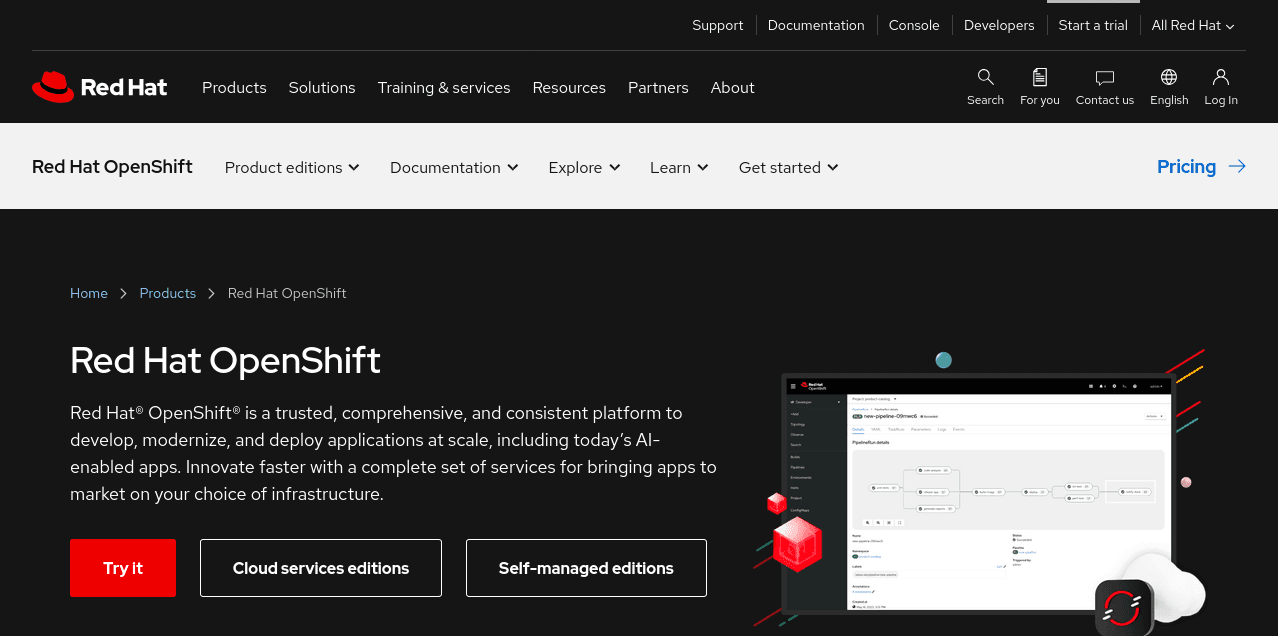
Red Hat OpenShift is a container orchestrator that builds upon Kubernetes by adding Platform-as-a-Service (PaaS) and GitOps functionality. It helps to automate application management by offering built-in monitoring, policy control, and security capabilities.
OpenShift includes source-to-image support that builds container images for you. It inspects your app’s source and produces an image that’s ready to deploy. OpenShift also has native integrations with other software delivery tools, such as Jenkins CI/CD pipelines.
OpenShift comes in several tiers. The base OpenShift Kubernetes Engine is positioned as the enterprise Kubernetes distribution. OpenShift Container Platform adds serverless, GitOps, CI/CD, virtualization, and edge workloads. Platform Plus adds multi-cluster management and advanced security. There are also fully managed cloud editions on AWS, Azure, IBM Cloud, and Google Cloud, where the cloud provider runs the cluster for you and Red Hat retains support ownership.
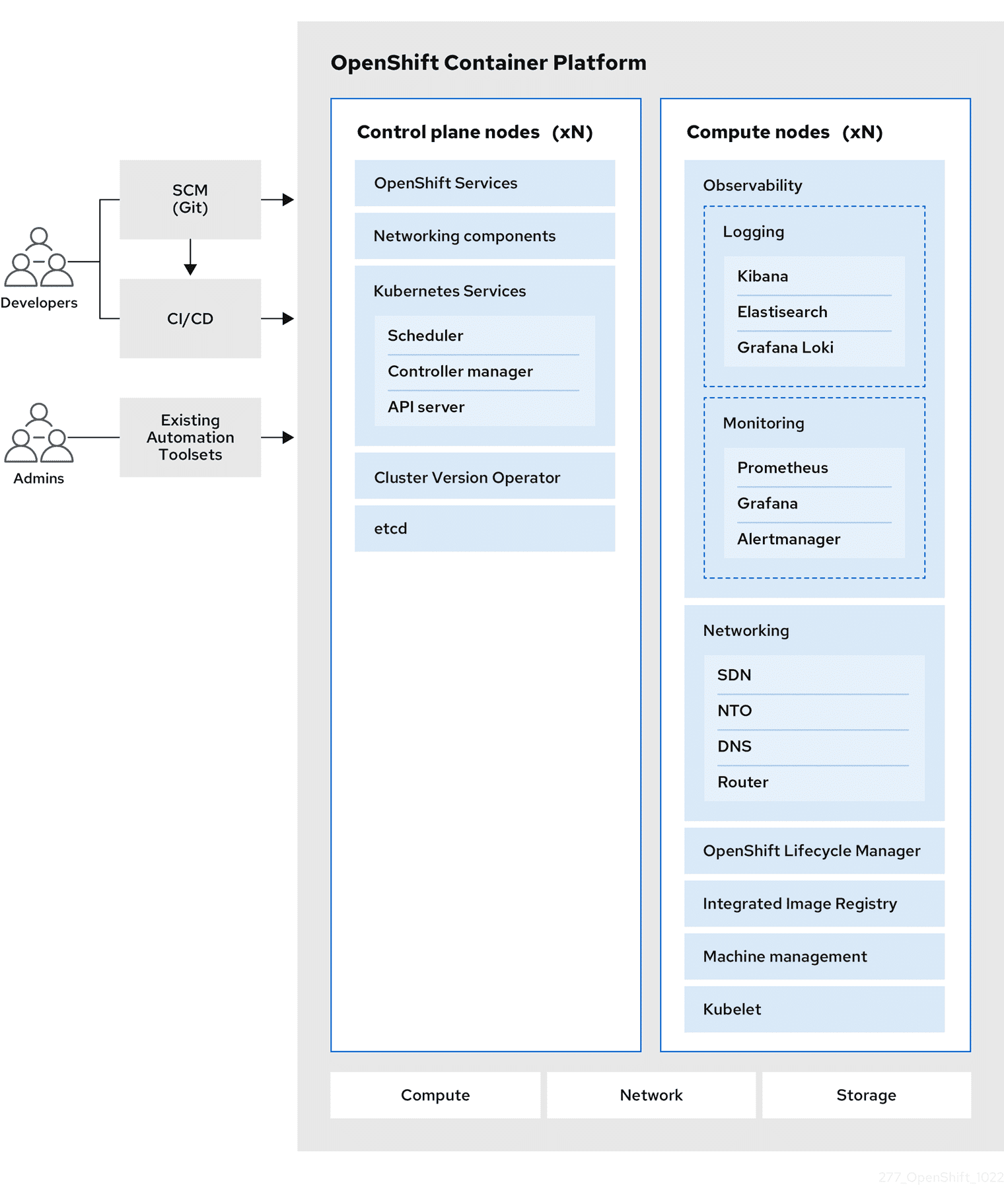
OpenShift makes sense when you want Red Hat to own opinions you’d otherwise have to form yourself: security posture, build pipelines, GitOps tooling, and supported lifecycle. If you already have a platform team that’s made those calls, vanilla Kubernetes plus your own toolchain usually costs less and constrains less.
The subscription pricing also assumes you’re using enough of OpenShift’s added surface to justify it. If you’re mostly using it as a Kubernetes distribution with a support contract, you’re paying for features you’ll never touch.
License/pricing: Subscription-based, with a free OpenShift Local for development
Website: https://www.redhat.com/en/technologies/cloud-computing/openshift
OpenShift ratings and reviews:
- G2: 4.5/5 (~300 reviews)
3. Docker Swarm
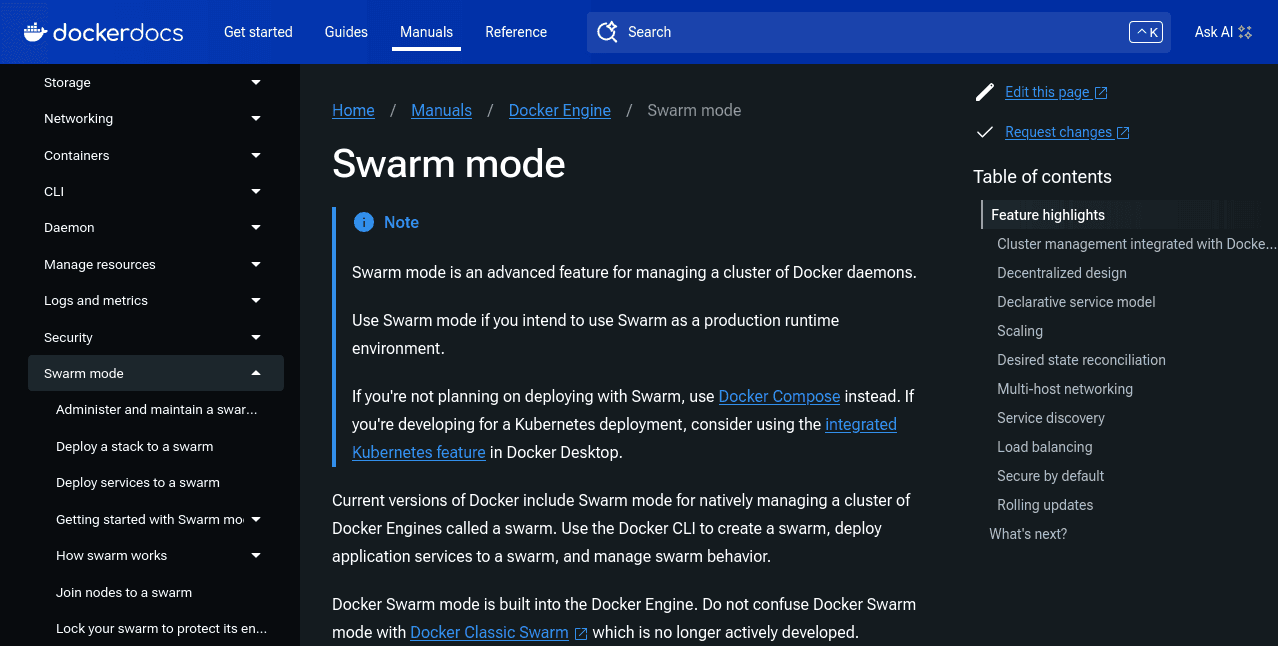
Docker Swarm is the container orchestrator built into the Docker Engine. Any Docker installation can enable swarm mode and start deploying containers across multiple machines. The interaction model stays close to the regular docker CLI, which keeps the learning curve short.
Swarm supports load balancing, service discovery, rolling updates, and declarative scaling. When you change a service’s replica count, the swarm manager creates or removes containers to match. It also detects worker failures and reschedules containers to healthy hosts.
The maintenance picture is more stable than most people assume. Docker sold its enterprise business to Mirantis in 2019, and Mirantis has committed to supporting Swarm through at least 2030 as part of its Mirantis Kubernetes Engine product. If you’re already running Swarm in production, you have a clear runway.
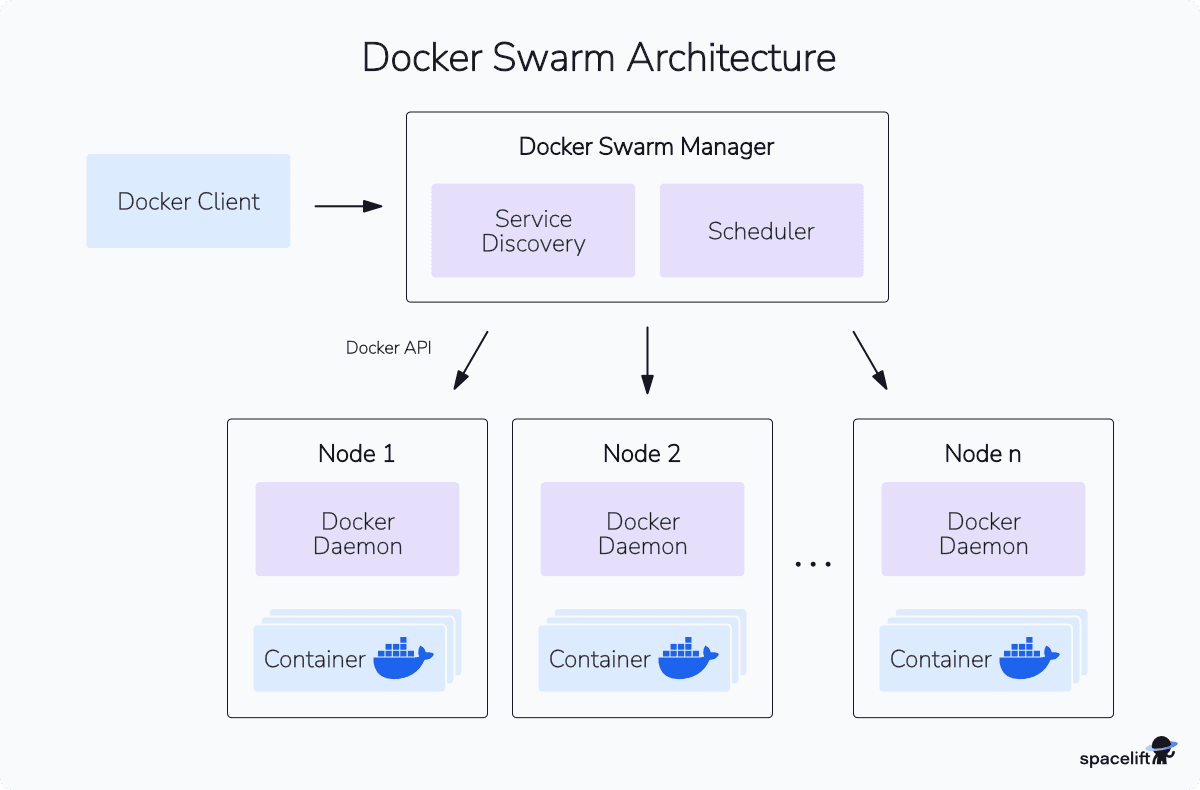
Swarm is a fine fit for small to medium clusters where operational simplicity matters more than ecosystem reach. It starts to creak when you need the things Kubernetes has and Swarm doesn’t, such as a serious operator ecosystem, mature multi-tenant isolation, Helm charts as a deployment standard, or a service mesh you didn’t have to build yourself.
License/pricing: Included with Docker Engine; commercial support via Mirantis
Website: https://docs.docker.com/engine/swarm
Docker Swarm ratings and reviews:
- G2: 4.1/5 (21 reviews)
- Community signal: Active long-term roadmap via Mirantis, with development continuing in
moby/swarmkitand the Docker Engine repos
4. HashiCorp Nomad
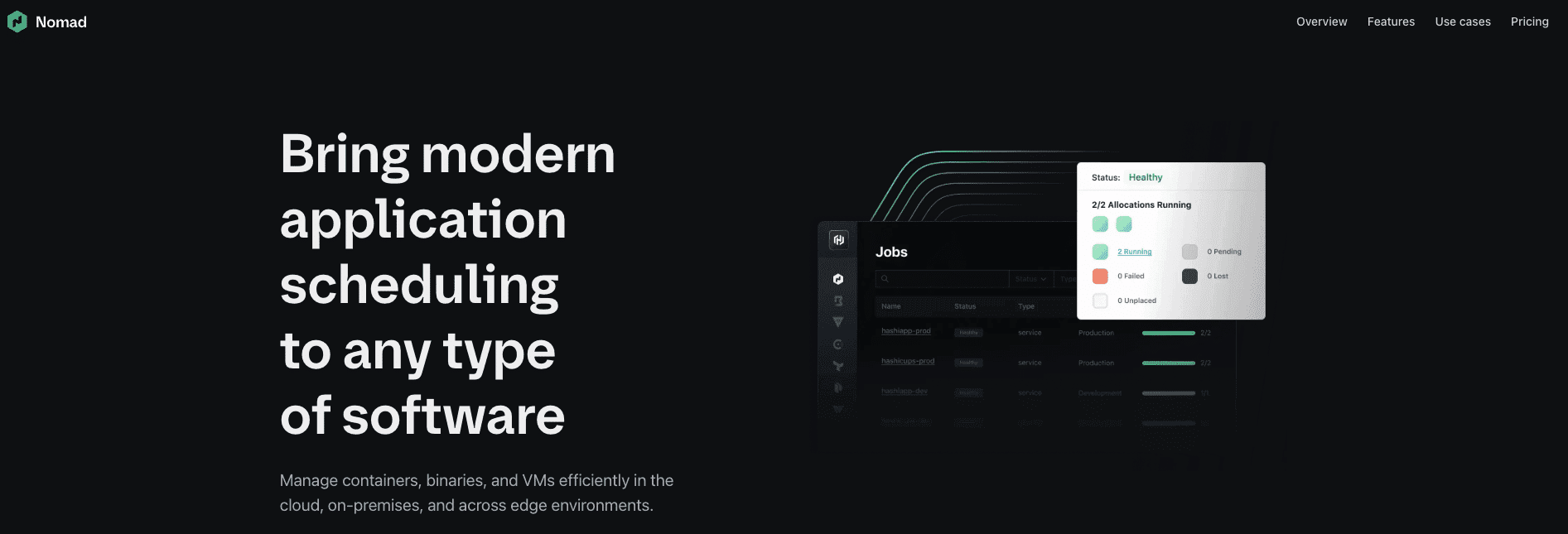
Nomad is a workload orchestrator from HashiCorp (now part of IBM, after the $6.4B acquisition closed in February 2025). It’s distributed as a single binary, supports containers alongside non-container workloads (VMs, raw binaries, Java apps), and runs on the same node set across clouds, regions, and on-premises environments.
The distinguishing capability is the mixed-workload model. If you have a mix of cloud-native containers and legacy applications that aren’t going to be containerized any time soon, Nomad lets you schedule both with one tool instead of running Kubernetes for one workload class and a separate scheduler for the other.
It’s also notably smaller in operational footprint than Kubernetes, which makes it a fit for edge and resource-constrained environments.
HashiCorp re-licensed Nomad (and its other open-source products) to the Business Source License in 2023, which restricts competitive commercial use of the source. And IBM now owns the roadmap. Neither is necessarily a problem, but both are facts you’d want before standardizing on Nomad.
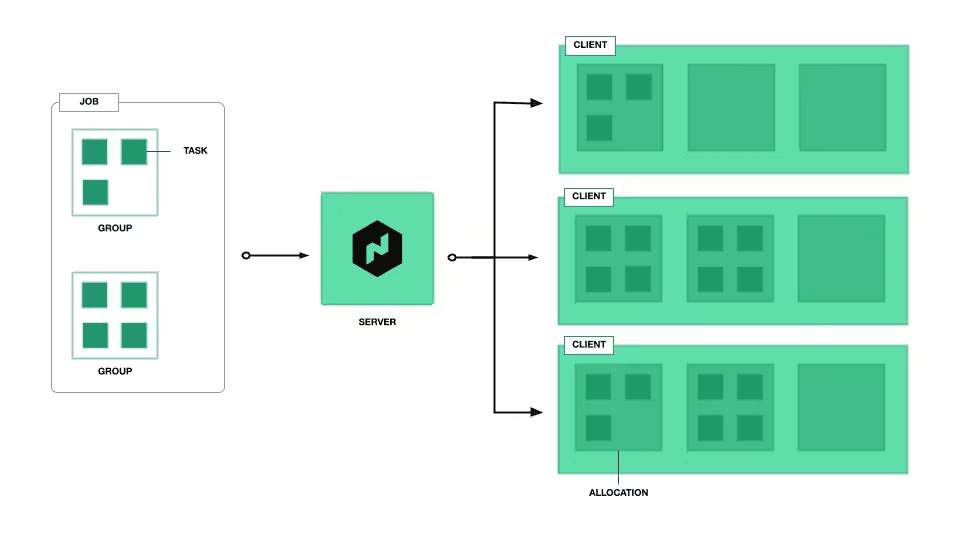
License/pricing: Business Source License with paid enterprise option
Website: https://www.nomadproject.io/
Hashicorp Nomad ratings and reviews:
- G2: 4.1/5 (10 reviews)
5. Rancher
SUSE’s Rancher is a Kubernetes management platform. It supports all flavors of Kubernetes — managed services (EKS, GKE, AKS), self-hosted clusters, and Rancher’s own distributions RKE2 and K3s. (Earlier Rancher 1.x supported Docker Swarm and Mesos, but Rancher has been Kubernetes-only since 2.0.)
Rancher centralizes Kubernetes access control, security, and operations when you’re working with multiple clusters. You can create users, roles, and projects once, then use them across all your clusters. It provides a single dashboard for monitoring your environments, regardless of the cloud platform that hosts them.
License/pricing: Apache 2.0 (open source), SUSE Rancher Prime for commercial subscription
Website: https://www.rancher.com/
Rancher ratings and reviews:
- G2: 4.4/5 (119 reviews)
- Community signal: ~25.6k GitHub stars, with v2.14 released in March 2026 on a roughly quarterly release cadence
6. Portainer

Portainer is a lightweight management UI for container environments. It supports Kubernetes, Docker Swarm, standalone Docker, and Nomad from the same console. The Community Edition is open source and free; Portainer Business adds RBAC, audit logging, edge agent management, and commercial support.
The use case is teams that want a graphical interface for cluster operations rather than committing entirely to kubectl, helm, and YAML. Portainer is also commonly used at the edge to manage fleets of small clusters or single-node Docker hosts from one place, which is a workflow other management tools handle poorly.
License/pricing: Subscription-based with free Community Edition
Website: https://www.portainer.io/
Portainer ratings and reviews:
- G2: 4.8/5 (~290 reviews)
7. KubeSphere
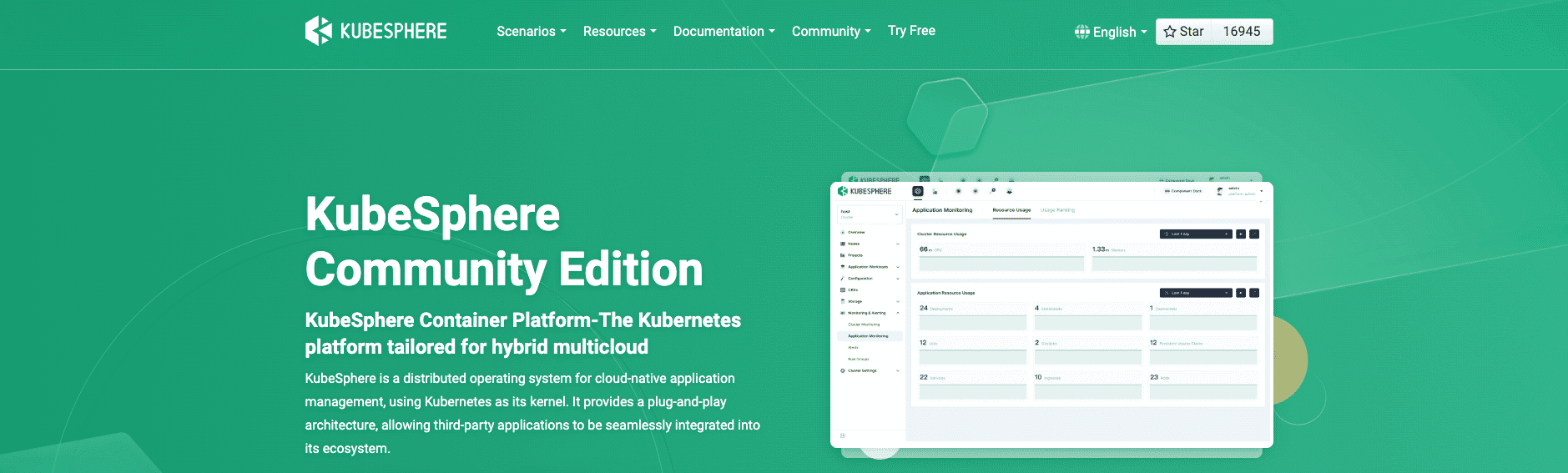
KubeSphere is an enterprise-grade Kubernetes platform that works across clouds and tenants. Similar in scope to Rancher, it differentiates on a fully extensible architecture: the v4.x platform is built around a small core (“LuBan”) with everything else delivered as installable extensions, so teams add only the modules they actually need.
KubeSphere installs into an existing Kubernetes cluster via Helm. The current release is v4.2.1 (January 2026), which focuses on multi-cluster federation, heterogeneous compute support, and lean resource management for production workloads.
License/pricing: Subscription-based with free version
Website: https://kubesphere.io/
KubeSphere ratings and reviews:
- G2: 4.3/5 (12 reviews)
8. Apache Mesos (retired)
Mesos was, for a window between roughly 2013 and 2019, the third serious orchestrator alongside Kubernetes and Docker Swarm. It scaled to tens of thousands of nodes at companies like Twitter, Airbnb, Apple, and Netflix.
Its decline was steady from 2019 onward: commit activity dropped sharply, its primary commercial backer Mesosphere pivoted to Kubernetes and rebranded as D2iQ, and contributor interest faded. The Apache Software Foundation formally retired the project in August 2025 and moved it to the Apache Attic in October 2025.
We’re keeping the entry on this list because some legacy Mesos deployments are still running and because the Mesos story is the clearest illustration of why orchestrator choice is also a bet on community momentum. If you’re on Mesos in 2026, the practical question is which Kubernetes distribution you’re migrating to, not whether to migrate.
Status: Retired, August 2025, moved to Apache Attic, October 2025
Website: https://mesos.apache.org/
9. AWS Fargate
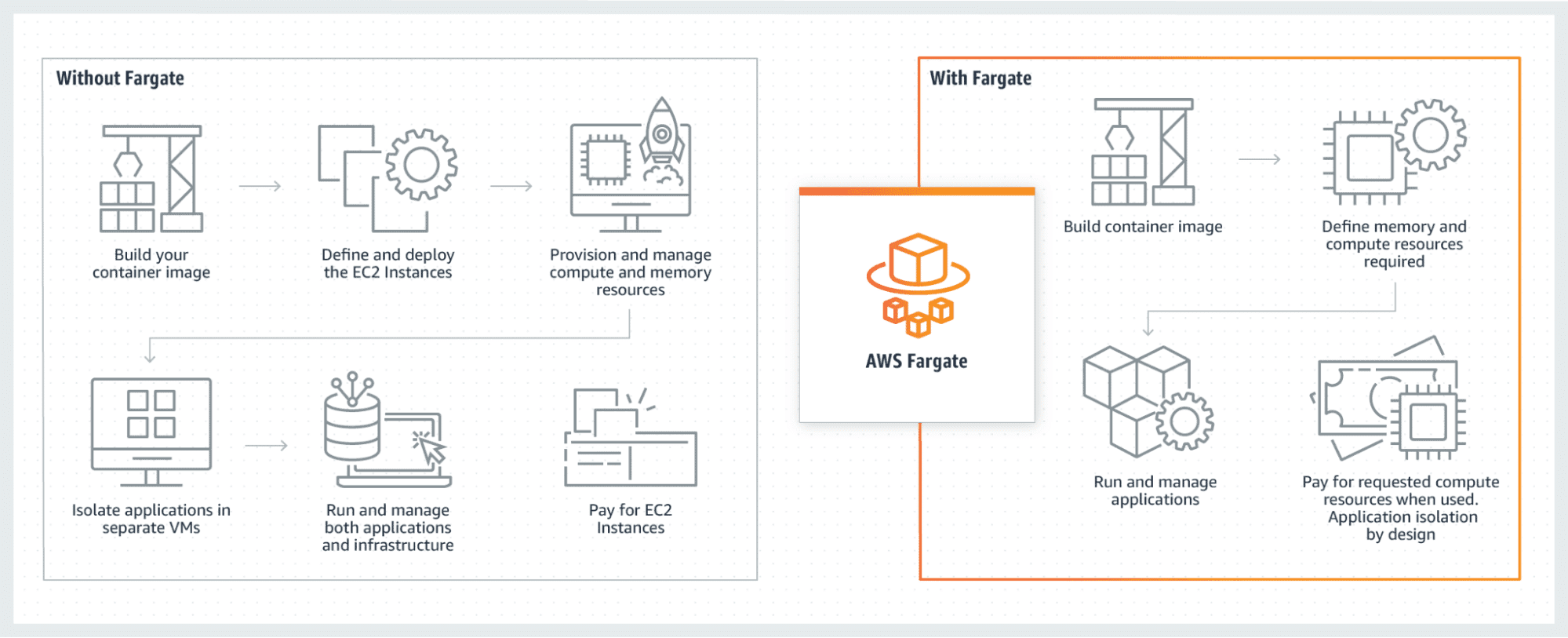
AWS Fargate represents a hands-off approach to container orchestration. It uses a serverless model where containers and other infrastructure components are created automatically, by inspecting the workloads you deploy.
Fargate runs your apps using either Elastic Container Service (ECS) or Kubernetes clusters created in Elastic Kubernetes Service (EKS). Deployed apps benefit from built-in monitoring, log collation, and security by design. Fargate automatically scales your compute resources to meet your app’s requirements.
Fargate is a convenience pricing model. At steady, predictable scale it costs noticeably more per vCPU-hour than running the equivalent workload on EC2 nodes you manage yourself. It also abstracts the host away entirely, so anything that needs GPU access, specific instance types, daemonsets for monitoring agents, or kernel-level tuning is either harder or impossible.
For 24/7 production workloads at a meaningful size, the math usually favors EKS or ECS on managed EC2. Fargate earns its keep on bursty, unpredictable, or low-volume workloads where the operational savings beat the per-hour premium.
License/pricing: Pay-as-you-go (per vCPU-second and per GB-second)
Website: https://aws.amazon.com/fargate/
AWS Fargate ratings and reviews:
- G2: 4.5/5 (92 reviews)
10. Cloudify
Cloudify is an “orchestrator of orchestrators” that offers self-service access to new container environments. It integrates different infrastructure providers and automation tools, including Kubernetes, Docker Swarm, Terraform, and Ansible.
Using Cloudify, you can quickly deploy resources into different environments with unified governance and compliance. It can manage your container infrastructure, as well as the workloads you deploy to that infrastructure. It’s designed to work equally well across both public clouds and private data centers.
License/pricing: Subscription-based
Website: https://cloudify.co/
Cloudify ratings and reviews:
- G2: 4.1/5 (19 reviews)
11. GitLab
GitLab isn’t an orchestrator. It’s a Git host and CI/CD platform with first-class Kubernetes integration via the GitLab Agent. We’re including it because if your team has standardized on GitLab, the Agent gives you a credible deployment path to Kubernetes without adding a separate tool.
After connecting your cluster via the Agent, you can deploy projects straight to Kubernetes using GitLab’s Auto Deploy pipeline templates.
There’s support for both push-based CI/CD (GitLab pushes to the cluster) and pull-based GitOps (the cluster pulls from GitLab). Canary deployments and secure cluster-to-GitLab tunneling are supported once the Agent is installed in-cluster.
If your team is on GitHub Actions instead, the equivalent path is the standard Kubernetes deployment actions plus Argo CD or Flux for GitOps. The point isn’t that GitLab is unique here — it’s that your CI/CD platform almost certainly has a Kubernetes integration story, and that integration is often the simplest path to production for teams that don’t want to introduce a separate orchestration-facing tool.
License/pricing: Subscription-based with free tier
Website: https://about.gitlab.com/
GitLab ratings and reviews:
- G2: 4.5/5 (~870 reviews)
Kubernetes has a reputation for being tricky to set up and run. This doesn’t need to be the case: fully managed cloud services let you provision a new cluster in seconds without having to configure the control plane or manually connect your Nodes. Any of these solutions can be used to rapidly spin up Kubernetes and start deploying your apps.
12. Amazon Elastic Kubernetes Services (EKS)
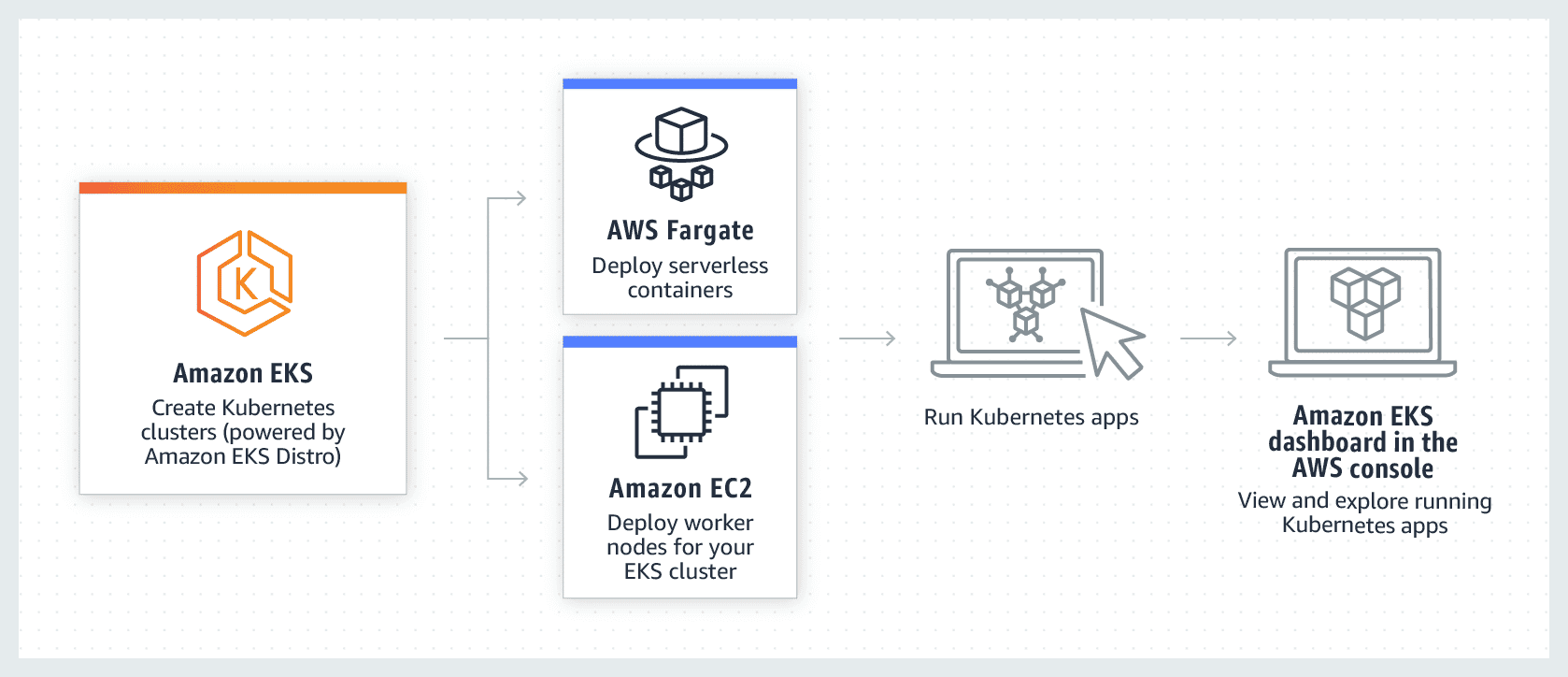
Amazon Elastic Kubernetes Service (EKS) is AWS’s managed Kubernetes offering. It plugs straight into the AWS stack: IAM for cluster auth, VPC for pod networking, ALB/NLB for ingress, CloudWatch for observability. The control plane is billed at a flat per-cluster hourly rate. Compute is billed separately depending on whether you run EC2 node groups, Fargate, or EKS Auto Mode.
Auto Mode (GA since late 2024) is AWS’s answer to GKE Autopilot. AWS provisions and manages the underlying nodes via a Karpenter-based scheduler, and you only think about workloads.
Karpenter itself has become the default Kubernetes autoscaler well beyond AWS, which is one of the strongest reasons to pick EKS even without Auto Mode. The trade-off versus GKE Autopilot: EKS exposes more configuration surface. More control, more rope.
License/pricing: Pay-as-you-go pricing model
Website: https://aws.amazon.com/eks
Amazon EKS ratings and reviews:
- G2: 4.5/5 (103 reviews)
13. Google Kubernetes Engine (GKE)
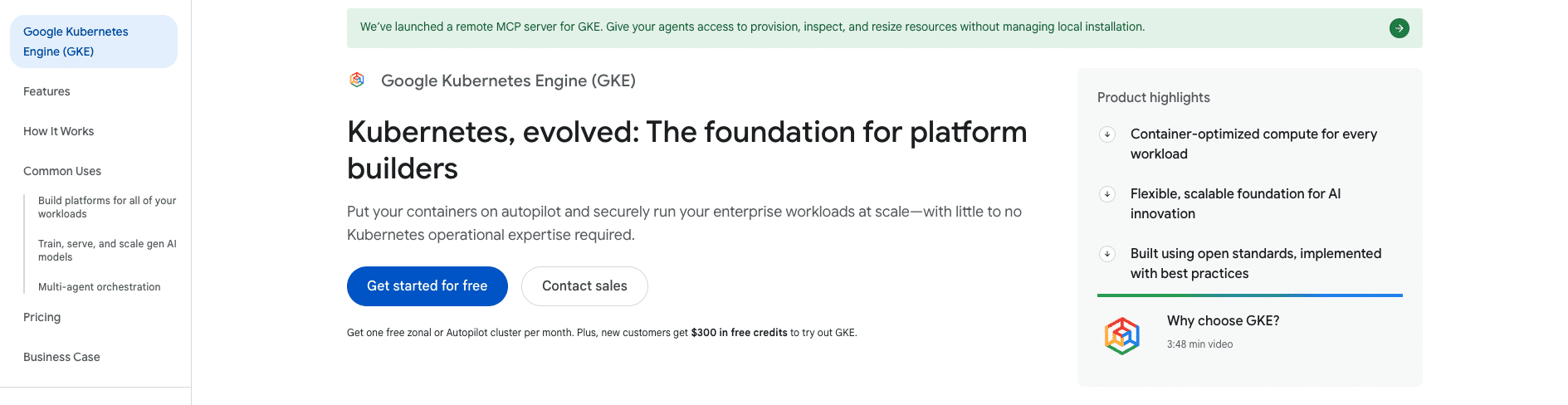
Google Kubernetes Engine (GKE) is generally considered the most “Kubernetes-native” of the three big managed offerings, since Google originated the project. Its differentiator is Autopilot mode, which hides nodes entirely: you deploy workloads, and Google provisions and scales the underlying compute on a per-pod billing model.
The trade-off is the same one Fargate makes — you give up node-level control (DaemonSets, privileged pods, specific instance types) in exchange for operational simplicity. Standard mode remains available for teams that want full control over the node fleet.
License/pricing: Pay-as-you-go pricing model with a free tier
Website: https://cloud.google.com/kubernetes-engine
Google Kubernetes Engine ratings and reviews:
- G2: 4.5/5 (257 reviews)
14. Azure Kubernetes Service (AKS)
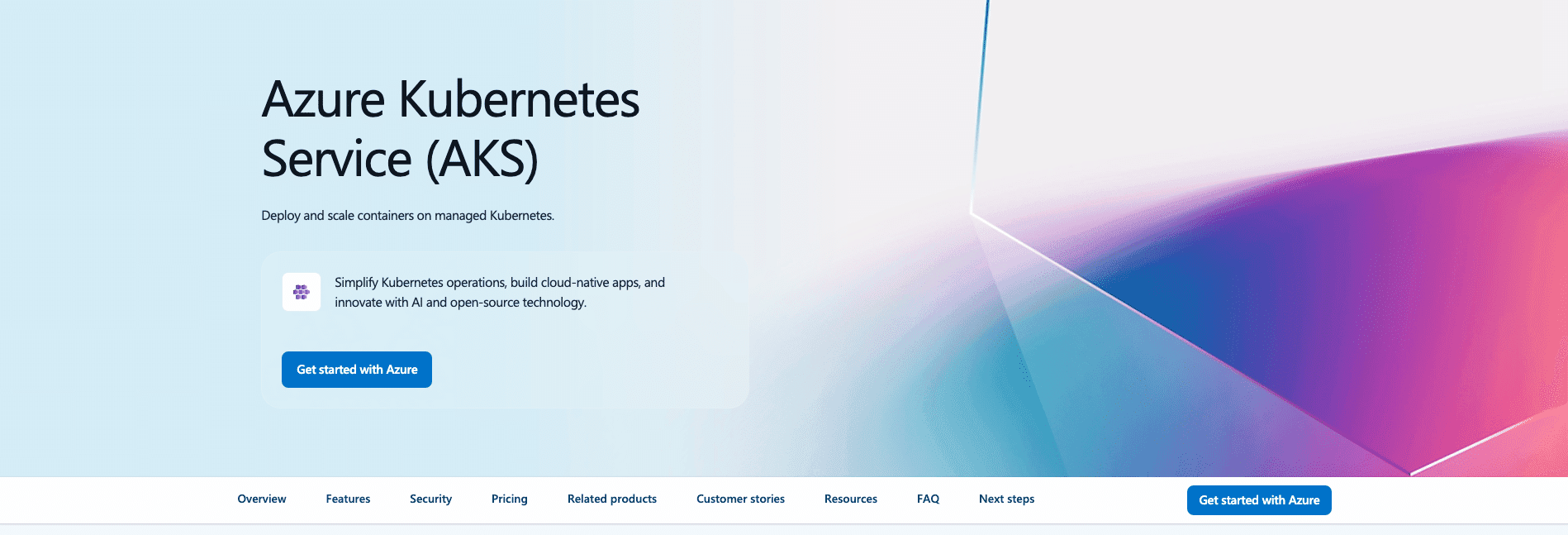
Azure Kubernetes Service (AKS) is Microsoft’s managed Kubernetes offering. The control plane is free at the standard tier: you only pay for nodes and other resources. That makes AKS cheaper than EKS or GKE for running a fleet of small clusters.
The bigger differentiator is Microsoft Entra ID (formerly Azure AD) integration. Entra is the identity backbone for most enterprises already on Microsoft 365, and AKS plugs into it for both cluster auth and workload identity without the workarounds you’d build on other clouds.
AKS Automatic is Azure’s equivalent to EKS Auto Mode and GKE Autopilot. The honest case for AKS is when you’re already on Azure or Microsoft 365. If you’re not, EKS and GKE have more ecosystem momentum.
License/pricing: Pay-as-you-go pricing model with a free tier
Website: https://azure.microsoft.com/en-us/products/kubernetes-service
Azure Kubernetes Service ratings and reviews:
- G2: 4.4/5 (115 reviews)
15. DigitalOcean Kubernetes

DigitalOcean Kubernetes (DOKS) is the simplest managed Kubernetes service on this list. The control plane is free at the standard tier.
Pricing is predictable: you pay for droplets, load balancers, and volumes at standard DigitalOcean rates. The UI is the cleanest you’ll find for spinning up a cluster.
The trade-off is reach and depth. DigitalOcean has fewer regions than AWS, GCP, or Azure, a smaller managed-services catalog (no equivalent to RDS, BigQuery, or Cosmos DB), and lighter enterprise features around compliance, identity, and networking.
DOKS earns its keep for startups, indie operators, side projects, and small-to-medium production workloads where simplicity and a flat cost model beat the breadth of a hyperscaler. For larger or regulated environments, EKS, GKE, or AKS is the more defensible default.
License/pricing: Subscription-based
Managing your orchestrator with IaC
Whichever orchestrator you pick, the cluster itself is infrastructure. Provisioning it by clicking through a console once and never touching it again is a setup for drift, surprise costs, and irreproducible disasters. The standard 2026 answer is to manage the cluster and the manifests on top of it as code.
Here’s the shape of a minimal Terraform/OpenTofu definition for an EKS cluster:
module "eks" {
  source  = "terraform-aws-modules/eks/aws"
  version = "~> 21.0"


  name               = "prod"
  kubernetes_version = "1.33"


  vpc_id     = module.vpc.vpc_id
  subnet_ids = module.vpc.private_subnets


  eks_managed_node_groups = {
    default = {
      instance_types = ["m6i.large"]
      min_size       = 2
      desired_size   = 3
      max_size       = 6
    }
  }
}
The cluster is one part. Everything that runs on top of it (Helm releases, Kustomize overlays, raw manifests) belongs in the same workflow, so the whole stack is reproducible, reviewable, and policy-checkable.
This is where Spacelift fits into the container orchestration story, even though it isn’t an orchestrator itself. Spacelift runs your Terraform/OpenTofu for the cluster, your Helm and Kustomize for the workloads, and your policy checks across all of it, in one place.
It’s the IaC orchestration layer above whatever container orchestrator you picked from the list above.
Key points
Container orchestrators automate container management tasks. They help manage containers, deploy them, restart them after failures, and scale them out automatically based on changes in user demand.
Kubernetes is the most popular orchestrator, but it’s not alone in the field. Alternatives such as OpenShift and Docker Swarm can be better suited to specific workloads, while ecosystem tools like Rancher and Portainer make it even easier to interact with your clusters.
Orchestration is key to modern DevOps workflows. The best tool to use depends on your application’s requirements, the other technologies you’re interfacing with, and the amount of control you require. It’s also good practice to assess how you’ll manage the orchestrator’s own infrastructure.
Manage Kubernetes with confidence
Spacelift is the infrastructure orchestration platform built for the AI-accelerated software era. Automate, audit, secure, and continuously deliver your Kubernetes infrastructure with GitOps workflows, policy as code, and governance that scales.