If you’ve spent any time managing Windows servers, hardening Linux boxes, or untangling firewall rules at 2:00 AM, you know that security has always been complex. Moving to the cloud doesn’t make it simple, it makes it different.
The attack surface shifts, the tooling changes, and the shared responsibility model mean you must rethink assumptions that may have served you well for years.
This post distills what I’ve learned as a security engineering director and, before that, as a consultant who spent years in the trenches doing Windows and Linux administration, networking, and security across hybrid environments into a practical framework for cloud security. It follows the major cloud security best practices that any serious organization should address in cloud security.
Before diving into tools and configurations, it’s worth grounding ourselves in the principles that should guide every cloud security decision.
What is cloud security?
Cloud security is the set of policies, controls, and technologies used to protect cloud-hosted data, applications, and infrastructure from unauthorized access, misconfiguration, and attacks. It covers how you secure what you run in the cloud, plus how you manage identities, data protection, and operational risk.
Common cloud security challenges
Here are the cloud security challenges we see most often, especially as teams scale across accounts, regions, and tools:
- Misconfigurations at scale – Small mistakes (public access, open ports, no encryption) become inevitable when teams move fast.
- IAM sprawl and over-permissioning – Too many roles, unclear ownership, and “temporary” broad access that quietly becomes permanent
- Secrets exposure and weak rotation – Leaked keys in repos/CI logs, shared secrets across environments, and slow or manual rotation
- Limited visibility and poor asset inventory – If you can’t answer “what exists, who owns it, and what changed,” you can’t secure it.
- Drift and shadow resources – Console fixes and manual changes break parity with infrastructure as code, often discovered during incidents or audits.
- Inconsistent guardrails and policy enforcement – Policies live in docs, not workflows, so enforcement depends on who’s deploying and how experienced they are.
What are the cloud security best practices?
Cloud security best practices come down to two things: clear ownership (the shared responsibility model) and repeatable controls (implemented in code, monitored continuously).
Here’s a practical checklist you can apply in any major cloud:
- Apply the principle of least privilege.
- Adopt a defense-in-depth strategy.
- Model threat actors and trust boundaries.
- Choose the right cloud delivery model.
- Understand the cloud shared responsibility model.
- Adopt a risk-based approach.
- Use data classification as the foundation.
- Encrypt data and manage keys securely.
- Prevent leakage and manage the lifecycle.
- Maintain continuous cloud asset visibility and ownership.
- Harden compute assets with secure baselines.
- Prevent and remediate configuration drift.
- Centralize identity management and enforce MFA universally.
- Enforce RBAC based on job responsibilities.
- Secure and manage machine identities.
- Monitor for identity-based threats and high-risk actions.
- Integrate continuous vulnerability scanning into your CI/CD pipeline.
- Prioritize remediation based on exploitability.
- Adopt a zero-trust, hostile-network mindset.
- Enforce workload-level micro-segmentation with defense in depth.
- Secure connectivity, encryption-in-transit, and controlled exposure.
- Centralize your logging.
- Build detection rules.
- Develop and rehearse incident response playbooks.
1. Apply the principle of least privilege
The principle of least privilege is simple to state and difficult to implement: Every identity, human, or machine should have only the permissions necessary to perform its function, and nothing more.
In cloud environments, this becomes both more critical and more challenging because of the sheer volume of permissions available. AWS IAM alone has thousands of discrete actions across hundreds of services.
Start with deny-by-default policies and grant access incrementally. Use tools like AWS IAM Access Analyzer and Azure AD Privileged Identity Management to identify and prune excessive permissions over time.
From the field: Early in my consulting days, I inherited a client environment where every developer had Domain Admin rights on the Windows domain “because it was easier.” The blast radius when one developer’s credentials were phished was enormous. That lesson stuck with me.
In the cloud, I’ve seen the same pattern with wildcard IAM policies. I now make it a standard practice to run quarterly permission audits and enforce just-in-time access for privileged roles.
2. Adopt a defense-in-depth strategy
Every engineer will tell you that no single control is sufficient. Defense in depth layers multiple security mechanisms so that if one fails, others still protect your assets.
In the cloud, this means combining network controls (security groups, NACLs), identity controls (MFA, conditional access), application-level controls (WAF, input validation), and data-level controls (encryption, tokenization).
Think of it as concentric rings: Your perimeter controls are the outer ring, but you should assume they’ll eventually be bypassed. The question is whether you have enough inner rings to contain the damage.
From the field: I used to configure multilayer defenses for on-prem networks, such as a perimeter firewall, an IDS behind it, host-based firewalls on every server, and application whitelisting on the endpoints.
When we moved workloads to a hybrid cloud setup, I applied the same mental model: VPC flow logs replaced my span-port packet captures, cloud-native WAFs replaced the hardware appliances, but the philosophy of overlapping controls stayed the same.
3. Model threat actors and trust boundaries
Before you can defend a system, you need to understand who might attack it and how. This is where threat modeling comes into play. Using frameworks like STRIDE or PASTA helps you systematically identify what you’re protecting against.
Trust boundaries are where data or execution crosses from one trust level to another: from the internet to your VPC, from one microservice to another, or from a developer’s laptop to your CI/CD pipeline.
Document these boundaries explicitly. Architecture diagrams that include trust boundaries are one of the most underrated security tools. They make implicit assumptions visible and help teams reason about where controls are needed.
4. Choose the right cloud delivery model
The delivery model you choose (IaaS, PaaS, or SaaS) fundamentally shapes your security posture. With IaaS, you’re responsible for the OS, middleware, and application security.
- With PaaS, the provider handles more of the stack, but you still own data and access controls.
- With SaaS, your control is limited to configuration and identity management.
Understanding which model you’re operating in for each workload is essential, because it determines where your security responsibilities begin and end.
5. Understand the cloud shared responsibility model
Every major cloud provider publishes a shared responsibility model, and yet misunderstanding it remains one of the most common sources of cloud security failures. The provider secures the infrastructure “of” the cloud; you secure what you put “in” the cloud.
In practice, this means the provider ensures hypervisors are patched and data centers are physically secure, but you are responsible for configuring security groups correctly, encrypting data at rest, managing IAM policies, and keeping your workloads patched.
From the field: When I first helped a client migrate a fleet of Windows Server workloads to AWS EC2, the sysadmins assumed that ‘being in the cloud’ meant patching was handled. It wasn’t. We had unpatched IIS instances exposed to the internet within the first month.
Now I make shared responsibility the first slide in every cloud migration kickoff. If the team can’t articulate what they own vs. what the provider owns, we’re not ready to migrate.
6. Adopt a risk-based approach
Cloud security is ultimately about managing risk, not eliminating it. Adopt a risk-based approach that considers likelihood, impact, and your organization’s risk appetite. Not every finding is critical, and not every vulnerability needs to be patched immediately, but you need a defensible process for making those decisions.
Use frameworks like NIST CSF or ISO 27005 to structure your risk management program, and ensure it accounts for the dynamic nature of cloud environments where assets and configurations change constantly.
7. Use data classification as the foundation
Data is the reason your cloud environment exists, and protecting it should be the central organizing principle of your security program.
Start with a data classification scheme. Not all data requires the same level of protection, and treating everything as top-secret is both expensive and impractical.
Classify data by sensitivity, public, internal, confidential, restricted, and apply controls proportionally. This classification should drive decisions about encryption standards, access controls, retention policies, and where data is permitted to reside geographically.
8. Encrypt data and manage keys securely
Encrypt data at rest and in transit. In 2026, there is no excuse for unencrypted data stores. Use provider-managed keys (AWS KMS and Azure Key Vault) as a baseline, and customer-managed keys for your most sensitive workloads.
Implement key rotation policies and audit key usage. Pay particular attention to envelope encryption for large data sets and ensure your key hierarchy is well documented. Losing access to an encryption key is functionally equivalent to losing the data itself.
9. Prevent leakage and manage the lifecycle
Implement data loss prevention (DLP) policies that detect and prevent sensitive data from leaving your control boundary. This includes monitoring for sensitive data in logs, backups, and development environments.
Places where it often leaks unintentionally. Modern DLP tools can scan cloud storage, databases, and even SaaS applications for patterns like credit card numbers, social security numbers, or custom patterns specific to your business. Pair DLP with data access logging so you have an audit trail of who accessed what, when, and from where.
Don’t overlook data lifecycle management. Define retention policies that comply with your regulatory requirements and automate enforcement. Data that should have been deleted six months ago is still a liability if it’s breached.
Use lifecycle rules for storage services (S3 lifecycle policies and Azure Blob Storage tiering) to automatically transition or expire data based on your classification.
From the field: In a hybrid environment I managed, we discovered that database backups from our on-prem SQL Servers were being synced to an S3 bucket with public read access.
The bucket had been created by a well-meaning engineer who was automating the backup process. No malicious intent, just a misconfiguration. We caught it through a routine S3 bucket audit.
Since then, I’ve mandated that all storage resources are included in automated posture checks with tools like AWS Config or Prowler, and we block public access at the account level using S3 Block Public Access settings.
10. Maintain continuous cloud asset visibility and ownership
You can’t secure what you don’t know about. Cloud asset management is challenging because assets can be ephemeral instances that spin up and down. For example, containers live for minutes, and serverless functions execute on demand.
Implement a cloud asset inventory that updates continuously. Cloud Security Posture Management (CSPM) tools like AWS Security Hub, Microsoft Defender for Cloud, or third-party solutions can provide this visibility.
Tag every resource with owner, environment, data classification, and cost center at a minimum. Enforce tagging through service control policies or tag policies that prevent resource creation without required tags.
11. Harden compute assets with secure baselines
Harden your compute assets using CIS Benchmarks as a baseline.
- For IaaS workloads, use hardened AMIs or golden images built through an automated pipeline that applies security baselines, removes unnecessary packages, and disables default accounts.
- For containers, scan images at build time and in registries, and enforce admission policies that reject unscanned or vulnerable images.
- For serverless, minimize function permissions and set appropriate timeouts and memory limits to reduce the impact of a compromised function.
12. Prevent and remediate configuration drift
Configuration drift is a silent threat. An instance that was compliant at deployment can become non-compliant within days as teams make ad-hoc changes.
Use a configuration management tool such as AWS Systems Manager, Azure Automation, or traditional tools like Ansible to enforce the desired state and detect drift.
Pair this with automated remediation where appropriate: if a security group rule is added that violates policy, automatically revert it and notify the team.
From the field: Coming from a world of physical server inventories and spreadsheets, the shift to dynamic cloud assets was jarring.
In one engagement, I found over 200 orphaned EC2 instances running outdated Amazon Linux AMIs leftover from a project that had been decommissioned six months earlier. They were still running, still costing money, and still had security group rules allowing SSH from 0.0.0.0/0.
Automated tagging enforcement and regular drift detection became non-negotiable after that. We built a Lambda function that flagged any instance older than 90 days without an active project tag for review, which cut our orphaned resource count by 85% in the first quarter.
13. Centralize identity management and enforce MFA universally
Identity is the new perimeter. In cloud environments, network boundaries are porous and dynamic, which makes identity the primary control plane for access to resources.
Centralize identity management. Use a single identity provider (IdP) federated across your cloud accounts. Enforce multi-factor authentication universally so there is no role, service account, or emergency break-glass process that shouldn’t be behind MFA.
Phishing-resistant MFA methods, such as FIDO2 security keys or passkeys, should be your standard for privileged users. SMS-based MFA is better than nothing, but it’s vulnerable to SIM-swapping and interception.
14. Enforce RBAC based on job responsibilities
Implement role-based access control (RBAC) aligned with job functions, and supplement it with attribute-based access control (ABAC) where finer-grained access is needed.
Use service control policies (SCPs in AWS) or management group policies (Azure) to set guardrails that no individual account or subscription can override.
15. Secure and manage machine identities
Don’t forget machine identities. Service accounts, API keys, and workload identity credentials often outnumber human users by an order of magnitude, and they’re frequently over-privileged and poorly rotated.
Use workload identity federation (AWS IAM Roles Anywhere, Azure Managed Identities) to eliminate long-lived credentials wherever possible. For service accounts that must exist, enforce automatic rotation and monitor for usage anomalies.
16. Monitor for identity-based threats and high-risk actions
Monitor for identity-based threats: impossible travel detections, unusual API call patterns, dormant account usage, and privilege escalation attempts. These are often the first indicators of compromised credentials.
Set up alerts for high-risk actions, such as creating new IAM users, attaching administrator policies, or disabling CloudTrail logging. These are techniques attackers commonly use to establish persistence.
From the field: One of the most impactful projects I led was consolidating identity across a hybrid environment. The client had Active Directory on-prem, Azure AD for Office 365, and separate IAM users in AWS. Three separate identity silos.
We federated everything through Azure AD (now Entra ID) with SAML-based SSO into AWS and implemented conditional access policies that considered device compliance, location, and risk level.
The number of standing privileged accounts dropped by 70%, and our mean time to revoke access went from days to minutes. The machine identity side took longer we found over 40 IAM access keys that hadn’t been rotated in over a year, several belonging to former contractors.
17. Integrate continuous vulnerability scanning into your CI/CD pipeline
Vulnerability management in the cloud requires a shift from periodic scanning to continuous assessment. Traditional scan-and-patch cycles that work on a monthly cadence are too slow for environments where infrastructure changes daily.
Integrate vulnerability scanning into your CI/CD pipeline:
- Scan infrastructure-as-code templates (Terraform, CloudFormation, Bicep) before they’re deployed
- Scan container images at build time and in registries
- Scan running workloads with agent-based or agentless tools that account for the ephemeral nature of cloud compute
Read more: Vulnerability Remediation: Process & Best Practices
18. Prioritize remediation based on exploitability
Prioritize remediation based on exploitability, not just CVSS scores. A critical vulnerability in a workload with no internet exposure and strong compensating controls is a lower priority than a high-severity vulnerability in a public-facing application with known exploits in the wild.
From the field: In my Linux admin days, patching was a scheduled event: test on Tuesday, deploy on Thursday, pray on Friday.
In the cloud, I’ve moved teams toward immutable infrastructure where possible; instead of patching running instances, we rebuild from updated base images. It’s not always feasible, especially for stateful workloads, but for our containerized microservices, it’s eliminated the ‘patch drift’ problem entirely.
19. Adopt a zero-trust, hostile-network mindset
Cloud networking is fundamentally different from traditional networking, and the security model must adapt accordingly. The concept of a trusted internal network no longer applies. Assume every network segment is hostile and enforce zero-trust principles.
Zero trust in practice means that every request is authenticated and authorized regardless of where it originates.
20. Enforce workload-level micro-segmentation with defense in depth
In network terms, zero trust translates to micro-segmentation at the workload level, not just at the subnet level. Each workload should only be able to communicate with the specific services it depends on. Use security groups as your primary micro-segmentation tool, and layer network ACLs as a secondary backstop for broader subnet-level controls.
Before defining restrictive policies, use VPC flow logs and network traffic analysis to understand actual communication patterns. This prevents you from inadvertently breaking legitimate traffic while giving you a data-driven foundation for your segmentation strategy.
21. Secure connectivity, encryption-in-transit, and controlled exposure
For connectivity between cloud and on-premises environments, use dedicated private connections (AWS Direct Connect, Azure ExpressRoute) rather than VPN tunnels where performance and security requirements warrant it. Encrypt all traffic in transit, even within your VPC.
Defense in depth applies to the network layer, too. Consider service-mesh architectures (Istio, Linkerd) for microservice communication, which provide mutual TLS, traffic management, and observability without requiring application code changes.
Implement DNS-level security controls and use private DNS zones to prevent data exfiltration via DNS tunneling. Deploy web application firewalls for public-facing applications and use DDoS protection services for internet-facing endpoints.
Don’t neglect egress filtering either. Controlling what traffic can leave your VPC is just as important as controlling what comes in.
Many data exfiltration and command-and-control techniques rely on outbound connectivity that unrestricted egress makes trivially easy.
From the field: When I was building hybrid network architectures, I learned the hard way that security group rules accumulate like technical debt. At one client, a ‘temporary’ rule allowing all traffic from the on-prem CIDR range to the cloud VPC had been in place for over a year. It completely negated our micro-segmentation effort.
Now I enforce a practice of treating security group rules like code: version-controlled in Terraform, peer-reviewed in pull requests, and with expiration dates on any ‘temporary’ rules.
We also set up automated alerts for any security group change that opens a port to 0.0.0.0/0 — it’s caught several misconfigurations before they reached production.
22. Centralize your logging
The best preventive controls in the world won’t stop every attack. Your detection, response, and recovery capabilities determine whether an incident is a minor event or a catastrophic breach.
Centralize your logging. Aggregate cloud-native logs (CloudTrail, Azure Activity), VPC flow logs, application logs, and OS-level logs into a SIEM or log analytics platform.
Ensure logs are immutable and retained for a period that meets both your compliance requirements and your investigation needs.
23. Build detection rules
Build detection rules that map to the MITRE ATT&CK Cloud Matrix. Focus on high-fidelity detections for the most impactful techniques:
- Initial access via compromised credentials
- Privilege escalation through role assumption
- Persistence via backdoor accounts or modified Lambda functions
- Data exfiltration via unusual S3 or storage access patterns
24. Develop and rehearse incident response playbooks
Develop and rehearse incident response playbooks specific to cloud scenarios. A compromised EC2 instance requires a different response than a compromised IAM access key, and both are different from a misconfigured S3 bucket.
Automate containment actions where possible, isolating a compromised instance by modifying its security group, for example, to reduce response time.
Plan for recovery. Ensure your backups are in a separate account and region from your production workloads. Test your restore process regularly. A backup you’ve never tested is a hope, not a plan.
From the field: The most valuable drill I’ve ever run was a tabletop exercise where we simulated a compromised AWS access key. The team realized we had no automated way to identify which resources the key had accessed in the last 90 days, and our CloudTrail logs were only being retained for 30 days.
We fixed both issues within a week. I’d encourage every security team to run this exact scenario. The gaps it reveals are always illuminating.
Cloud security across different cloud models
Cloud security fundamentals don’t change across deployment models. Identity, network boundaries, data protection, visibility, and change control always matter.
What does change is where your risk concentrates: public cloud tends to amplify misconfiguration and permission sprawl, private cloud shifts more responsibility for hardening and patching to you, hybrid adds “gaps” between environments, and multicloud increases inconsistency across IAM, logging, and guardrails.
The best way to stay secure across any model is to standardize a few non-negotiables: enforce least privilege and short-lived access, apply policy as code so guardrails are consistent, centralize audit logs/run history for incident response, and continuously detect configuration drift so “temporary” ClickOps doesn’t become permanent risk.
| Cloud model | Biggest security risk | What to prioritize | Common pitfall |
| Public cloud | Misconfiguration + permission sprawl at speed | Strong IAM boundaries, preventive guardrails (policy as code), drift detection | Teams bypass review with ClickOps, creating shadow resources |
| Private cloud | Ownership of hardening and patching | Platform hardening, segmentation, immutable audit/log retention | Assuming “private” automatically means “secure” |
| Hybrid | Inconsistency across environments | Unified identity, consistent policies, clear trust boundaries, centralized logging | Controls differ between on-premises and cloud, leaving gaps |
| Multicloud | Fragmentation of tools and baselines | Provider-agnostic governance, consistent guardrails, cross-cloud visibility | “Least privilege” and logging handled differently per provider |
Keeping your infrastructure secure with Spacelift
A platform like Spacelift can help your organization manage cloud infrastructure more efficiently. Spacelift is an infrastructure orchestration platform that supports tools like OpenTofu, Terraform, Ansible, Pulumi, Kubernetes, CloudFormation, and more.
Security is one of Spacelift’s top priorities, with features such as policy as code, encryption, Single Sign-On (SSO), MFA, and private worker pools built into the product. Spacelift is SOC 2 Type II audited and provides compliance and security artifacts, including GDPR resources and its DPA, through the Spacelift Trust Center.
It is also the first IaC orchestration platform to receive FedRAMP authorization, delivering flexible, policy-driven automation to federal agencies and contractors seeking secure, compliant infrastructure workflows.
The power of Spacelift lies in its fully automated hands-on approach. Once you’ve created a Spacelift stack for your project, changes to the IaC files in your repository will automatically be applied to your infrastructure.
Spacelift’s pull request integrations keep everyone informed of what will change by displaying which resources are going to be affected by new merges. Spacelift also allows you to enforce policies and automated compliance checks that prevent dangerous oversights from occurring.
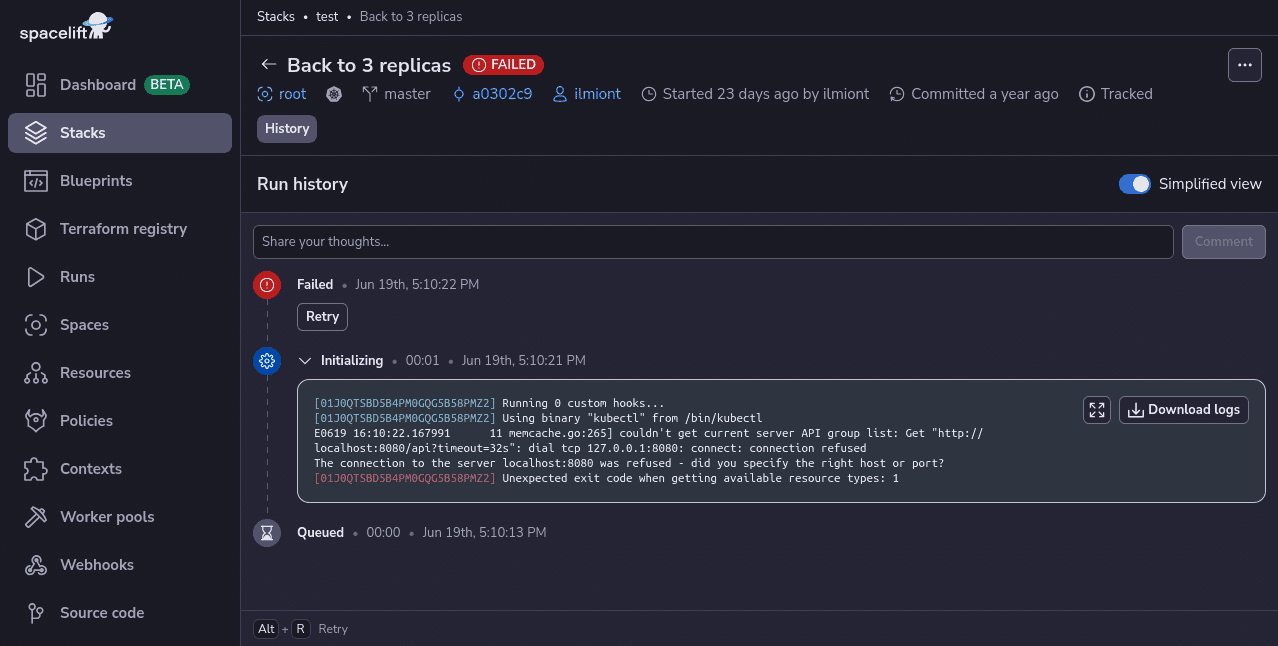
Spacelift includes drift detection capabilities that periodically check your infrastructure for discrepancies compared to your repository’s state. It can then launch reconciliation jobs to restore the correct state, ensuring your infrastructure operates predictably and reliably.
With Spacelift, you get:
- Policies to control what kind of resources engineers can create, what parameters they can have, how many approvals you need for a run, what kind of task you execute, what happens when a pull request is open, and where to send your notifications
- Stack dependencies to build multi-infrastructure automation workflows with dependencies, having the ability to build a workflow that, for example, generates your EC2 instances using Terraform and combines it with Ansible to configure them
- Self-service infrastructure via Blueprints enabling your developers to do what matters – developing application code while not sacrificing control
- Creature comforts such as contexts (reusable containers for your environment variables, files, and hooks), and the ability to run arbitrary code
- Drift detection and optional remediation
If you want to learn more about Spacelift, create a free account today or book a demo with one of our engineers.
Key points
Cloud security is a continuous practice. The threat landscape evolves, cloud providers release new services and features weekly, and your own environment grows in complexity over time. What matters is having the right principles, the right processes, and a culture that treats security as a shared responsibility across the entire engineering organization.
If I’ve learned anything from years of moving between on-prem, hybrid, and cloud-native environments, it’s that the fundamentals don’t change: Know your assets, control your access, layer your defenses, and be ready when something goes wrong. The tools are different, but the discipline is the same.
Start where you are. Pick the domain where you have the most risk and the least visibility and focus there first. Perfect security is a myth; meaningful improvement is not.
Solve your infrastructure challenges
Spacelift is a flexible orchestration solution for IaC development. It delivers enhanced collaboration, automation, and controls to simplify and accelerate the provisioning of cloud-based infrastructures.
Frequently asked questions
What are the 4 Cs of cloud security?
The 4 C’s of cloud security are cloud, cluster, container, and code, a layered model used often in cloud native and Kubernetes environments.
How to choose the right cloud security framework for your organization?
Evaluate candidates against your cloud model (IaaS, PaaS, SaaS), required attestations (SOC 2, PCI DSS, HIPAA, FedRAMP), organizational maturity, and whether controls map cleanly to your tooling (IAM, logging, CSPM, SIEM) and to your providers’ certifications. Validate the choice by doing a quick control mapping, piloting on one workload, and confirming you can produce evidence continuously, not just at audit time.
How do I secure data during cloud migration?
Secure data during cloud migration by combining strong encryption, tight access control, and continuous monitoring across every transfer and staging step. Treat the migration pipeline like production, because most leaks happen in temporary buckets, misconfigured network paths, or over-permissioned accounts.
What tools help with cloud security posture management?
Cloud security posture management is typically handled by native services like AWS Security Hub, Microsoft Defender for Cloud, and Google Security Command Center, or by multi-cloud CSPM/CNAPP platforms like Wiz, Prisma Cloud, Orca, Rapid7 InsightCloudSec, and Check Point CloudGuard. Many teams also add policy-as-code and continuous compliance tooling such as Cloud Custodian and Prowler, plus IaC scanning in CI, to prevent misconfigurations before they reach production.