
ClickOps is the practice of configuring infrastructure by hand through a cloud provider’s web console instead of defining it in code. Most teams start here, because clicking through the AWS Management Console or the Azure portal requires no tooling, no repository, and no setup.
It breaks down as soon as more than one person is involved. Manual changes leave no version history, drift away from whatever your IaC says should exist, and resist auditing after the fact. You end up running infrastructure nobody can fully account for.
This article covers what ClickOps is, the risks it creates, how to detect the manual changes already sitting in your environment, how to migrate clicked resources into IaC, and when a click-based interface is genuinely the right call.
What is ClickOps?
ClickOps is the practice of manually configuring infrastructure resources using graphical interfaces. It involves provisioning environments by clicking through steps in your cloud provider’s web UI.
The traditional description of ClickOps centers on the manual use of cloud provider management UIs. We’ve all been there, painstakingly clicking through a provider’s web interfaces to spin up an EC2 instance, create an S3 bucket, or launch a GKE cluster.
This process is ClickOps in a nutshell, but it can also include any operational task that’s performed manually — think ad hoc CLI commands and human-driven release processes. For this article, we’re mainly assessing ClickOps in the conventional context of infrastructure management.
Understanding ClickOps problems and hidden risks
Making changes by clicking through graphical screens often feels simple to start with. After all, you can jump right in as soon as you’ve created your cloud account. You don’t have to set up other tools or write any code.
ClickOps has a dark side, however: It’s brittle and repetitive. Clicking between screens saps productivity. It also opens security and compliance gaps. Team members must remember the exact sequence of clicks involved in each task; missing a step could result in resources being misconfigured.
Manual operations fail in expensive ways. On February 28, 2017, an authorized Amazon S3 engineer ran an established playbook to remove a small number of billing servers in us-east-1. One input to the command was entered incorrectly, a much larger set of servers came down, and S3 took just over four hours to recover. EC2 launches, EBS volumes, and Lambda went with it.
Besides being slower to use, it’s also hard to standardize, automate, or maintain consistency at scale. Let’s take a closer look at ClickOps issues and their impact on DevOps outcomes.
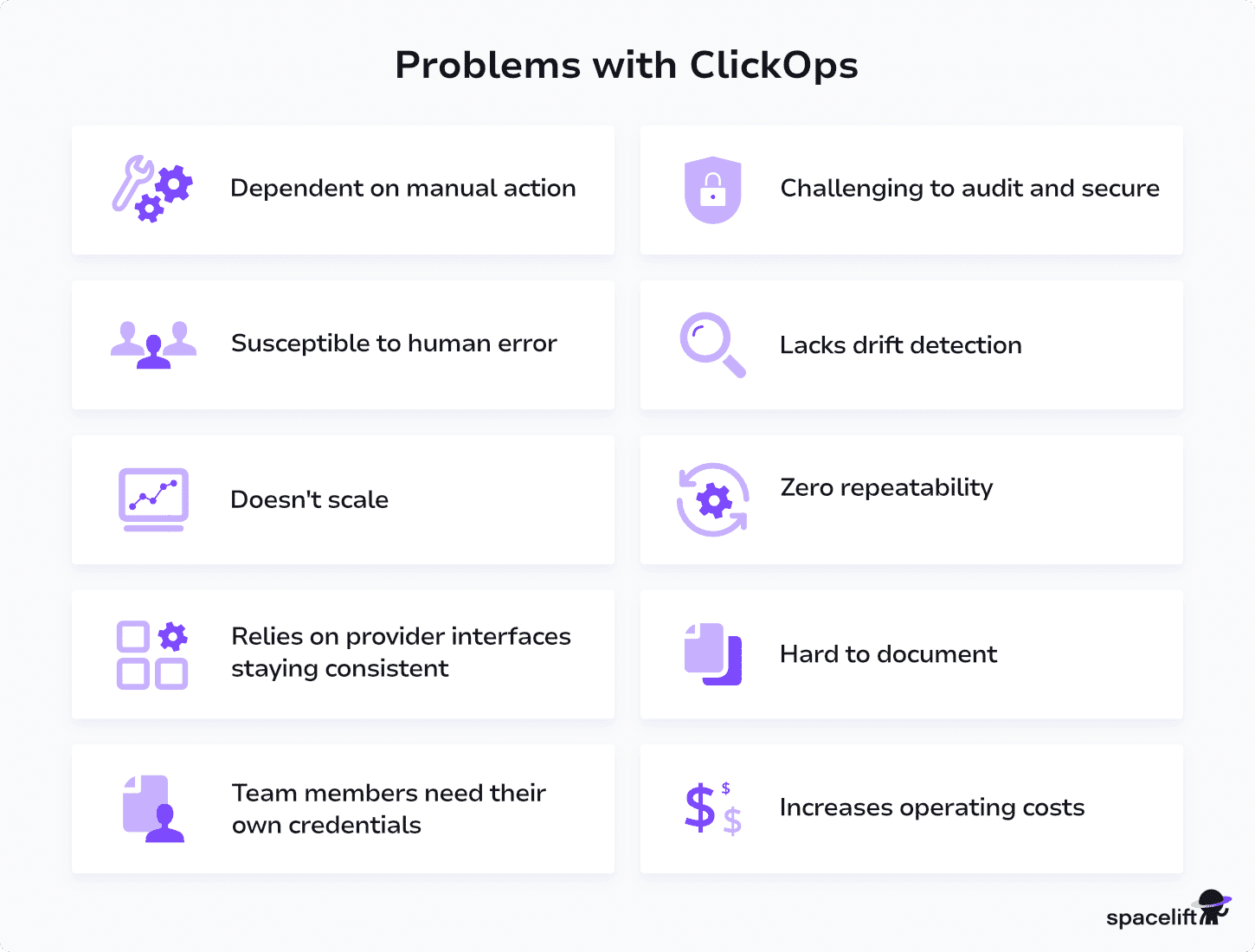
- Dependent on manual action – ClickOps slows development because every task must be completed manually. Logging in, navigating interfaces, and configuring settings take time and require an available, authorized user, which can create bottlenecks.
- Susceptible to human error – Important settings buried in provider interfaces are easy to miss, leading to inconsistent configurations that impact performance, security, and reliability.
- Doesn’t scale – Human-driven workflows don’t scale with growing infrastructure needs. Developer throughput suffers when provisioning depends on the availability of team members.
- Relies on provider interfaces staying consistent – UI changes force teams to relearn tasks. Discontinued interfaces and multicloud differences add complexity compared to stable API-driven approaches.
- Team members need their own credentials – Each user must manage their own cloud credentials, increasing the risk of lost, outdated, or over-privileged access.
- Challenging to audit and secure – Auditing ClickOps depends entirely on provider tools, making it difficult to track who changed what and when, which limits visibility and governance.
- Lacks drift detection features – ClickOps offers no record of intended configurations, which prevents the detection of drift between desired and actual infrastructure states.
- Zero repeatability – Manual processes are non-repeatable and prone to error. Without a record of past actions, identical resource provisioning can’t be guaranteed, complicating the creation of test environments.
- Processes become harder to document – ClickOps documentation relies on screenshots and videos, which quickly become outdated as interfaces evolve, making them hard to maintain and follow.
- Increased operating costs – Resources created by hand skip the tagging, sizing, and region rules your IaC enforces. Orphaned volumes and oversized instances survive because nothing reconciles them against a definition of what should exist.
How to detect ClickOps in your cloud environment
You can’t remove ClickOps you can’t see. Before changing any process, find out how much manual change is already happening.
Every major provider records the API calls behind console actions:
- AWS: CloudTrail marks events from a console session with
sessionCredentialFromConsole: true. Filter forreadOnly: falseto get writes only, then useuserAgentto separate CLI and SDK callers from your CI runners. - Azure: the Activity Log’s Administrative category records every control-plane write, including the caller identity and an
appidclaim for the application behind it. Default retention is 90 days. - Google Cloud: Admin Activity logs are on by default and can’t be disabled.
callerSuppliedUserAgentshows a browser string for console actions andgoogle-cloud-sdkfor CLI and SDK callers.
Query for write operations that originated in the console and didn’t come from your pipeline’s identity. That list is your ClickOps backlog.
Audit logs give you the direct answer. These patterns tell you where to look:
- A
terraform planthat shows changes nobody requested - Drift detection scans that keep flagging the same resources
- Resources missing the tags your IaC applies automatically
- Incidents where the fix was applied but never made it back into a repository
- Compliance reviews that stall on “who changed this, and when?”
Audit logs tell you what happened. Drift detection tells you what it broke. Scanning live infrastructure against your repository on a schedule turns a one-time audit into continuous visibility, and it catches manual changes made by anyone whose access you haven’t managed to revoke yet.
The alternative to ClickOps - GitOps-enabled infrastructure as code
Infrastructure as code (IaC) is a modern approach to infrastructure management that addresses the challenges of ClickOps. ClickOps makes you configure infrastructure by clicking through graphical UIs, whereas IaC tools like Terraform and Pulumi let you write code instead. Running the tool then automatically provisions the resources in your cloud account.
IaC enables you to automate end-to-end infrastructure management processes for improved operational efficiency. You can use CI/CD solutions such as Spacelift to apply infrastructure changes as you make commits in your IaC repositories. This creates a powerful GitOps workflow, where your IaC repository is the source of truth for your infrastructure’s expected state.
Storing infrastructure as code also allows you to version all changes, run automated tests to detect misconfigurations, and use drift detection scans to find anomalies in live resources. You can meet compliance requirements continually without any manual effort.
IaC also lets you decouple infrastructure management tasks from cloud credentials: When you’re running IaC via a CI/CD pipeline, only the pipeline needs to be given credentials. Team members can then make infrastructure changes via your IaC processes, instead of having their own cloud logins. This helps tighten your security perimeter.
Compared with ClickOps, GitOps-enabled IaC is faster, more repeatable, and much easier to scale. It allows you to fully automate your infrastructure and make your DevOps processes more consistent. Instead of constantly clicking through screens and making mistakes, you simply describe the infrastructure you require. The IaC tool does the hard work of making the correct changes.
How to prevent shadow ClickOps
Shadow ClickOps refers to unauthorized or undocumented manual changes made in cloud environments via the web console, typically outside of approved DevOps workflows.
Even after you’ve implemented ClickOps alternatives like IaC and GitOps, you may find team members still revert to click-based processes. This can occur when urgent fixes are required or because of ingrained familiarity with GUI-led workflows. It creates a shadow IT situation where developers use unapproved systems to do their work.
Mixing manual changes and IaC is problematic: Changes made in each system may get overwritten or conflict with each other.
You can avoid these risks by implementing guardrails that prevent users from switching back to ClickOps:
- Automate infrastructure provisioning using IaC and GitOps through CI/CD pipelines, making them the only approved methods for infrastructure changes.
- Block direct cloud provider access to ensure all changes follow internal processes and governance standards.
- Limit admin privileges with IAM policies and RBAC rules so even users with cloud access can only perform approved actions.
- Restrict alternate interfaces — processes managed through IaC shouldn’t be modifiable via other control panels or tools.
- Train team members on how to use IaC systems effectively to prevent workarounds or misuse.
Does ClickOps have a place in modern DevOps?
The problems we’ve described in this article mean ClickOps is usually viewed negatively. Traditional ClickOps-led processes are slow, brittle, and dependent on trained team members being available. However, ClickOps has positive aspects: Pressing buttons and running commands on demand often feels simple and accessible because there’s no code to learn.
These positives are reflected in the recent widespread adoption of platform engineering. This involves building custom internal tools and processes that support team members in their day-to-day tasks.
A key element of platform engineering is the development and use of Internal Developer Platforms (IDPs). IDPs often include self-service portals that allow users to discover and run available processes. These are typically provided as a graphical interface.
Portals wrap the best aspects of ClickOps into a modern interpretation that addresses the challenges inherent in the legacy definition. Whereas traditional ClickOps requires you to click through standard cloud provider interfaces and follow an exact sequence of steps, IDPs are tailored to your organization’s specific needs. With a few clicks via a simplified set of inputs you control, users can trigger underlying automation, such as creating a new environment using an IaC template.
To summarize, standard ClickOps should be avoided. Having users manually log in to cloud accounts is inefficient and insecure. However, providing custom click-based interfaces for key tasks is a valid way to simplify DevOps processes if they’re maintained as part of a cohesive internal platform.
How Spacelift prevents ClickOps
Spacelift is an IaC orchestration platform that uses GitOps to automate CI/CD for your infrastructure components. It supports OpenTofu, Terraform, Terragrunt, CloudFormation, Pulumi, Kubernetes, and Ansible.
Once you’ve created a Spacelift stack for your project, changes to the IaC files in your repository are applied to your infrastructure automatically.
Spacelift’s pull request integrations keep everyone informed of what will change by displaying which resources are going to be affected by new merges. Spacelift also allows you to enforce policies and automated compliance checks that prevent dangerous oversights from occurring.
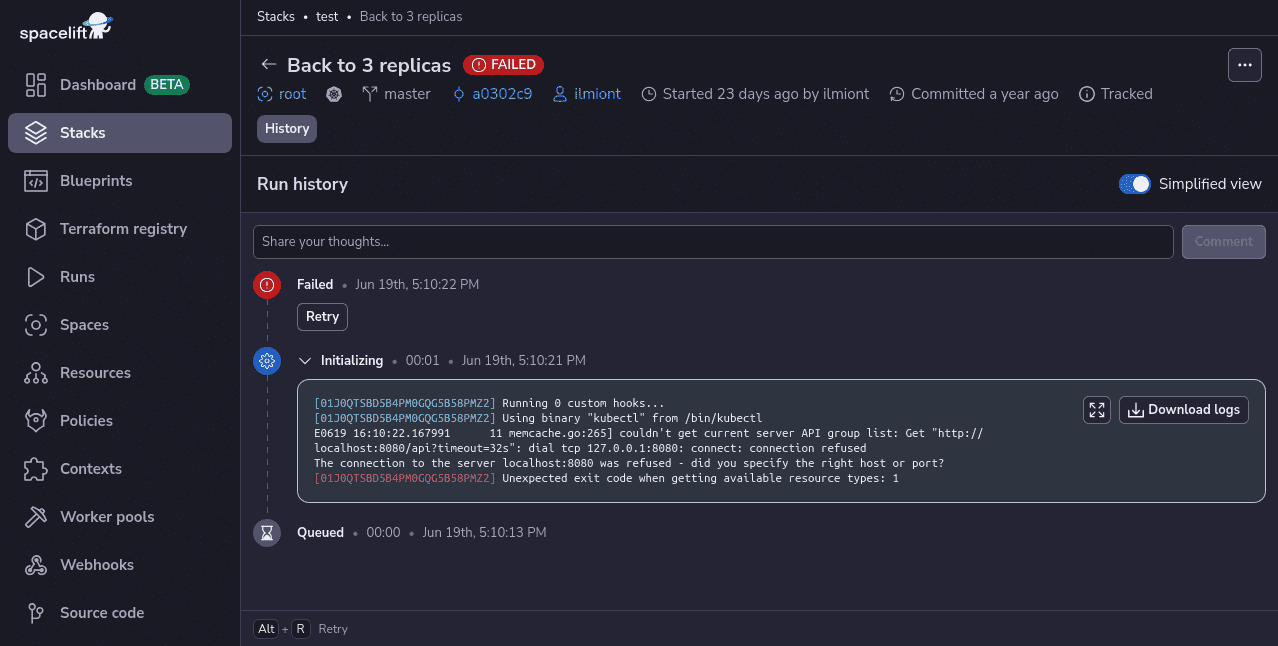
Spacelift includes drift detection capabilities that periodically check your infrastructure for discrepancies compared to the state of your repository. It can then launch reconciliation jobs to restore the correct state, ensuring your infrastructure operates predictably and reliably. When someone changes a resource by hand in the console, this is what surfaces it, before your next run silently overwrites the change or preserves it by accident.
With Spacelift, you get:
- Policies to control what kind of resources engineers can create, what parameters they can have, how many approvals you need for a run, what kind of task you execute, what happens when a pull request is open, and where to send your notifications
- Stack dependencies to build multi-infrastructure automation workflows with dependencies, having the ability to build a workflow that, for example, generates your EC2 instances using Terraform and combines it with Ansible to configure them
- Self-service infrastructure via Templates, giving developers a governed path to provision what they need. Each deployment stays pinned to a specific commit and can’t be edited by hand, even by an admin, so environments stay reproducible. Blueprints remain available when you want stacks that live independently after creation.
- Contexts, which are reusable containers for your environment variables, files, and hooks, plus the ability to run arbitrary code
- Spacelift Intelligence, including Intent, for provisioning without a console or a line of Terraform code. Developers describe what they need in plain language, and the same policies that govern every other change still apply
- Drift detection and optional remediation
If you want to learn more about Spacelift, create a free account today or book a demo with one of our engineers.

One of Crunchtime’s largest stacks provisions around 2,000 Snowflake resources. Before Spacelift and OpenTofu, this would have required manual creation and configuration. Now, it’s entirely automated.
Key points
ClickOps involves managing infrastructure by manually clicking through web interfaces and running ad hoc console commands. It’s slow, inefficient, and prone to mistakes. Modern strategies, including IaC, CI/CD, and GitOps, have made legacy ClickOps processes redundant, but many teams continue to use them daily. It often feels quick and easy in the moment, but it leads to long-term consistency and scalability issues.
Transitioning from ClickOps to IaC and GitOps is a key way to improve DevOps operating efficiency. Defining infrastructure as code allows you to easily automate your provisioning processes via CI/CD. It makes your configs repeatable, auditable, and easy to monitor for drift, which helps improve reliability at scale.
The pitfalls of ClickOps don’t mean there’s no place for GUIs within DevOps. Custom GUI-based developer portals enable developers to engage easily with infrastructure, even if they lack specific skills. Building portal interfaces for your IaC workflows lets you blend the best aspects of ClickOps and IaC. This makes for more effective infrastructure management processes that are both scalable and convenient.
Solve your infrastructure challenges
Spacelift is a flexible orchestration solution for IaC development. It delivers enhanced collaboration, automation, and controls to simplify and accelerate the provisioning of cloud-based infrastructures.
Frequently asked questions
What is the difference between ClickOps and DevOps?
ClickOps is prone to inconsistency and lacks version control. DevOps emphasizes automation, collaboration, and reliability, enabling scalable, traceable workflows. ClickOps may be suitable for quick fixes or prototypes, but DevOps is essential for managing production systems.
What is the difference between ClickOps and IaC?
ClickOps refers to managing infrastructure manually through a web UI, whereas IaC (infrastructure as code) uses code to define, provision, and manage infrastructure in a version-controlled and automated way. ClickOps may be faster for small or one-off changes, but IaC is essential for scalable, auditable, and reproducible environments in modern DevOps practices.
What is shadow ClickOps?
Shadow ClickOps is manual console changes made after a team has adopted IaC, usually during incidents or by engineers more comfortable with the interface. It’s more dangerous than ordinary ClickOps because the manual change and the code
now actively conflict, and the next run will overwrite one of them.