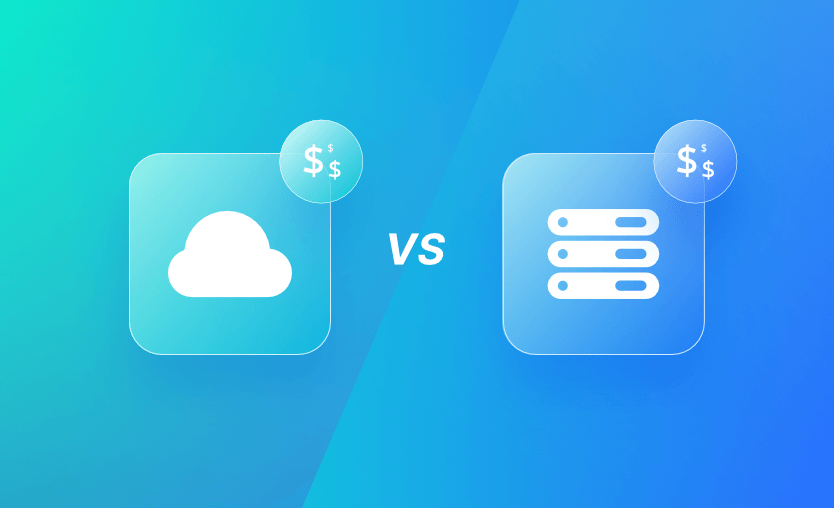
Cloud vs on-premises infrastructure: It’s one of the key dilemmas troubling companies planning IT improvements. Cloud infrastructure is located in remote data centers, while on-premises resources live on your own hardware. Cloud promises flexibility, versatility, and low upfront costs, but is it actually the cheapest long-term solution?
This article will examine the distinct ways in which cloud and on-premises infrastructure models impact the total cost of ownership. We’ll discuss the process of identifying costs associated with each method and suggest insights that will help you find the best option for your needs.
What we’ll cover:
What is the difference between cloud vs. on-premises infrastructure costs?
Cloud and on-premises infrastructure environments accrue costs in different ways.
Cloud resources are typically billed as a monthly service, whereas the bulk of on-premises infrastructure spending is generally an upfront investment. Owned hardware can then be used indefinitely with minimal further expense, whereas cloud bills still need to be paid each month.
For example, an AWS c8g.8xlarge instance currently costs approximately $11,200 per year. These CPU-optimized instances feature 32 vCPUs and 64 GiB of memory, making them good options for many medium-scale SaaS solutions.
In comparison, a similarly specified Dell PowerEdge server carries a list price of approximately $14,300. After 15 months, the on-premises option would break even with the cloud bill and then become more cost-effective every subsequent month. This disparity is prompting the current trend towards cloud repatriation.
But in practice, there’s much more to consider than just the headline costs of your resources. Opting for cloud infrastructure lets you mix and match infrastructure to meet changing operational needs. The ability to freely scale resources and pay only for what you use means bills can vary month-to-month, generating cost savings in quieter periods.
On the other hand, on-premises infrastructure requires a long-term commitment to a fixed set of infrastructure components. However, as shown above, this can help reduce the total cost of ownership when you’re able to accurately anticipate your service’s requirements.
The choice of cloud or on-premises infrastructure also affects the hidden costs you’ll pay. Common examples from the cloud world include data egress fees, support plans, and certification and training costs. When you operate infrastructure on-premises, your hidden costs include power bills, physical space rental fees, contingency for equipment failures, and salaries for specialist engineers who maintain your fleet.
What is a TCO modeling framework?
A TCO modeling framework is a structured, repeatable way to compare the full lifecycle cost of cloud and on-premises infrastructure — so you don’t make decisions based only on license price or intuition.
Comparing cloud vs. on-premise infrastructure costs
This table summarizes the cost differences between cloud and on-premises infrastructure discussed above. You can use it as a reference when you’re deciding which model is the best match for your operations.
| Feature | Cloud infrastructure | On-premises infrastructure |
| Cost model | Operating expense (OpEx), billed month-to-month | Capital expenditure (CapEx) for hardware |
| Upfront investment | None required | Significant upfront hardware purchase |
| Billing basis | Consumption-based (pay for what you use) | Hardware investment, largely fixed |
| Cost variability | Varies month-to-month based on usage | Mostly predictable after purchase |
| Compute costs | Included in usage-based billing | Fixed by hardware capacity |
| Storage costs | Billed separately based on usage | No ongoing storage fees once hardware is purchased |
| Data egress fees | Typically charged separately | No separate data egress fees |
| Long-term commitments | Optional (savings plans, contracts) | Long-term commitment to purchased hardware |
| Hidden / secondary costs | Support plans, training, potential cost overruns | Power, cooling, ISP connectivity, physical space, training |
| Maintenance overhead | Low — provider manages infrastructure | High — requires ongoing maintenance |
| Skills required | Low — basic cloud account and knowledge | High — specialist infrastructure expertise |
| Scalability & flexibility | Excellent — scale up/down easily | Poor — scaling requires new hardware |
| Hardware depreciation | Not applicable | Must be budgeted for over time |
How cloud vs. on-prem alters indirect costs & risks
The decision to use cloud or on-premises infrastructure affects more than just the direct costs of hosting your services. It also indirectly affects other costs throughout the software delivery lifecycle.
For instance, cloud and on-premises infrastructure may require the use of different automation and security solutions, each with its own associated fee structures.
Moreover, you’ll face a different set of risks and opportunities depending on the solution you choose. These also impact your total cost of ownership, return on investment, and profitability.
Here are six factors to consider beyond the basic costs of your infrastructure. Analyzing how each infrastructure model affects these factors will prevent unexpected costs from appearing after you go live. The solution that’s cheapest on day one could ultimately have a higher cost of ownership if it makes day-to-day development less efficient.
1. Tooling and automation
In general, cloud infrastructure is easier to automate. You can use tools, including IaC and CI/CD, to provision new resources without any special configuration.
IaC can control on-premises virtualization platforms too, but there are many more tools designed for cloud-native workflows. As a result, cloud infrastructure can reduce the costs associated with implementing and maintaining automated workflows.
2. Reliability, scalability, and redundancy
Cloud infrastructure is highly scalable, allowing you to easily replicate resources across multiple regions. This can help make your service more resilient, reducing costly downtime.
Cloud providers aren’t infallible, however. They’ve suffered many major outages, such as the AWS disruption of October 2025. On-premises environments eliminate dependencies on external providers. This is a potential benefit for single-region workloads.
3. Security and compliance
Securing either cloud or on-premises infrastructure demands specialist skills and tools. However, when you operate on-premises, you’re wholly responsible for maintaining security. This can increase costs, as you will need to hire specialists to implement the appropriate security controls.
In comparison, cloud infrastructure shifts some responsibility to the provider, but also exposes additional risks. For instance, the platform could contain vulnerabilities that allow other users to interact with your resources. However, cloud services also come with many built-in security tools that can help reduce the cost of protecting your system.
4. Implementation, migration, and maintenance costs
Whether you opt for cloud or on-premises infrastructure, implementing your chosen architecture will carry a degree of upfront cost. You’ll need skilled engineers to provision and configure your resources.
Similarly, any downtime required to migrate data or test your new infrastructure components will create indirect costs while your service is unavailable.
You should also plan for how costs may change over time. Think not just of today’s costs, but what they could look like in one, three, or five years. Cloud provider prices can be challenging to forecast, but locking into a fixed-term savings plan could help bring certainty to your plans.
On-premises infrastructure is less vulnerable to unforeseen spending changes. However, maintenance requirements, hardware failures, and fluctuations in electricity prices can all wreak havoc on your budget.
5. Risk of vendor lock-in
Becoming too committed to a particular solution can be costlier in the long term. You may find you’re prevented from integrating new technologies as they appear, creating roadblocks to innovation.
This risk is particularly acute with cloud infrastructure, but it also exists in on-premises environments. For instance, you may become tied to a specific hypervisor platform or storage solution.
Anticipating the actual cost of lock-in can be challenging until it happens, but trying to estimate it is still a useful exercise. As an example, you could assess how much developer time would be needed to move to another provider. This time could then be translated into cost terms based on a developer’s hourly rate.
6. Operational flexibility and ease of use
The ease of use of your infrastructure solution also affects long-term costs. It directly impacts the operating efficiency of your DevOps processes.
Simple, flexible infrastructure architectures will require less effort to build and maintain, leaving developers free to complete meaningful work. They’ll also be less likely to cause costly production incidents.
Cloud providers usually win in this area for the most common workloads. They give you the freedom to adapt your infrastructure architecture as your development needs evolve.
Nonetheless, on-premises platforms may offer advantages for specific scenarios, such as when your team is experienced with a particular bare-metal solution. Running development systems on-premises can also improve performance by keeping data closer to engineers. This contributes to further long-term efficiency improvements.
Should I use cloud or on-premises infrastructure?
Cloud infrastructure is the better choice when you need scalability, faster deployment, and lower upfront costs, since resources are provisioned on demand and managed by the provider. On-premises infrastructure is more suitable when strict data control, regulatory compliance, or predictable long-term workloads justify higher capital investment and operational overhead.
Although the decision between cloud and on-premises infrastructure involves various factors, cost is usually one of the most significant ones for most organizations. Once you’ve assessed each architecture’s suitability for your internal priorities, you can use cost modelling techniques to forecast your spending. This allows you to make a data-driven choice.
Cost modelling is the process of collating all the costs associated with your planned infrastructure resources. For cloud infrastructure, the cost of each resource is calculated as a unit price multiplied by its usage duration — e.g., $1 per hour, multiplied by that resource’s lifetime.
On-premises systems will include some time-based costs, such as power usage, as well as capital elements, including the costs of purchasing hardware. Capital costs must be distributed over a time period to enable accurate total ownership cost comparisons.
For example, a $15,000 server with a useful life of three years has a basic monthly cost of about $415. In some cases, you may depreciate the asset over a longer or shorter period, or factor in an expected residual value. For instance, you may estimate the server will actually sell for $3,000 after it’s disposed of.
As you map out your expected spending, you should also model how your requirements may change in the future. Do you anticipate needing to scale up your resources, manage seasonal spikes, or make savings as you streamline your processes? Modelling these variables enables you to make more informed cost-efficiency assessments.
The flexibility, agility, and ease of automation of cloud infrastructure often make it the most cost-effective option for organizations building typical SaaS services. You can benefit from the economies of scale attained by hyperscalers and just pay for what you use.
However, on-premises infrastructure can still often offer long-term savings for workflows that don’t need to scale elastically.
Practical insights into choosing between cloud vs. on-premise infrastructure
Whether you opt for cloud or on-premises infrastructure, some cost optimization best practices are common to both strategies. Here are four points to keep in mind.
1. Audit your workload’s requirements before you choose
Infrastructure architecture decisions should always be based on your specific operational needs.
While it’s true many organizations have successfully adopted cloud infrastructure over the past decade, this doesn’t automatically mean you should too. Sticking with on-premises infrastructure can offer cost savings and operational benefits for your workloads, such as by eliminating data egress fees or saving on cloud management tools.
In any case, cost isn’t the only variable to consider when choosing infrastructure. For example, you may calculate that using on-premises systems would be cheaper for your scenario, but cloud workflows would be quicker and easier for developers to use. If the difference is small, it may be worthwhile to use the more expensive cloud infrastructure to enhance the developer experience. It may unlock long-term efficiency improvements.
2. Don’t assume cloud is always cheaper
Cloud vendors often claim that cloud infrastructure is cheaper, but this isn’t always the case. Unpredictable price rises and indirect costs such as data transfer fees can quickly eat into any initial savings. It can be more cost-effective to operate workloads using on-premises hardware, particularly when your services have well-known fixed requirements.
Conversely, proponents of on-premises environments tend to focus on the capital expenditure associated with hardware procurement.
It’s true that dividing the upfront cost of a server over three years can be less than the equivalent cloud bill (e.g. $30,000 / 36 months = $835/mo), but operating costs such as power usage must also be accounted for. Aim to critically analyze both paradigms and prepare detailed spending forecasts, instead of basing your decision on popular views.
3. Always prioritize infrastructure automation
Infrastructure automation benefits both cloud and on-premises environments. Although it’s generally easiest to implement in the cloud, it’s still relevant in on-premises scenarios too.
Once your physical hardware is operational, you can use IaC tools such as Terraform and configuration management solutions like Ansible to provision and configure operational layers.
Investing in automation creates long-term cost efficiency improvements. Your workflows will be faster, safer, and less prone to error. This means teams can spend more time innovating instead of micro-managing infrastructure issues.
4. Implement cost monitoring tools to accurately track spending
Cost monitoring tools let you see exactly what you’re spending on your infrastructure. They help you analyze the effects of changes, spot savings opportunities, and calculate your total cost of ownership. Major cloud services include their own cost monitoring services, while solutions such as Kubecost and Spot work across providers.
For on-premises infrastructure, cost monitoring can be trickier to automate. Resource usage doesn’t carry a direct cost, and there are no pricing tables for tools to plug into. You must first record the amounts spent on your hardware, then account for indirect costs such as power consumption. Scraping data from the UPSes powering your servers is one way to gain a real-time indication of accrued energy costs.
How can Spacelift help to manage your cloud setup?
Spacelift is an infrastructure orchestration platform that supports Terraform, OpenTofu, Pulumi, CloudFormation, Terragrunt, Ansible, Kubernetes, and more, acting as a single control plane for multi-IaC environments. It accelerates and simplifies cloud provisioning tasks.
Spacelift runs your IaC tools automatically as you commit changes to your repositories. This lets you provision infrastructure by simply pushing new IaC files. Direct cloud integrations allow you to visualize the resources you create in your Spacelift account, eliminating the need to create long-lived cloud security credentials.
Spacelift also supports self-service developer workflows. You can define infrastructure Blueprints that let developers provision approved resources on demand. Blueprints are resource templates that can be customized with inputs each time they’re used. They ensure each resource is configured consistently while allowing a degree of flexibility.
Spacelift includes built-in policy-as-code compliance controls and automated drift detection features. Our platform can also automatically reconcile drift, if permitted by your enabled policies.
Spacelift lets you provision infrastructure fast, then ensures your resources stay exactly as you configured them. It enables flexible and reliable cloud operations at scale.
With Spacelift, you get:
- Multi-IaC workflows
- Stack dependencies – You can create dependencies between stacks and pass outputs from one to another to build an environment promotion pipeline more easily.
- Unlimited policies and integrations – Spacelift allows you to implement any type of guardrails and integrate with any tool you want. You can control how many approvals you need for a run, which resources can be created, which parameters those resources can have, what happens when a pull request is open, and where to send your notifications data.
- High flexibility – You can customize what happens before and after runner phases, bring your own image, and even modify the default workflow commands.
- Self-service infrastructure via Blueprints – You can define infrastructure templates that are easily deployed. These templates can include policies/integrations/contexts/drift detection for reliable deployment.
- Drift detection & remediation – Ensure the reliability of your infrastructure by detecting and remediating drift.
Ready to solve your cloud provisioning challenges? Spacelift provides a single automated platform to provision, configure, and govern your infrastructure. Get started with a free trial or book a demo today.
Key points
Choosing between cloud vs on-premises infrastructure is one of the biggest influences on your DevOps operational costs. The cloud is scalable and incurs no upfront cost, while on-premises infrastructure requires commitment and capital investment. However, going on-premises can reduce ongoing operating expenses for stable workloads.
The advantages of the cloud make it a compelling option for organizations worldwide. However, the cloud repatriation movement is gaining traction amid rising cloud prices and concerns about reliability stemming from outages.
Ultimately, your decision must be based on a fact-based analysis of your own needs. Evaluate the costs, benefits, and risks of each architecture to assess which will best meet your long-term objectives. Look not only at today’s costs, but also future forecasts and the wider impact on your operations. Such a strategic approach will let you optimize your spending and achieve maximum infrastructure ROI.
Solve your infrastructure challenges
Spacelift is a flexible orchestration solution for IaC development. It delivers enhanced collaboration, automation, and controls to simplify and accelerate the provisioning of cloud-based infrastructures.
Frequently asked questions
Does the cloud actually save money?
The cloud can save money when workloads are variable, short-lived, or require rapid scaling. It reduces upfront hardware costs and shifts spending to a usage-based pricing model. For stable, predictable workloads that run continuously, on-premises or reserved capacity can be cheaper without careful cost management.
Which is cheaper, cloud or on-premises?
Neither is universally cheaper. Cloud is typically cheaper upfront due to pay-as-you-go pricing and the absence of hardware costs, which suits variable or growing workloads. On-premises can be cheaper long term for stable, predictable workloads, but it requires high capital expense, maintenance, and dedicated staff.