
Amazon Simple Queue Service (SQS) is a fully managed message queuing service that helps decouple and scale distributed applications. Using Terraform to provision and manage SQS queues ensures consistent, automated, and repeatable infrastructure deployments.
In this article, we’ll show you how to define and configure an Amazon SQS queue using Terraform and provide example configurations that streamline message handling in your cloud architecture.
What we’ll cover:
- What is an SQS Queue?
- How to use SQS Queue in Terraform
- Example 1: Production queue with custom behavior
- Example 2: Secure encrypted queue for sensitive data
- Example of a FIFO Queue
- How to import existing AWS SQS queues into Terraform state
- Best practices for naming and permissions of SQS queues in Terraform
What is an SQS Queue?
Amazon SQS (Simple Queue Service) is a fully managed message queuing service that enables decoupling of distributed systems by allowing asynchronous communication between microservices and other components.
SQS works by temporarily storing messages in a queue until they are retrieved and processed by a consuming service. This improves system resilience and scalability by isolating producers from consumers. It supports two types of queues:
- Standard Queues, which offer high throughput and at least once delivery.
- FIFO Queues, which guarantee message order and exactly-once processing.
How to use SQS Queue in Terraform
A Terraform SQS queue is an AWS SQS queue defined and managed through Terraform, so you can version, review, and reproduce your queue configuration just like you do with application code. Instead of manually creating the queue in the AWS Management Console, you describe it in .tf files and let Terraform create and update it.
When you declare an aws_sqs_queue resource, Terraform translates the configuration into AWS API calls to create or update the queue. Every property you specify affects how producers send messages and how consumers receive and process them.
Here is a minimal Terraform SQS queue example:
resource "aws_sqs_queue" "basic" {
  name = "example-basic-queue"

  visibility_timeout_seconds = 30
  message_retention_seconds  = 345600  # 4 days
  max_message_size           = 262144  # 256 KB
  delay_seconds              = 0
  receive_wait_time_seconds  = 10      # simple long polling

  tags = {
    Environment = "dev"
    Team        = "backend"
  }
}
In this basic Terraform SQS queue:
nameis the human-readable queue name. If you omit the name, Terraform assigns a random unique name, and you can usename_prefixwhen you want Terraform to generate a name that starts with a specific prefix.visibility_timeout_secondscontrols how long a message stays hidden from other consumers after one consumer reads it. Typical values range from 0 to 43,200 seconds.
message_retention_secondsis how long messages are kept if not deleted. Valid values range from 60 seconds to 1,209,600 seconds, which is 14 days.max_message_sizesets the maximum size of a message in bytes. Valid values are from 1,024 bytes up to 1,048,576 bytes, which is 1 MiB. The default is 1,048,576 bytes and in this example, it is explicitly set to 262,144 bytes, which is 256 KiB.delay_secondsdefines a delivery delay applied to every message in the queue.
receive_wait_time_seconds enables long polling by makingReceiveMessagecalls wait up to that many seconds for a message before returning.
Once this resource is in your Terraform configuration and you run terraform apply, Terraform creates the SQS queue with those characteristics. Your producers then send messages to the queue URL, and your consumers poll it.
Example 1: Production queue with custom behavior
An AWS SQS queue in Terraform is just a resource block that describes how your queue should behave. In a production environment, you usually want:
- A main queue for normal messages
- A dead letter queue (DLQ) for messages that keep failing
- Sensible timeouts and retention settings
The configuration below shows a common production pattern for a Terraform SQS queue:
provider "aws" {
  region = "eu-central-1"
}

# Dead letter queue
resource "aws_sqs_queue" "orders_dlq" {
  name                       = "orders-dlq"
  message_retention_seconds  = 1209600  # 14 days

  tags = {
    Environment = "production"
    Service     = "orders"
  }
}

# Main production queue
resource "aws_sqs_queue" "orders_queue" {
  name = "orders-queue"

  # How long a worker has to process a message
  visibility_timeout_seconds = 60

  # Keep messages for 4 days
  message_retention_seconds = 345600

  # Optional delivery delay for new messages
  delay_seconds = 0

  # Long polling to reduce empty receives
  receive_wait_time_seconds = 20

  # Move failing messages to the DLQ after 5 failed receives
  redrive_policy = jsonencode({
    deadLetterTargetArn = aws_sqs_queue.orders_dlq.arn
    maxReceiveCount     = 5
  })

  tags = {
    Environment = "production"
    Service     = "orders"
  }
}
The orders_queue is your main production queue where the application publishes messages. Workers read from it and have 60 seconds to process each message, which is enforced by visibility_timeout_seconds. Long polling with receive_wait_time_seconds = 20 cuts down on empty responses and helps reduce costs.
Messages that fail multiple times move to the orders_dlq. The redrive_policy sends a message to the DLQ after 5 failed processing attempts. That prevents poison messages from looping forever and gives your team a place to inspect problematic payloads.
The DLQ retains messages for 14 days through message_retention_seconds = 1209600, which is long enough to debug production issues without keeping data forever. Tags mark both queues as part of the production orders service so it is clear in the AWS console what they belong to.
If you plug this Terraform SQS queue into a worker service such as ECS, EKS, or Lambda, you get a clean and predictable production setup that is easy to reason about and safe by default.
Example 2: Secure encrypted queue for sensitive data
You can create a secure, encrypted SQS queue in Terraform by combining three things: the queue itself, a KMS key for encryption, and an optional queue policy that controls who can send and receive messages.
provider "aws" {
  region = "eu-central-1"
}

# Customer managed KMS key for SQS encryption
resource "aws_kms_key" "sensitive_data" {
  description         = "KMS key for encrypting sensitive SQS messages"
  enable_key_rotation = true
}

resource "aws_kms_alias" "sensitive_data" {
  name          = "alias/sensitive-sqs-queue"
  target_key_id = aws_kms_key.sensitive_data.key_id
}

# Secure encrypted SQS queue
resource "aws_sqs_queue" "sensitive_data" {
  name                      = "sensitive-data-queue"
  kms_master_key_id         = aws_kms_key.sensitive_data.arn
  kms_data_key_reuse_period_seconds = 300

  # Encryption at rest + tight access window
  visibility_timeout_seconds = 30
  message_retention_seconds  = 86400  # 1 day
  delay_seconds              = 0
  fifo_queue                 = false

  # Optional dead letter queue support would go here
}

# Restrictive queue policy (only allow a specific IAM role)
data "aws_iam_policy_document" "sensitive_data_queue" {
  statement {
    sid = "AllowSpecificRoleOnly"

    principals {
      type        = "AWS"
      identifiers = [
        "arn:aws:iam::123456789012:role/app-sensitive-processor"
      ]
    }

    actions = [
      "sqs:SendMessage",
      "sqs:ReceiveMessage",
      "sqs:DeleteMessage",
      "sqs:GetQueueAttributes"
    ]

    resources = [
      aws_sqs_queue.sensitive_data.arn
    ]
  }
}

resource "aws_sqs_queue_policy" "sensitive_data" {
  queue_url = aws_sqs_queue.sensitive_data.id
  policy    = data.aws_iam_policy_document.sensitive_data_queue.json
}
The aws_sqs_queue resource configures the actual queue for sensitive data. The key parts for security are:
kms_master_key_idpoints to the custom KMS key, so all messages at rest are encrypted with that key, which is important for compliance and internal security reviews. For queues that do not need a custom key, you can keep the default SQS managed encryption key and omitkms_master_key_idto keep the configuration simple.kms_data_key_reuse_period_secondscontrols how often SQS reuses data keys for encryption. A shorter period means more frequent key changes at a small performance cost.message_retention_secondsis set to one day. For sensitive data, this keeps your retention window short so information is not stored longer than necessary.visibility_timeout_secondsmakes sure a message is invisible to other consumers for a short period while a worker processes it, which helps avoid duplicate processing on slow consumers.
To control who can use this secure encrypted SQS queue, you add a queue policy. The aws_iam_policy_document data source builds a JSON policy that grants SQS actions only to a specific IAM role. This role is your application worker that processes sensitive messages. Then aws_sqs_queue_policy attaches that policy to the queue.
You can safely publish and consume sensitive events by pointing your applications to aws_sqs_queue.sensitive_data.id and managing all infrastructure changes through Terraform.
Example of a FIFO Queue
A FIFO SQS queue guarantees that messages are processed in the exact order they are sent and that they are processed only once. In Terraform, you model this queue as code using the aws_sqs_queue resource.
The key points are:
- The queue name must end with
.fifo - You must enable
fifo_queue = true - For higher throughput you typically enable
content_based_deduplication
In this example, we’ll create a FIFO queue using the AWS provider.
terraform {
  required_providers {
    aws = {
      source  = "hashicorp/aws"
      version = "~> 5.0"
    }
  }
}

provider "aws" {
  region = "us-east-1"
}

resource "aws_sqs_queue" "orders_fifo" {
  name                        = "orders-events.fifo"

  fifo_queue                  = true
  content_based_deduplication = true

  visibility_timeout_seconds  = 30
  message_retention_seconds   = 345600   # 4 days
  delay_seconds               = 0
  max_message_size            = 262144

  redrive_policy = jsonencode({
    deadLetterTargetArn = aws_sqs_queue.orders_dlq.arn
    maxReceiveCount     = 5
  })
}

resource "aws_sqs_queue" "orders_dlq" {
  name                      = "orders-events-dlq.fifo"
  fifo_queue                = true
  content_based_deduplication = true
}
This configuration does the following in a straightforward way
- Creates a main FIFO queue called
orders-events.fifothat guarantees ordered message delivery - Enables content based deduplication so SQS uses the message body to detect duplicates within the 5 minute deduplication window
- Sets a visibility timeout of 30 seconds which gives consumers time to process each message before it can be received again
- Sets a retention period of four days for unconsumed messages
- Configures a FIFO dead letter queue and a redrive policy so messages that fail more than five times are sent to
orders-events-dlq.fifo
How this FIFO Terraform setup is used in practice
In a real project, this kind of FIFO queue is useful for ordered workloads such as payment events or inventory updates. Your producer service publishes messages to orders-events.fifo.
A consumer application reads messages in order and processes them. If it fails too many times with the same message the message lands in the DLQ where you can inspect it manually or process it with a separate recovery job.
From a Terraform perspective, the queue is just another resource. You can output its URL for easy use in your applications.
output "orders_fifo_queue_url" {
  value = aws_sqs_queue.orders_fifo.url
}
After terraform apply you get the queue URL in the output which you can plug into your app configuration.
How to import existing AWS SQS queues into Terraform state
In many environments, SQS queues already exist before Terraform is introduced. Instead of recreating them, you can import these queues into Terraform state so they are managed alongside the rest of your infrastructure.
The import process has three main steps:
- Find the queue URL
- Write a matching
aws_sqs_queueresource in Terraform - Import the existing queue into that resource
1. Get the SQS queue URL
Terraform identifies an SQS queue by its queue URL, not just the name or ARN. Terraform uses this URL as the resource ID for aws_sqs_queue, including when you import an existing queue.
You can find it in the SQS console (select the queue and copy the Queue URL) or the AWS CLI:
aws sqs get-queue-url --queue-name orders-queueThis returns something like:
https://sqs.eu-central-1.amazonaws.com/123456789012/orders-queue2. Define the Terraform resource
Next, add an aws_sqs_queue resource to your Terraform configuration that represents the existing queue. Start with a minimal block:
resource "aws_sqs_queue" "orders_queue" {
  name = "orders-queue"

  # Optional: fill in settings to match the existing queue
  # visibility_timeout_seconds = 60
  # message_retention_seconds  = 345600
  # ...
}
The resource name (orders_queue in this example) is internal to Terraform. The name argument must match the real SQS queue name.
After importing, you can run terraform state show aws_sqs_queue.orders_queue to see the full set of arguments and align your configuration. Only add arguments in your HCL that you actually want Terraform to manage and leave computed attributes out of the configuration.
Read more: Terraform State Show Command: Showing Resource Details
3. Run the import
Once the resource exists in your .tf files, run terraform init (if you haven’t already), then import the queue:
terraform import aws_sqs_queue.orders_queue https://sqs.eu-central-1.amazonaws.com/123456789012/orders-queueThis tells Terraform:
- Use the resource
aws_sqs_queue.orders_queuein the config, - Link it to the existing SQS queue with that URL.
If you use a newer Terraform version you can also define an import block in your configuration instead of running terraform import, but the command shown here is still supported and simple to use.
After the import completes run terraform plan to see any differences between your configuration and the actual queue. Then, adjust your HCL until terraform plan shows no changes, so Terraform’s view matches reality.
Importing DLQs and FIFO queues
You can import dead-letter queues and FIFO queues in exactly the same way using the DLQ URL or FIFO URL as the import ID.
Ensure your Terraform resource uses the correct name and flags, for example:
 resource "aws_sqs_queue" "orders_events_fifo" {
  name        = "orders-events.fifo"
  fifo_queue  = true
  # ...
}
Then:
terraform import aws_sqs_queue.orders_events_fifo \
  https://sqs.us-east-1.amazonaws.com/123456789012/orders-events.fifo
If you have a main queue and a DLQ wired together with redrive_policy, import both resources and then configure the redrive_policy in Terraform so that future changes are managed as code.
For example, you can set redrive_policy = jsonencode({ deadLetterTargetArn = aws_sqs_queue.orders_dlq.arn, maxReceiveCount = 5 }) so the main queue sends failed messages to the imported DLQ.
By importing existing queues into Terraform state, you avoid disruptive recreation while still gaining all the benefits of version-controlled, reproducible infrastructure.
Best practices for naming and permissions of SQS queues in Terraform
Good naming and tightly scoped permissions make SQS queues much easier to operate and audit over time. When you manage queues with Terraform, you can codify these standards so every new queue follows the same rules.
SQS queues in Terraform naming conventions
Use a consistent naming scheme that encodes the environment, service, and purpose of the queue:
- Prefer kebab-case names, for example:
orders-events-queue,orders-events-dlq,payments-refunds-fifo.
- Include the environment in the name where helpful:
orders-queue-dev,orders-queue-staging,orders-queue-prod.
- Include the service or domain to avoid collisions across teams:
inventory-updates-queue,billing-notifications-queue.
- Use clear suffixes:
-dlqor-dead-letterfor dead-letter queues.
.fifofor FIFO queues, as required by AWS (for example,orders-events.fifoandorders-events-dlq.fifo).
In Terraform, centralize names via variables or locals so they are easy to reuse:
 locals {
  env          = "prod"
  service_name = "orders"
  main_queue   = "${local.service_name}-queue-${local.env}"
  dlq_queue    = "${local.service_name}-dlq-${local.env}"
}

resource "aws_sqs_queue" "orders_queue" {
  name = local.main_queue
  # ...
}

resource "aws_sqs_queue" "orders_dlq" {
  name = local.dlq_queue
  # ...
}
This keeps queue names predictable, making it easier to find related resources in CloudWatch logs, IAM policies, and the AWS console.
Permissions and access control
Treat each queue as a boundary and apply least privilege to the IAM roles and queue policies that interact with it.
1. Use IAM roles per service
Create a dedicated IAM role for each consumer/producer service and grant only the actions it needs:
- Producers: usually
sqs:SendMessage,sqs:GetQueueAttributes. - Consumers:
sqs:ReceiveMessage,sqs:DeleteMessage,sqs:ChangeMessageVisibility,sqs:GetQueueAttributes.
Define policies in Terraform using aws_iam_policy_document so they’re easy to review and reuse:
data "aws_iam_policy_document" "orders_consumer" {
  statement {
    actions = [
      "sqs:ReceiveMessage",
      "sqs:DeleteMessage",
      "sqs:ChangeMessageVisibility",
      "sqs:GetQueueAttributes"
    ]

    resources = [
      aws_sqs_queue.orders_queue.arn
    ]
  }
}
2. Prefer resource-level restrictions over wildcards
Avoid * in resources or actions whenever possible.
Scope resources to a single queue ARN or a small set of ARNs. Restrict actions to only what the service needs instead of broad permissions like sqs:*.
For cross-account scenarios, add conditions such as aws:SourceAccount and aws:SourceArn to the queue policy statements that allow access to reduce the blast radius if credentials are leaked.
3. Use queue policies only when necessary
Most applications can rely on IAM role policies alone. Use aws_sqs_queue_policy when you need cross-account access or access from AWS services that require a queue policy (for example, SNS fan-out to SQS).
Keep these policies minimal and explicit, granting access only to the required principals and actions.
4. Align permissions with encryption
If you use a customer managed KMS key for queue encryption, make sure:
- The IAM role that accesses the queue also has
kms:Encrypt,kms:Decrypt, andkms:GenerateDataKey*on the relevant KMS key - The KMS key policy allows the SQS service and your application roles to use the key
If you stay with the default AWS-managed key for SQS encryption, AWS handles most of the key policy for you, and you usually do not need extra KMS permissions.
Managing both queue and KMS permissions in Terraform keeps your security posture consistent and avoids subtle runtime failures when messages are encrypted.
How to manage Terraform resources with Spacelift
Terraform is really powerful, but to achieve an end-to-end secure GitOps approach, you need to use a product that can run your Terraform workflows. Spacelift takes managing Terraform to the next level by giving you access to a powerful CI/CD workflow and unlocking features such as:
- Policies (based on Open Policy Agent) – You can control how many approvals you need for runs, what kind of resources you can create, and what kind of parameters these resources can have, and you can also control the behavior when a pull request is open or merged.
- Multi-IaC workflows – Combine Terraform with Kubernetes, Ansible, and other infrastructure-as-code (IaC) tools such as OpenTofu, Pulumi, and CloudFormation, create dependencies among them, and share outputs
- Build self-service infrastructure – You can use Blueprints to build self-service infrastructure; simply complete a form to provision infrastructure based on Terraform and other supported tools.
- Integrations with any third-party tools – You can integrate with your favorite third-party tools and even build policies for them. For example, see how to integrate security tools in your workflows using Custom Inputs.
Spacelift enables you to create private workers inside your infrastructure, which helps you execute Spacelift-related workflows on your end. Read the documentation for more information on configuring private workers.
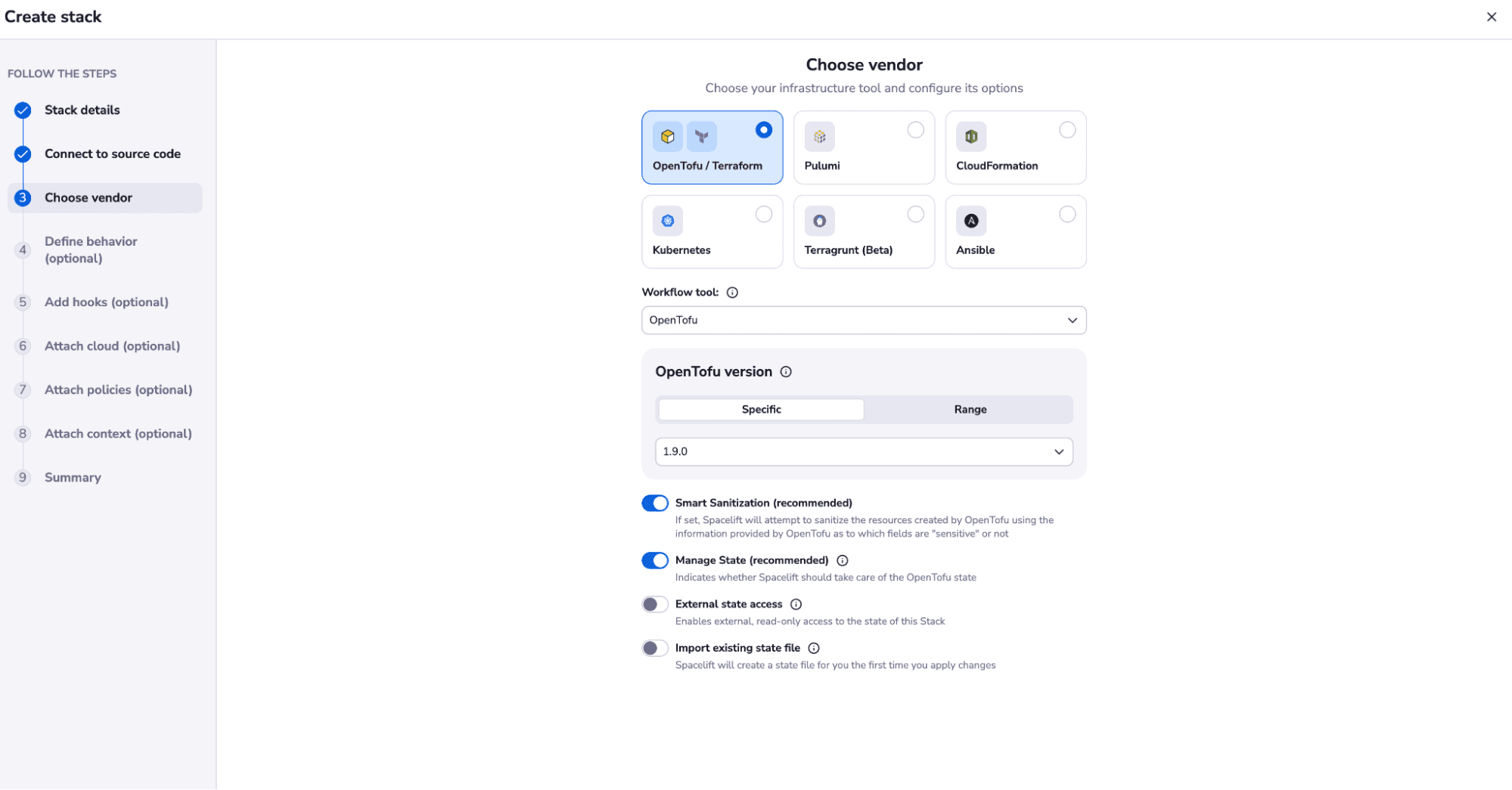
Spacelift can also optionally manage the Terraform state for you, offering a backend synchronized with the rest of the platform to maximize convenience and security. You can also import your state during stack creation, which is very useful for engineers who are migrating their old configurations and states to Spacelift.
If you want to learn more about Spacelift, create a free account today or book a demo with one of our engineers.
Key points
Automating AWS SQS queue provisioning with Terraform improves reliability, simplifies updates, and integrates queue management into your Infrastructure as Code workflows. By defining queues declaratively, teams can manage lifecycle changes and maintain version control over messaging components.
As part of a scalable cloud-native design, Terraform-managed SQS queues support both high-throughput and decoupled application architectures across development environments.
Note: New versions of Terraform are placed under the BUSL license, but everything created before version 1.5.x stays open-source. OpenTofu is an open-source version of Terraform that expands on Terraform’s existing concepts and offerings. It is a viable alternative to HashiCorp’s Terraform, being forked from Terraform version 1.5.6.
Automate Terraform deployments with Spacelift
Automate your infrastructure provisioning and build more complex workflows based on Terraform using policy as code, programmatic configuration, context sharing, drift detection, resource visualization, and many more.