Every team that ships software relies on CI/CD. Few think hard about which platform they’re using until the pipeline becomes the thing slowing them down. CI involves developers frequently merging code into a central repository with automated builds and tests. CD automates the deployment of updates to designated environments after successful builds, reducing manual interventions and enabling faster feedback loops.
As the DevOps ecosystem continually evolves and expands, choosing the right CI/CD tool can be challenging. In this article, we will explore the top CI/CD tools on the market and the best practices for choosing the best one for your needs.
What are CI/CD tools?
CI/CD tools are software solutions that automate Continuous Integration (CI) and Continuous Deployment/Delivery (CD) processes throughout the software development lifecycle (SDLC). These tools manage the tasks associated with automated code integration, building, testing, packaging the code, and deploying the infrastructure/application code to various environments.
Common CI/CD tools include Jenkins, GitHub Actions, Spacelift, CircleCI, and Azure DevOps.
How we review software at Spacelift
We aim to make our recommendations practical and vendor-neutral. For each tool we include, we evaluate category fit, core capabilities, integrations, documentation quality, security/governance features (when relevant), and pricing transparency. We also reference public review signals to validate common strengths and limitations.
We list Spacelift in its category because that’s where readers would expect to find it. We’ve kept the criteria the same as for every other tool.
Top CI/CD tools and platforms
Here’s a quick comparison table for some of the top CI/CD tools:
| Tool | Hosting | Best for | Pricing model |
| Azure DevOps | SaaS | Teams already in the Microsoft ecosystem | Free tier + commercial |
| GitHub Actions | SaaS | Teams already on GitHub | Free for public repos, commercial for private |
| Jenkins | Self-hosted | Full control, no vendor lock-in | Open source (MIT) |
| Buddy | SaaS or self-hosted | Teams that prefer visual UI to YAML | Free tier + commercial |
| TeamCity | SaaS or self-hosted | Complex builds in JetBrains shops | Free tier + commercial |
| CircleCI | SaaS or self-hosted | Cloud-native teams with heavy parallelism | Free tier + commercial |
| AWS CodePipeline | SaaS | AWS-resident workloads | Pay-per-use |
| Travis CI | SaaS | Open source projects on GitHub | OSS credits + commercial |
| GitLab CI/CD | SaaS or self-hosted | Source control plus CI in one product | Open core + commercial |
| Bitbucket Pipelines | SaaS | Teams already on the Atlassian stack | Bundled with Bitbucket |
| Harness | SaaS | Enterprise teams with strict deploy safety needs | Commercial |
| Semaphore | SaaS | Small teams optimizing for PR feedback speed | Free tier + commercial |
| Bamboo | Self-hosted (Data Center) | Existing Atlassian Data Center deployments | Commercial |
| Docker | N/A | Container layer used with any CI/CD tool | Open source + commercial |
| Spacelift | SaaS or self-hosted | Infrastructure as code workflows | Free tier (2 seats) + commercial |
The best CI/CD tools for DevOps include:
1. Azure DevOps
Azure DevOps by Microsoft is an all-in-one CI/CD platform that features entire software delivery in one place.
It packages repositories (Azure Repos), planning and tracking (Azure Boards), pipelines (Azure Pipelines), package management (Azure Artifacts), and test management (Azure Test Plans) into a single product. Azure Pipelines is the CI/CD piece, and it works with any Git provider, not only Azure Repos.
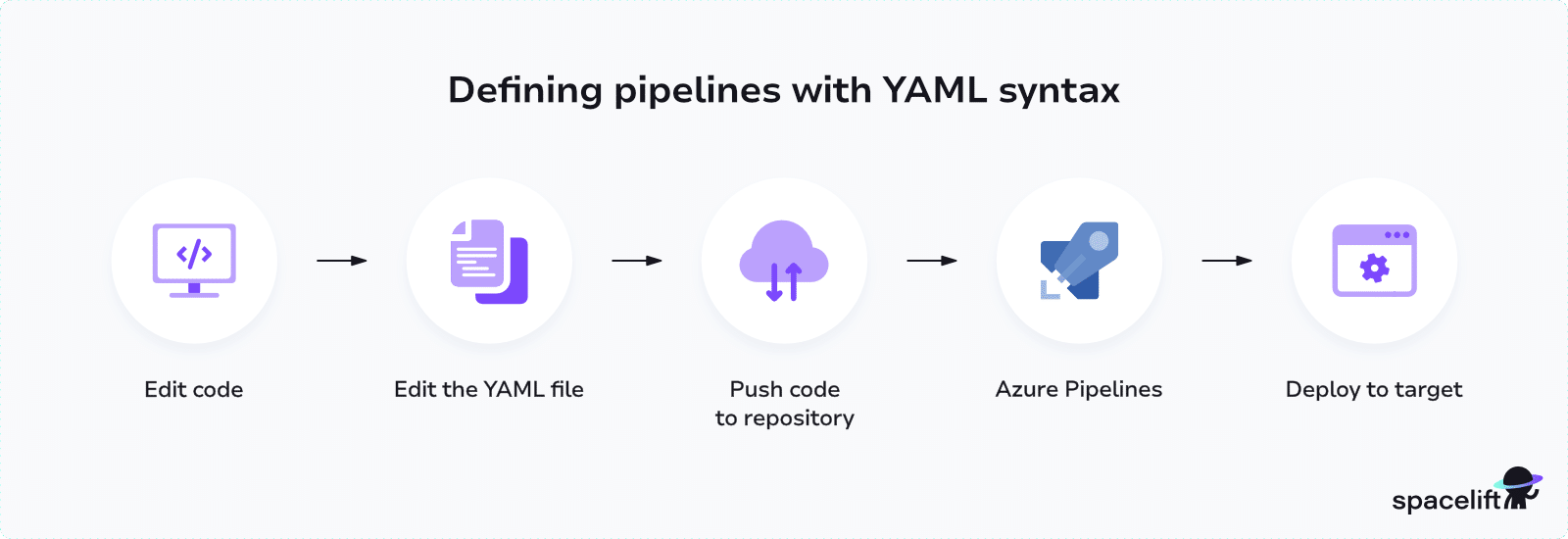
Pipelines are defined in YAML and extended through a marketplace of pre-built tasks.
Azure DevOps features
Below are some of its key features:
- Azure Repos – cloud-hosted private Git repository service.
- Azure Boards – tracking and planning
- Azure Pipelines – CI/CD automation. It can be integrated with any remote Git repository and not just Azure Repos. The extensions marketplace offers several predefined tasks that can be reused alongside custom tasks. The development of the CI/CD pipeline in Azure Pipelines follows an industry standard of YAML syntax. (Read more: Running Terraform with Azure DevOps CI/CD Pipelines)
- Azure Artifacts – package management
- Azure Test Plans – testing and quality assurance
What makes Azure DevOps stand out is its ability to wrap all of the above in a single window. Very few tools encompass the end-to-end software development lifecycle automation like Azure DevOps.
Given that many organizations use Microsoft products and Azure for their day-to-day work, Azure DevOps is a natural choice for CI/CD automation in large teams.
License/pricing: Commercial with a free tier with limited users and build minutes
2. GitHub Actions
GitHub Actions is GitHub’s native CI/CD, embedded directly in every repository. Workflows are defined in YAML and triggered by GitHub events: pushes, pull requests, issue comments, releases, scheduled cron jobs, and dozens more.
The building block is an Action, a reusable unit of automation that can be shared across teams or pulled from a public marketplace with thousands of community-built options. If your code is already in GitHub, the setup cost is close to zero.
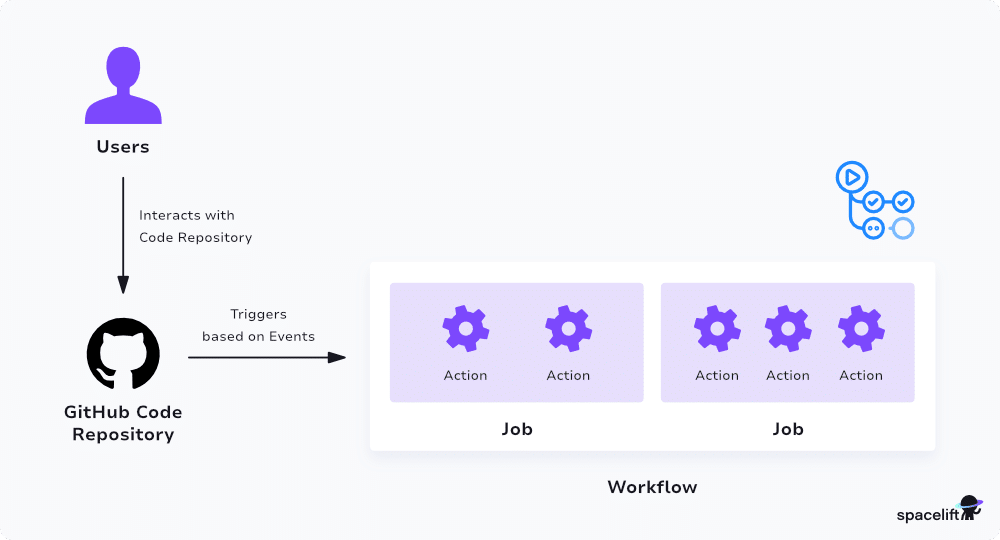
GitHub Actions features
Key features include:
- Matrix builds (running tests on multiple versions and platforms simultaneously)
- Caching
- Shared storage between steps
- Rich marketplace filled with community-contributed actions
- Built-in Container Registry
See also: Managing Terraform with GitHub Actions & Scaling Considerations
By offering native integration with GitHub repositories, GitHub Actions streamlines the automation process and enhances the efficiency of code integration, testing, and deployment.
The downside mirrors the upside: you’re tied to GitHub. Moving away later means rewriting your pipelines. For teams already on GitHub Enterprise that tradeoff is usually worth it. For teams hedging across multiple VCS providers, it’s a real lock-in cost worth weighing.
License/pricing: Free for public repos, commercial for private
Website: https://github.com/features/actions
3. Jenkins
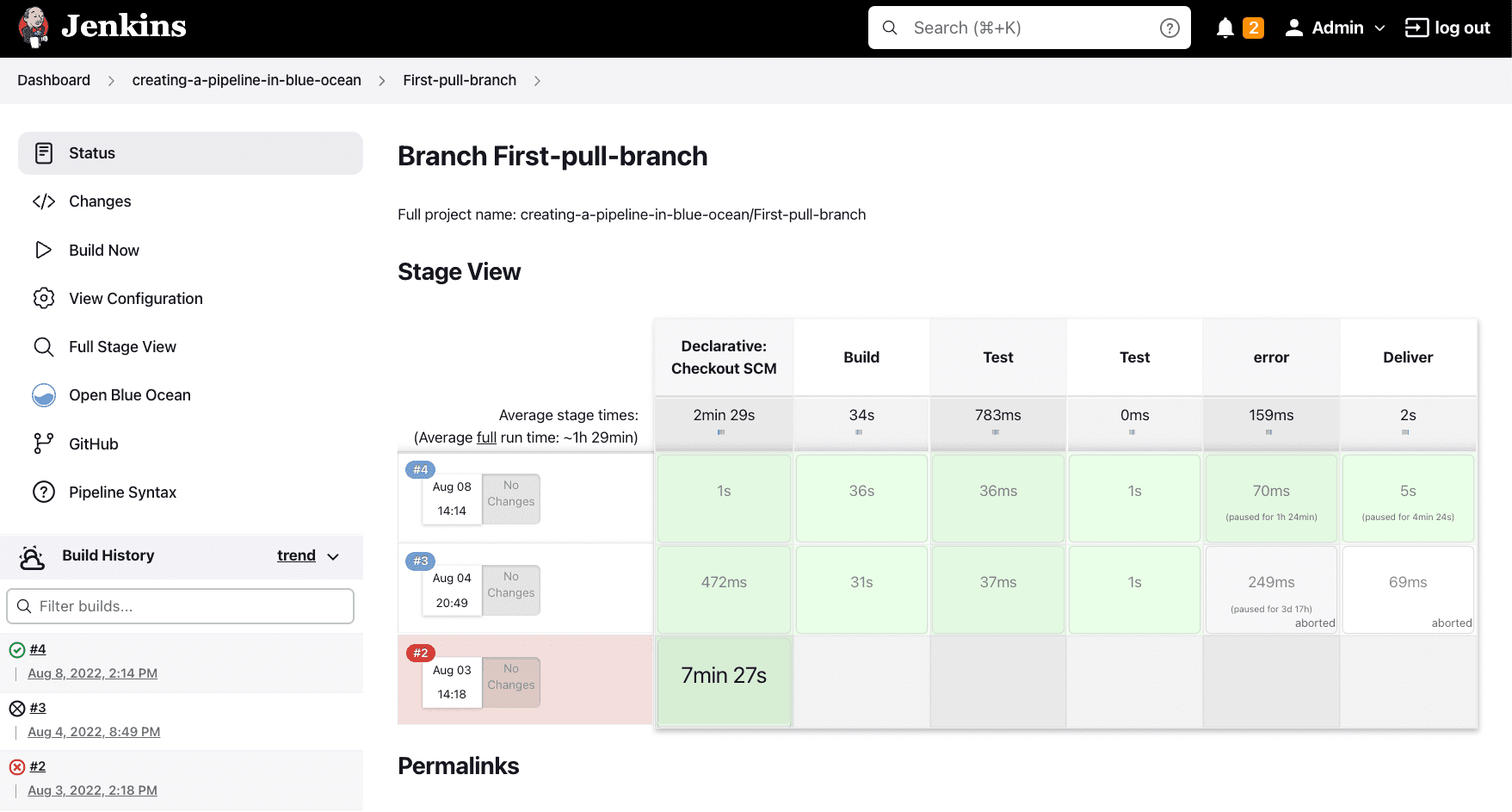
Jenkins is a highly extensible Java-based CI/CD automation server. It is open-source and self-hosted and enables you to automate, build, and deploy your software. The tool seamlessly integrates with various version control systems, cloud providers, and third-party applications, making it a versatile choice for modern development environments.
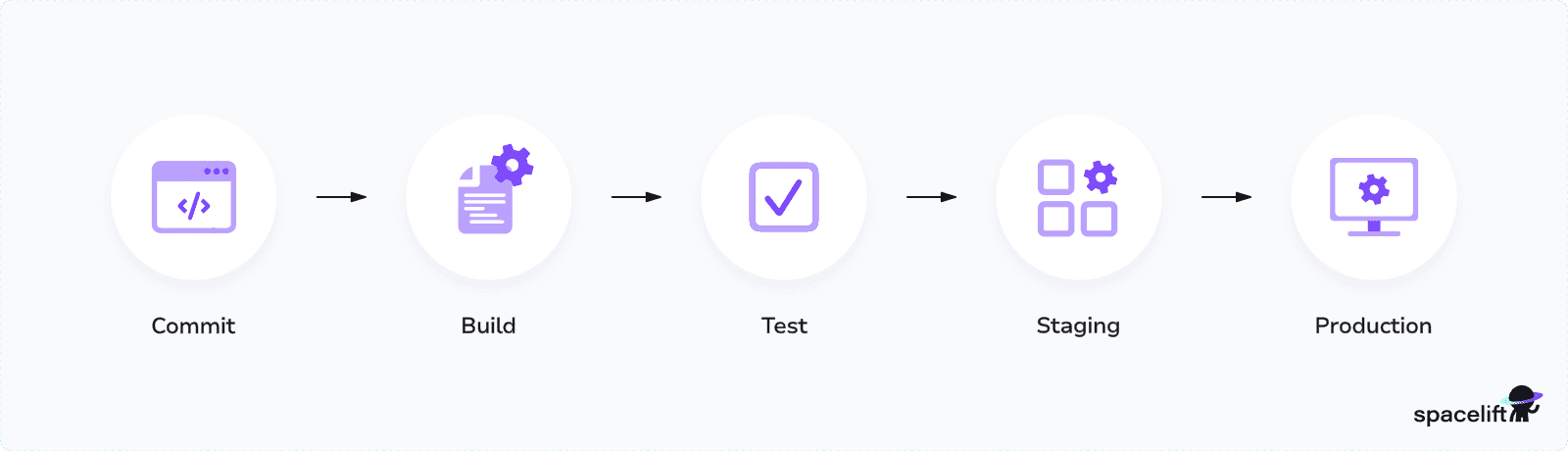
Jenkins features
Key features of Jenkins:
- Rich set of plugins that integrate with every development, testing, and deployment tool in the industry
- Simple UI
- Built-in nodes for distributed builds across multiple machines
- Robust pipeline-as-code approach using the Jenkinsfile (groovy-based pipelines)
- Build schedules
- Easy environment configurations
Jenkins is one of the oldest tools in this category and still runs a significant share of the world’s pipelines.
The tradeoff is well known: total flexibility, total responsibility. You own the controller, the agents, the plugin upgrades, and the security patches. Newer SaaS-native options have pulled share away from Jenkins over the past few years, especially among smaller teams that don’t want to maintain the infrastructure their CI/CD runs on.
License/pricing: Open-source (MIT License)
Jenkins project health:
- ~25k GitHub stars, ~9.5k forks
- Governance: independent open source project, hosted under the Continuous Delivery Foundation (a Linux Foundation project)
Website: https://www.jenkins.io/
4. Buddy
Buddy is a CI/CD platform built around a visual, drag-and-drop pipeline builder. Where most tools in this list start with YAML, Buddy starts with a canvas: you wire up build, test, and deploy steps in a UI and edit the YAML only if you want to.
The result is a tool that’s faster to prototype with and easier to onboard non-engineers onto, at the cost of some of the version-control rigor that comes naturally with config-as-code. Buddy is available as SaaS or self-hosted, with strong defaults for web applications and container deployments.
Buddy features
Key features of Buddy:
- Visual Pipeline Builder: Intuitive drag-and-drop interface for crafting CI/CD workflows
- Docker layer caching: Faster build times by reusing Docker caching layers
- Rich integrations: Can integrate with popular VCS, Cloud and Notification services
- Self-hosted versions: Can be self-hosted
- Atomic deployments: Ensures consistency by deploying only changed parts of the application
- Parallelism: Runs tasks simultaneously or queues them for optimal resource utilization
License/pricing: Commercial with a free tier
Buddy ratings and reviews:
- G2: 4.7/5 (209 reviews)
Website: https://buddy.works/
5. TeamCity
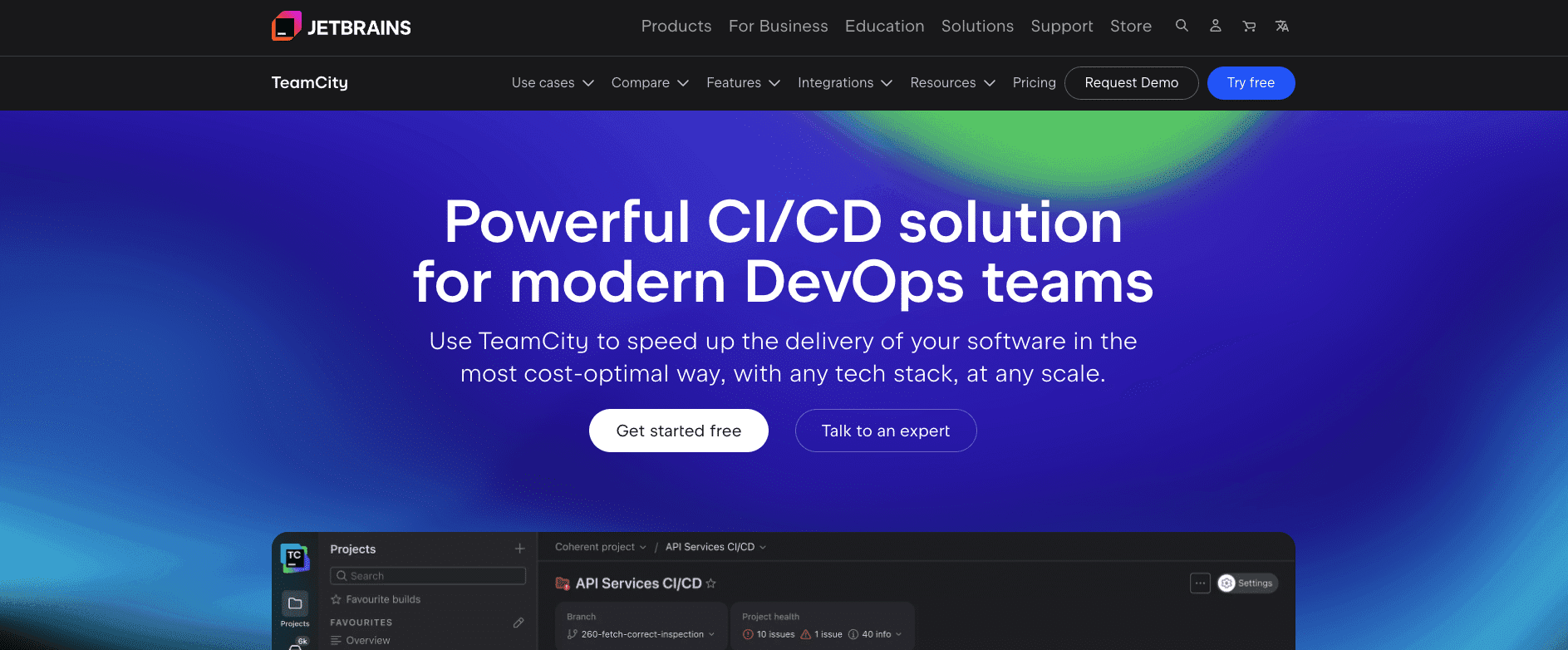
TeamCity is JetBrains’ CI/CD server, available as self-hosted (TeamCity On-Premises) or managed (TeamCity Cloud). It handles complex build pipelines with dependent and parallel builds, fine-grained role-based access control, and deep integration with the rest of the JetBrains ecosystem.
Build configurations are reusable across child projects, which makes it well suited to organizations with many similar services to maintain. TeamCity tends to show up in teams that need more structure and governance than Jenkins offers, but don’t want to commit to a fully managed SaaS.
TeamCity features
Key features of TeamCity:
- Creates sophisticated build pipelines with dependent and parallel builds
- Analyzes code and provides feedback on potential issues without affecting the main build
- Allows distributed builds and tests across multiple servers and agents
- Offers numerous methods to reuse project settings in child projects
- Allows flexible RBAC
- Offers a live dashboard with build progress, statistics, and history
License/pricing: Commercial with a free tier
TeamCity ratings and reviews:
- G2: 4.3/5 (86 reviews)
Website: https://www.jetbrains.com/teamcity/
6. CircleCI
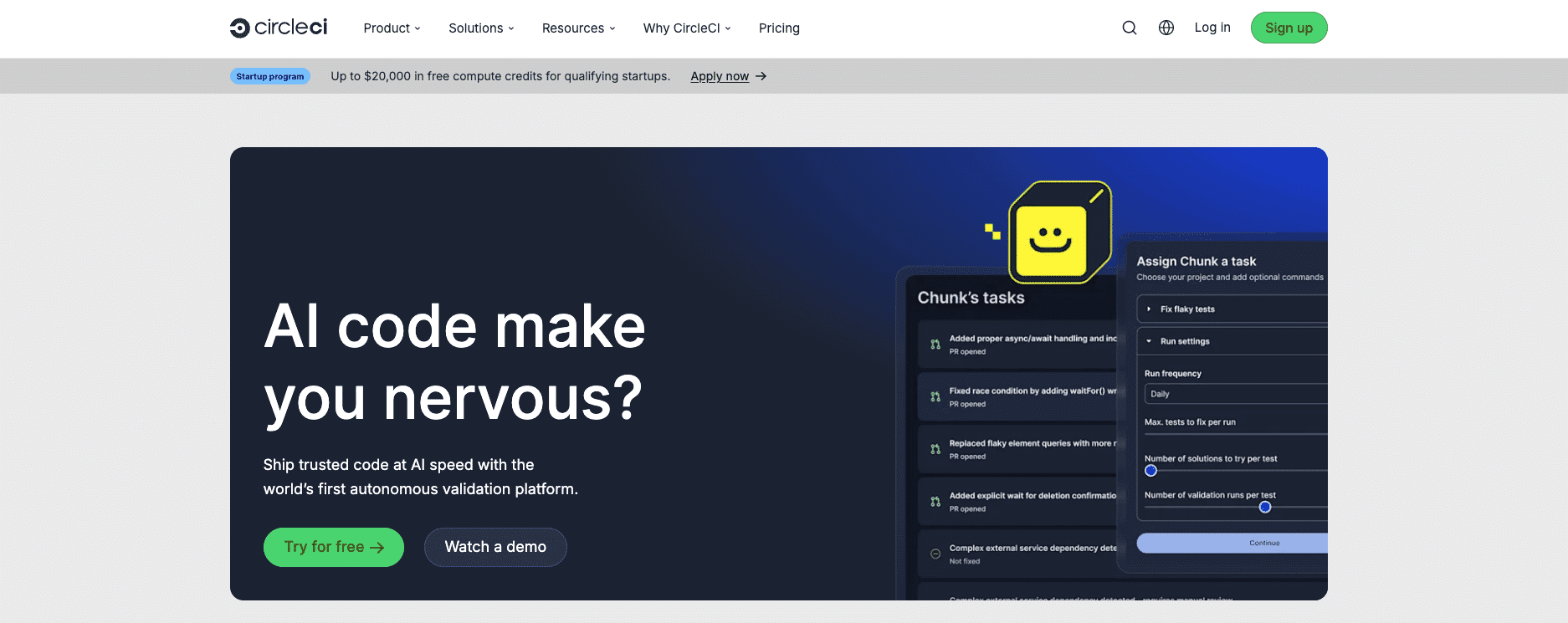
CircleCI is a cloud-native CI/CD platform that was one of the first to push hard on parallelism, configurable resource classes, and reusable config packages (Orbs). Pipelines run in isolated containers or VMs, and teams can scale CPU and RAM per job to fit the workload. SSH access into failing jobs is a small feature that makes a real difference when debugging.
CircleCI offers a SaaS product and a self-hosted server edition for teams with stricter compliance requirements. Pricing is credit-based and can climb at high build volumes if workflows aren’t designed carefully.
CircleCI features
Key features of CircleCI:
- Create sophisticated CI/CD pipelines with parallel, sequential, and manual job execution
- Matrix Builds: Run tests across multiple versions and environments simultaneously
- Orbs: Shareable and reusable packages of configuration to simplify pipeline creation and integration
- Ability to customize CPU and RAM resources based on specific job requirements.
- Access failing builds or workflows via SSH for real-time troubleshooting.
- Easy debugging
License/pricing: Commercial with a free tier
CircleCI ratings and reviews:
- G2: 4.4/5 (507 reviews)
Website: https://circleci.com/
Read more: 12 Most Popular CircleCI Alternatives to Consider
7. AWS CodePipeline
AWS CodePipeline is a fully managed CI/CD service offered by Amazon. It connects to other AWS code tools (CodeCommit, CodeBuild, CodeDeploy, Lambda) and to common third-party sources like GitHub and Bitbucket.
Pipelines are defined as a series of stages and actions, and the service handles execution, artifact passing, and IAM-based permissions for you. CodePipeline makes the most sense when your workloads and the rest of your tooling already live in AWS. Outside that context, the value proposition thins out quickly.
AWS CodePipeline features
Key features of AWS CodePipeline:
- Seamless integration with services like AWS CodeBuild, AWS CodeDeploy, AWS Lambda, and more
- Built-in encryption for artifacts; and integrates with AWS Key Management Service for enhanced security
- Configure multiple actions to run simultaneously or in a specified order for efficient pipeline executions
- Easily design and visualize your release process workflows
License/pricing: Commercial (pay-per-active-pipeline with per-action charges)
AWS CodePipeline ratings and reviews:
- G2: 4.3/5 (68 reviews)
Website: https://aws.amazon.com/codepipeline/
8. TravisCI
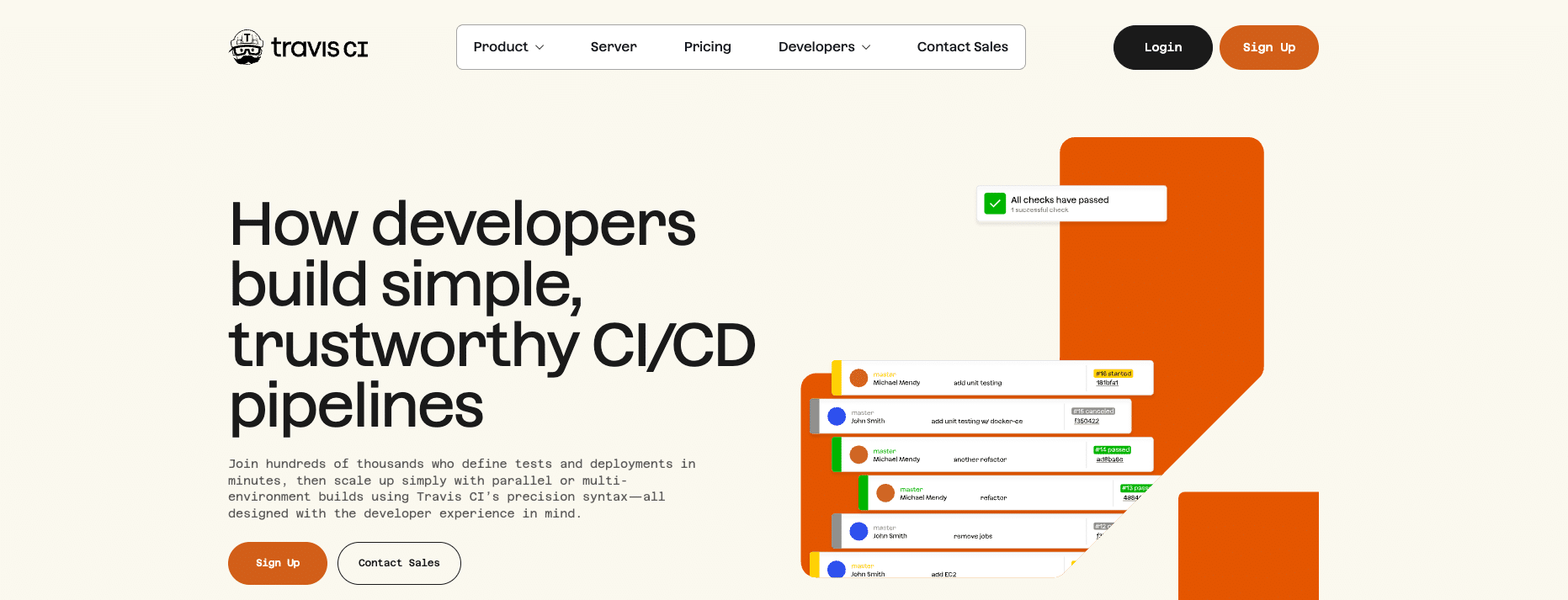
TravisCI is a cloud-based CI service that connects to GitHub and Bitbucket. It was, for years, the default for open source projects, especially in the Ruby and JavaScript communities. Builds trigger on every push or pull request and run against a .travis.yml config in the repository, which made it one of the easier tools to drop into a new project.
Travis is still useful if your team already runs pipelines there, or if you maintain an open source project that benefits from its OSS credits. However, TravisCI’s commercial momentum has slowed since 2021.
For teams starting fresh, it’s worth comparing against ecosystem-native options like GitHub Actions, GitLab CI/CD, or CircleCI, which are usually easier defaults depending on where the code already lives.
Travis CI features
Key features of TravisCI:
- Quick setup
- Matrix builds (Simultaneously test applications across multiple runtime environments and configurations)
- Caching mechanism
- Deployment integrations
- Docker support
License: Commercial, with a limited free tier for open source projects (additional OSS credits available on request)
TravisCI ratings and reviews:
- G2: 4.5/5 (92 reviews)
Website: https://www.travis-ci.com/
9. GitLab CI/CD
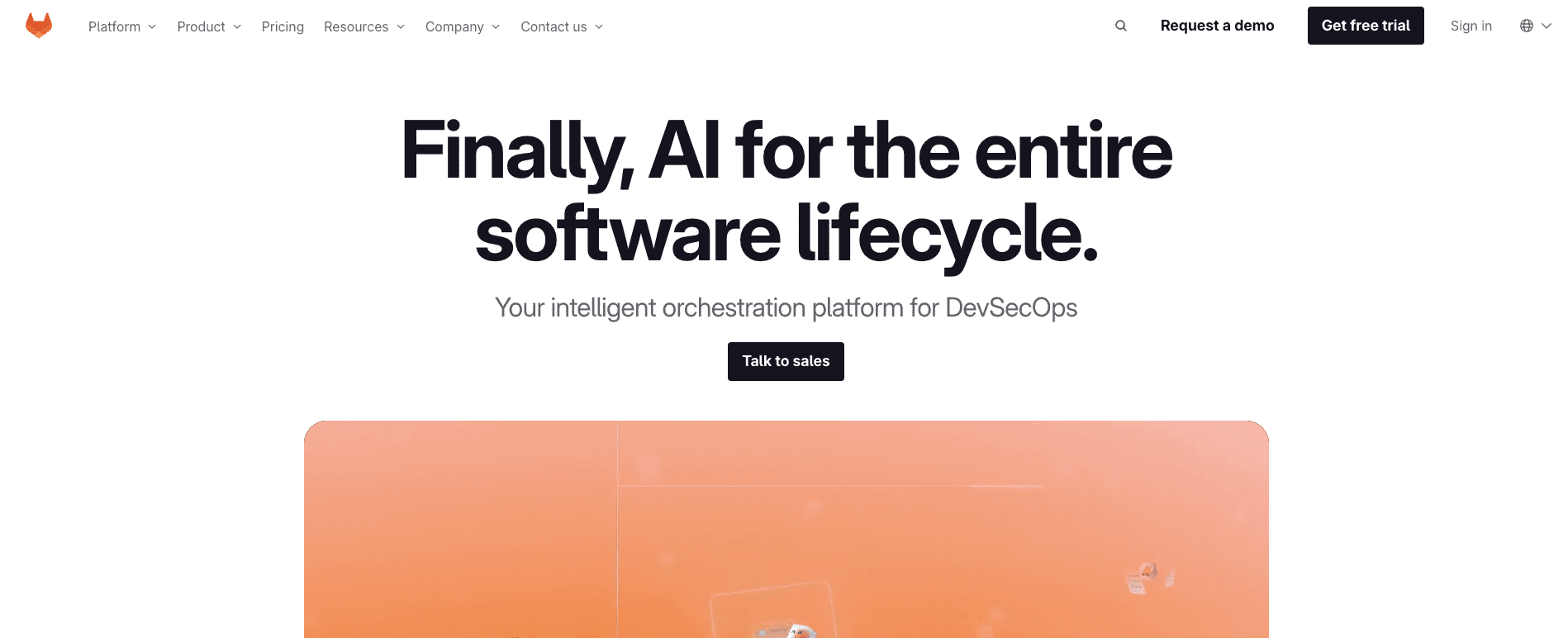
GitLab CI/CD is the pipeline engine built into the GitLab platform. Like GitHub Actions, it lives next to your code, but GitLab leans further into the single-application pitch: source control, CI/CD, container registry, security scanning, and Kubernetes deployment all under one product.
Pipelines are defined in .gitlab-ci.yml and triggered by GitLab events. Auto DevOps generates a working pipeline based on the detected project type, which gives teams a fast path to a baseline they can then customize.
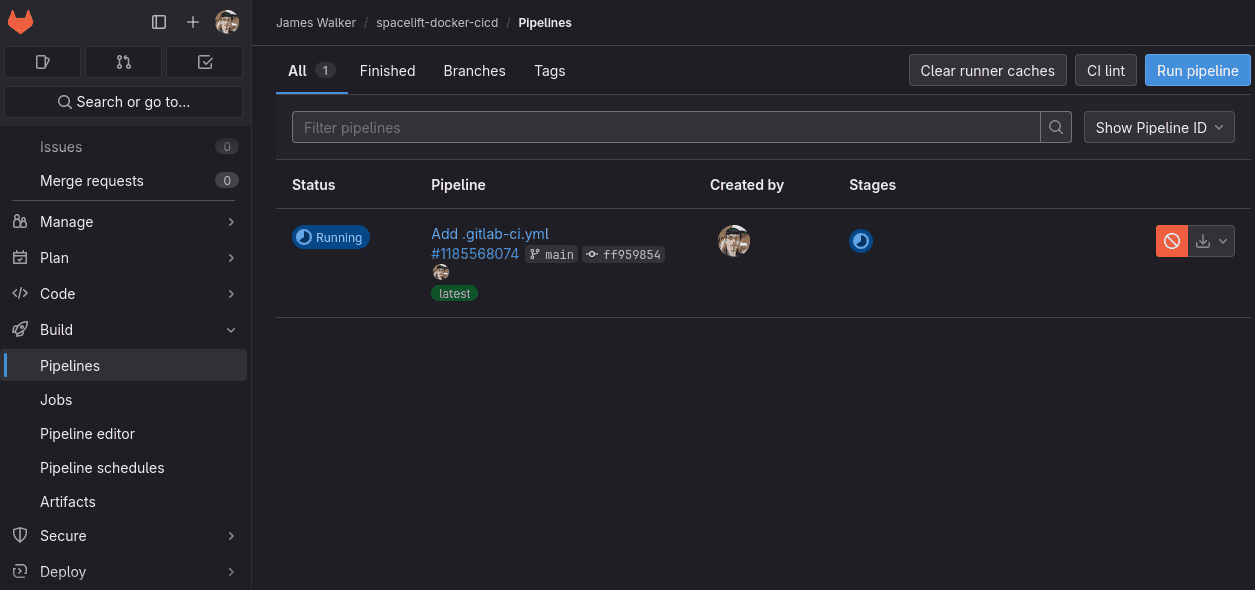
GitLab is available as SaaS or self-hosted, with the self-hosted version popular at organizations that need to keep code and pipelines inside their own network.
GitLab CI/CD features
Key features of GitLab CI/CD:
- Detailed view of pipeline stages, jobs, and statuses for streamlined monitoring
- Auto DevOps feature – automatically configures CI/CD based on best practices, reducing the manual setup process
- Direct connection with Kubernetes for efficient application deployment and scaling
- Built-in Container Registry – store and manage Docker images
- Automatic security scans for vulnerabilities and compliance checks
License/pricing: Open-source and commercial versions
Website: https://docs.gitlab.com/ee/ci/
10. Bitbucket Pipelines
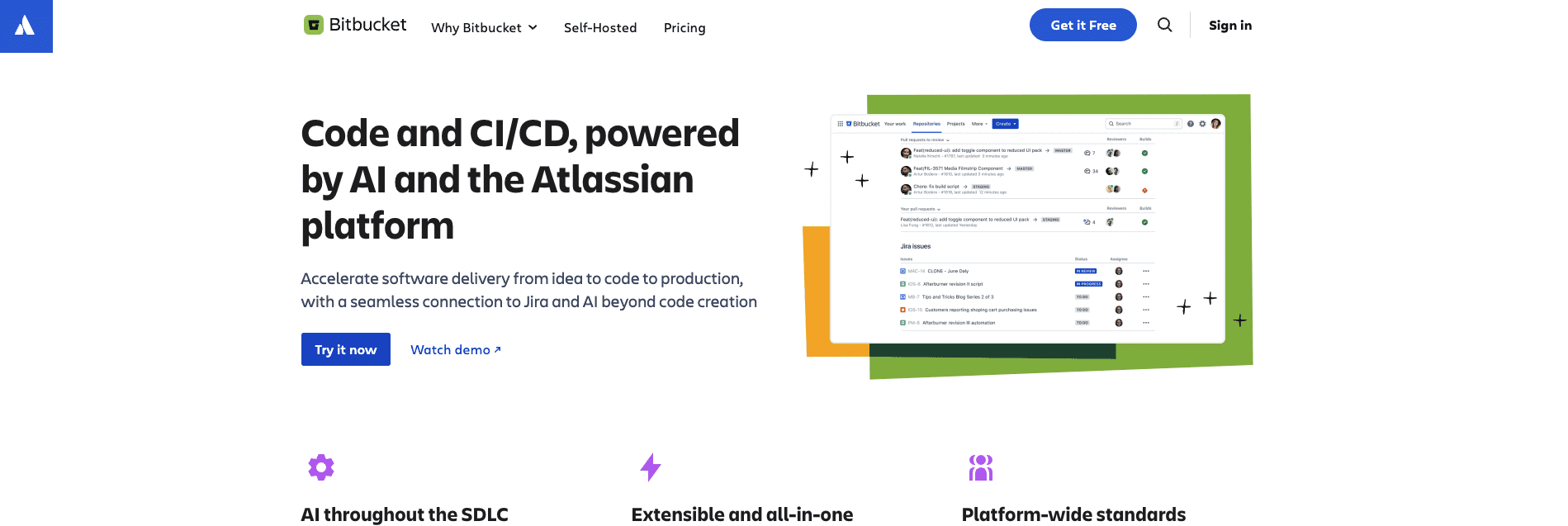
Bitbucket Pipelines is Atlassian’s CI/CD product, built directly into Bitbucket repositories. Configuration is YAML-based and lives in the repo as bitbucket-pipelines.yml.
Like the other VCS-native options on this list, the value is proximity: pipelines, code, and reviews live in the same product, and integration with the rest of the Atlassian stack (Jira, Confluence, Bamboo) is automatic. It suits teams already standardized on Atlassian. Outside that context, GitHub Actions or GitLab CI/CD are usually a stronger draw.
Bitbucket Pipelines features
Key features of Bitbucket Pipelines:
- Native integration with the Atlassian Stack (Jira, Confluence)
- Accelerates build times by running steps or commands concurrently
- Optimizes pipeline execution by caching dependencies and other data between builds
- Defines and manages different environments like staging or production
- Branch-specific configurations
License/pricing: Commercial (part of Bitbucket)
BitBucket ratings and reviews:
- G2: 4.4/5 (981 reviews)
11. Harness

Harness started as a continuous-delivery platform with a strong opinion about deployment safety: every release is gated by automated verification, and rollbacks are first-class instead of an afterthought.
Over time, it has expanded into a broader software-delivery suite (CI, CD, feature flags, cloud cost management, chaos engineering) sold as separate modules. Harness suits enterprise teams that want commercial backing, integrated cost visibility, and a deployment model that takes rollback and verification seriously. It’s not the lightest option to adopt, and pricing sits in the enterprise tier.
Harness features
Key features of Harness:
- Automated rollback in case of deployment failures, ensuring system stability
- Reusable deployment templates to maintain consistency across applications and environments
- Define and manage deployment pipelines using a version-controlled, codified approach
- Supports multiple cloud providers, Kubernetes, and traditional infrastructure for deployment
License/Pricing: Commercial
Harness ratings and reviews:
- G2: 4.6/5 (281 reviews)
Website: https://www.harness.io/
12. Semaphore

Semaphore is a hosted CI/CD platform that markets heavily on raw speed: fast cold starts, fast queues, and fast feedback on pull requests. The pipeline model is built around the PR workflow, so most setups assume a branch-per-feature, merge-on-green pattern by default.
Resources scale dynamically per job and parallel execution is straightforward to configure. Semaphore tends to be popular with smaller, fast-moving engineering teams that care more about minute-by-minute feedback than enterprise-grade governance features.
Semaphore features
Key features of Semaphore:
- Optimized for speed, offering fast feedback on code changes
- Dynamic adjustment of resources based on workload, ensuring optimal performance
- Execute multiple jobs simultaneously for accelerated build and test cycles
- Control and manage the release of code from one environment to the next
License/Pricing: Commercial with a free tier
Semaphore ratings and reviews:
- G2: 4.7/5 (192 reviews)
Website: https://semaphoreci.com/
13. Bamboo
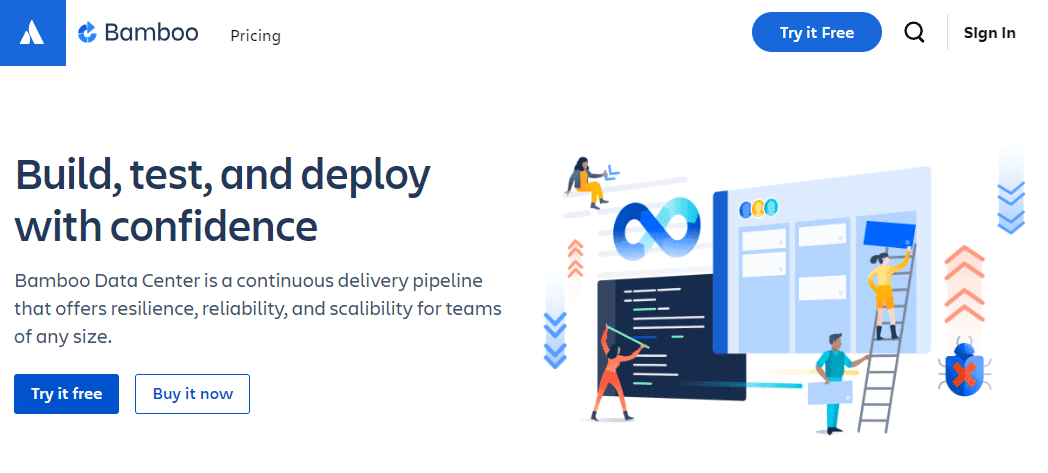
Bamboo is Atlassian’s older self-hosted CI/CD product, predating Bitbucket Pipelines. It organizes work in a strict hierarchy of Projects, Plans, Stages, Jobs, and Tasks, and integrates tightly with Jira and Bitbucket for traceability between commits, issues, and deployments. It supports parallel and sequential execution across multiple programming languages and frameworks.
Note: Bamboo Server reached end of support in February 2024. New deployments should use Bamboo Data Center, and existing Server users should have a migration plan. For most greenfield Atlassian teams, Bitbucket Pipelines is now the more natural starting point.
Bamboo features
Key features of Bamboo include:
- Hierarchical structure: Projects > Plans > Stages > Jobs > Tasks
- Parallel and sequential execution of jobs and tasks
- Support for multiple programming languages and frameworks
- Integration with other Atlassian tools like Jira and Bitbucket
- Deployment projects for managing releases across environments
License/Pricing: Commercial (Bamboo Data Center)
Bamboo ratings and reviews:
- G2: 4.1/5 (66 reviews)
14. Docker

Docker isn’t a CI/CD tool, but it’s hard to talk about modern CI/CD without it. Almost every platform in this list runs builds inside Docker containers, ships artifacts as Docker images, or both.
Docker gives pipelines a portable execution environment: the same image that builds your tests runs in CI, on a developer laptop, and in production.
In practice, Docker shows up in a CI/CD context less as “the tool you choose” and more as “the layer your chosen CI/CD tool runs on top of.” Its inclusion here is an acknowledgment of that role rather than a head-to-head comparison.
Docker features
Here are some Docker features that are beneficial for CI/CD workflows:
- Docker allows applications and their dependencies to be packaged into containers, ensuring consistency across different environments.
- Each Docker container runs in its isolated environment, which means that applications can run without interfering with each other.
- Docker containers can run on any system that supports Docker, regardless of the underlying hardware or operating system.
- Docker images can be versioned, making it easy to track changes, roll back to previous versions, and maintain a history of builds.
- Docker integrates seamlessly with various CI/CD tools such as Jenkins, GitLab CI, Bamboo, and others.
License/Pricing: Open-source (Apache 2.0) and commercial versions. The core Docker Engine is open-source, and Docker Hub has specific commercial licensing requirements for larger organizations.
Docker ratings and reviews:
- G2: 4.6/5 (274 reviews)
Website: https://www.docker.com/
15. Spacelift
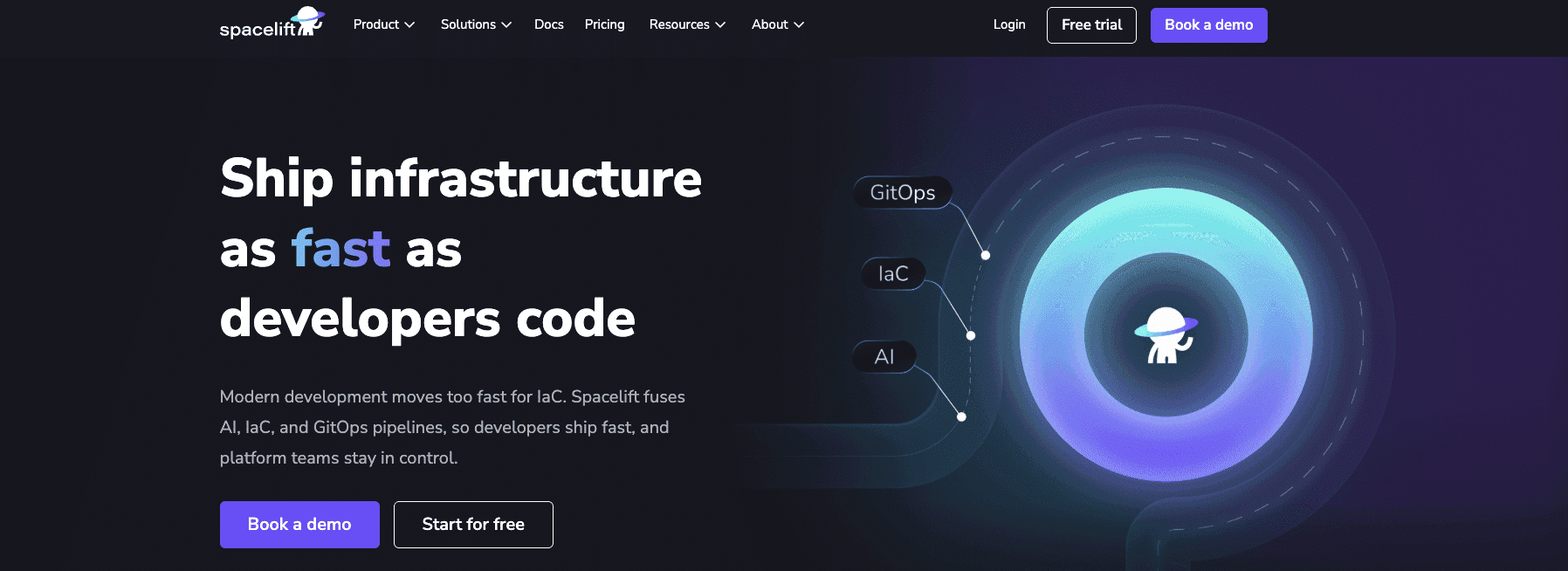
Spacelift is an infrastructure orchestration platform purpose-built for IaC, not retrofitted from an application CI/CD tool. It supports Terraform, OpenTofu, Terragrunt, Pulumi, CloudFormation, Ansible, and Kubernetes, with state handling, plan-apply gating, policy enforcement, and drift detection built in.
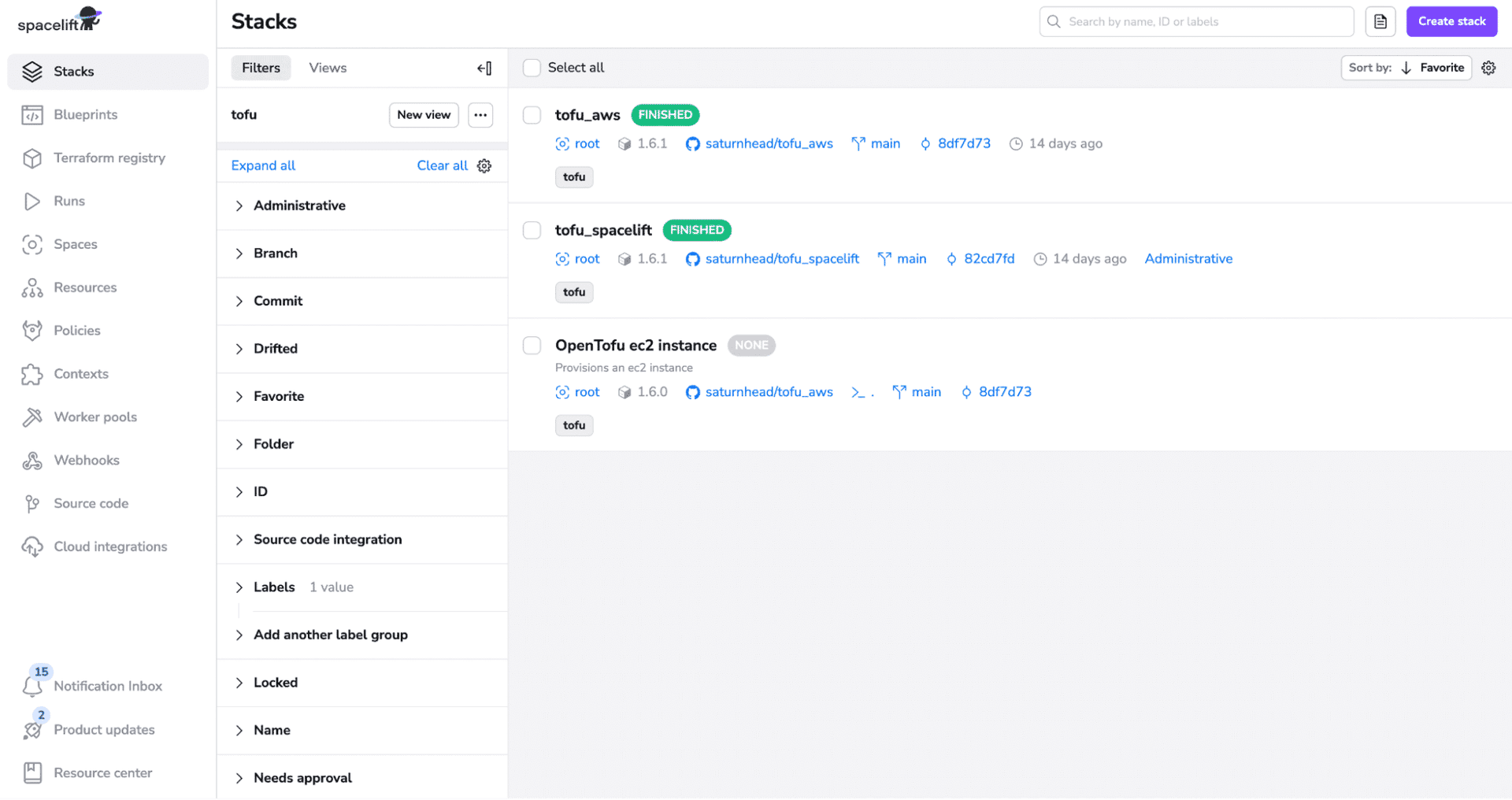
Spacelift can run as fully managed SaaS or be self-hosted on AWS (including GovCloud), Azure, GCP, or on-premises Kubernetes, with the same feature set in both modes. For regulated environments, there’s also a FedRAMP Moderate Authorized SaaS option and air-gapped deployment guides.
Spacelift features
Key features include:
- Policy as code: Control approvals, allowed resources, PR behavior, and notifications across every stack.
- Drift detection and remediation: Catch manual changes the moment they happen and reconcile automatically.
- Dynamic cloud credentials: Short-lived AWS, Azure, and GCP credentials issued per run. No long-lived keys in your pipeline.
- Self-service with Blueprints and Stack Dependencies: Templated infrastructure with policies and integrations built in, plus linked stacks for promotion pipelines.
- Flexible runners: Bring your own image, hook into any phase, integrate with any third-party tool. Self-host on AWS (including GovCloud), Azure, GCP, or on-premises Kubernetes.
- AI-native provisioning with Spacelift Intelligence and Intent: Ask the Infra Assistant about your stacks, state, and runs. Have Intent provision infrastructure from a natural-language request, with the same policies, approvals, and audit trails as your IaC pipelines.
If your team’s primary workload is application code (web apps, mobile apps, backend services built and shipped as artifacts), pick a generic CI/CD tool from earlier in this list. Spacelift earns its place when infrastructure is the thing being deployed, not when it’s just running the build. For most teams, the winning setup is “generic CI/CD for apps + Spacelift for infrastructure”, wired together through Git and pull requests.
License/pricing: Commercial with a free tier for up to two seats
Spacelift ratings and reviews:
- G2: 4.9/5 (9 reviews)
Website: https://spacelift.io/
Other CI/CD tools
Here are several more CI/CD tools that might be worth considering depending on your use case:
- Spinnaker – Originally built at Netflix, Spinnaker is a multicloud continuous delivery platform with strong opinions about deployment strategies: blue/green, canary, and rolling updates are first-class concepts. It’s heavyweight to operate and usually shows up at organizations doing high-volume deployments across multiple clouds.
- Argo CD – A declarative GitOps controller for Kubernetes. Argo CD watches a Git repository for desired-state manifests and reconciles your cluster to match. It pairs with Argo Workflows and Argo Rollouts in the wider Argo project and has become the go-to GitOps choice for Kubernetes shops.
- Codefresh – A CI/CD platform built around Argo CD and GitOps for Kubernetes-native applications, now part of Octopus Deploy following the February 2024 acquisition. It commercializes much of the Argo ecosystem with a managed control plane and adds pipeline UI, dashboards, and access controls on top.
- Octopus Deploy – A specialist in the deploy half of CI/CD, originally popular in .NET and Windows shops. Octopus handles variable management, environment promotion, and release orchestration across cloud, on-premises, and hybrid targets, and is often paired with a separate CI tool that runs the build.
- GoCD – An open-source CI/CD server from Thoughtworks. GoCD treats pipelines and value-stream maps as first-class objects, which makes it useful for teams modeling multi-stage delivery flows. Self-hosted, with a smaller user base than Jenkins but a loyal following.
- OpenShift Pipelines – Red Hat’s CI/CD product, built on the upstream Tekton project. Pipelines and Tasks are defined as Kubernetes custom resources and run as Pods on the cluster. It’s the default choice for teams already standardized on OpenShift.
- Google Cloud Build – Google Cloud’s managed CI/CD service. It runs builds in containers on Google’s infrastructure, integrates with the rest of Google Cloud (Artifact Registry, GKE, Cloud Run), and is usually the path of least resistance for teams already running on GCP.
How to choose the right CI/CD tool?
There is no right or wrong way to choose a CI/CD tool. Each tool has different strengths. Just as restaurants may excel at a few popular specialty dishes, no CI/CD tool can build, test, and deploy absolutely everything to the same level of excellence.
When choosing a CI/CD tool, you should consider the following:
- what are you going to deploy
- how much are you willing to spend
- how much uptime you need
- how it integrates with your existing tech stack
- how customizable the tool needs to be
- whether auto-scaling is important
- how easy the tool is to learn
- what the UI/UX is like
- how the vendor handles security, secrets, and incident response
CI/CD platforms often hold your most sensitive secrets (cloud keys, tokens, SSH keys), so treat them as part of your critical attack surface. Look at how each provider manages secrets and how transparent they are about incidents and post-mortems.
You need to consider many aspects, and evaluating multiple tools at the early stages makes a lot of sense.

When you shift to treating infrastructure like a software project, you need all of the same components that a software project would have. That means having a CI/CD platform in place, and most aren’t suited to the demands of IaC. Insurtech company Kin discovered that Spacelift was purpose-built to fill that gap.
Why generic CI/CD breaks for infrastructure?
Most CI/CD tools were built for application code. Build the artifact, run the tests, ship the binary. For app pipelines, that’s the whole job.
Infrastructure changes need more, and the gaps show up in production.
- State is shared. Your Terraform state file is the source of truth for what’s running. Two pipelines racing on the same state is a corruption you’ll find at 3 AM.
- Plan and apply are different events. You want to see what’s going to change before it changes. Generic CI/CD treats the pipeline as a single execution.
- Drift happens between deploys. Someone made a manual change in the console last week. Your pipeline doesn’t know. Production does.
- Blast radius is bigger. A failed app deploy fails one service. A failed infrastructure deploy can take out the network everything else runs on.
- Secrets live in a different threat model. Cloud admin credentials in a CI/CD job are a different category of risk than a Slack webhook token.
Generic CI/CD can be coaxed into handling all of this. Most teams who try end up writing the same wrappers, locks, and policy scripts every other team has already written.
Key points
In this post, we’ve reviewed the best CI/CD tools on the market and some best practices for choosing the right one for your needs. The DevOps ecosystem is constantly evolving and growing, so choosing the right tool can be hard if you don’t evaluate it specifically for your use case.
Let’s take one last look at the table comparing some of the options:
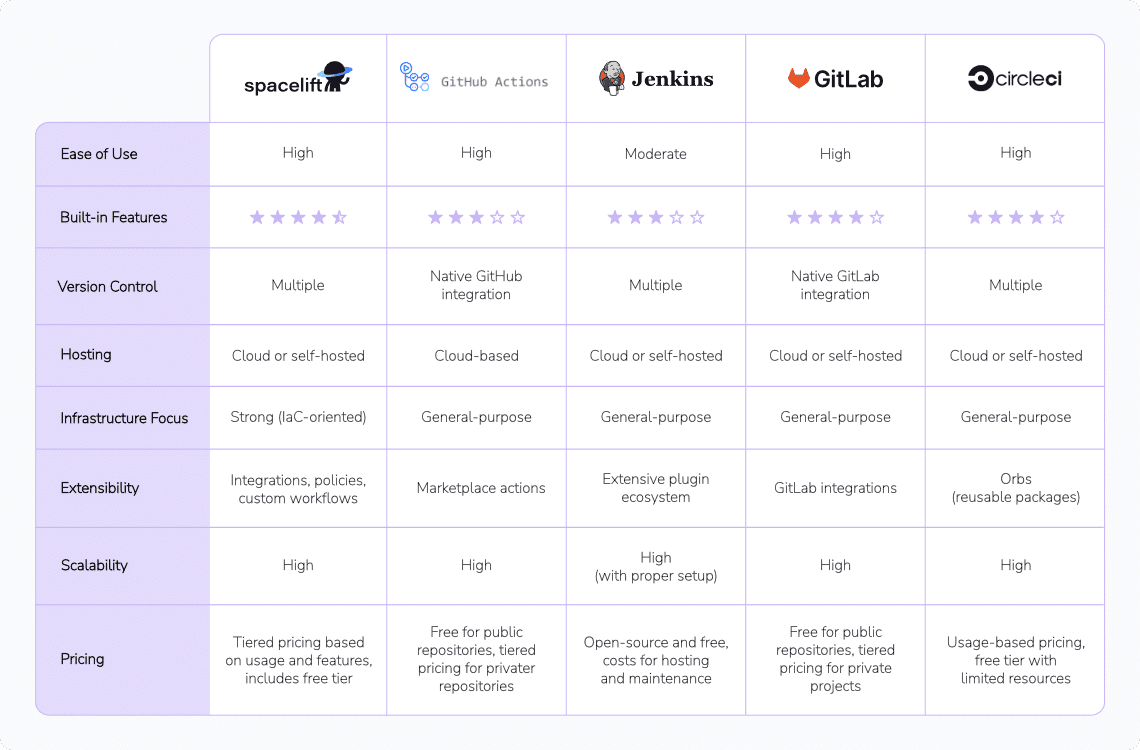
The best CI/CD automation tool
Spacelift is a CI/CD automation tool that can be used as an alternative to homegrown solutions on top of a generic CI solution. It allows you to automate, audit, secure, and continuously deliver your infrastructure.
Frequently asked questions
Is Jenkins still worth using in 2026?
Yes, Jenkins is still worth using in 2026 for teams that require a highly customizable, self-hosted CI/CD solution. However, its relevance depends on the project’s complexity, team size, and need for extensibility. For teams focused on speed, usability, and integrated cloud workflows, newer CI/CD platforms may offer a better fit.
What’s the difference between a CI tool and a GitOps tool like Argo CD?
CI handles what gets built and tested, while GitOps tools control what gets deployed and how it aligns with version-controlled configuration. Together, they form a complete pipeline from code to production.
Should infra CI/CD be separate from app CI/CD?
Yes, separate pipelines are usually better. Infra changes need tighter permissions, slower cadence, and stateful rollbacks, while app pipelines optimize for rapid deploys and feature feedback. A good pattern is: shared repo or org, separate pipelines, separate credentials, and a clear promotion flow where infra is updated first, then app pipelines target that infra.