

The Model Context Protocol (MCP) has become an industry standard, especially after Anthropic donated it to the Linux Foundation at the end of 2025. PulseMCP, for example, hosts over 21,000 MCP servers, many of which are available for DevOps and infrastructure-as-code tooling.
Every engineer who has asked a large language model (LLM) to write OpenTofu code knows models can produce code that looks correct but no longer works because the latest provider version removed an attribute.
The OpenTofu MCP server exists to solve exactly this issue. In this article, we will discuss the OpenTofu MCP server, what it exposes, how it compares with HashiCorp’s Terraform MCP server, how to wire it into your assistant, and how to combine it with a platform like Spacelift.
What we’ll cover:
TL;DR
The OpenTofu MCP server is an official, read-only Model Context Protocol server that lets any MCP-compatible AI assistant search the OpenTofu Registry and pull live docs for providers, modules, resources, and datasources, so generated code uses current arguments instead of deprecated ones. It never runs tofu commands, reads state, or handles credentials, so you can leave it connected permanently. Point your client at https://mcp.opentofu.org/mcp, or run it locally with npx @opentofu/opentofu-mcp-server.
What is the OpenTofu MCP server?
The OpenTofu MCP server is an official project from the OpenTofu organization that implements MCP on top of the OpenTofu registry. It enables all MCP-compatible assistants to search the registry and pull live documentation for providers, modules, resources, and datasources.
This matters because OpenTofu providers update constantly, and if you use AI assistants to generate OpenTofu code, the MCP server keeps your documentation current and reduces the chance of errors. When your AI assistant uses the OpenTofu MCP server, it gets current registry data as text, and what it does with that text depends entirely on the assistant and its configuration.
The OpenTofu MCP server doesn’t touch your state file, your cloud credentials, or your working directory; only other tool calls that your AI assistant might make will touch them, so ensure you configure your agent accordingly to minimize the chances of issues. With the OpenTofu MCP server, the worst-case scenario is a wrong search result, so it is safe to leave it connected permanently.
What the OpenTofu MCP server exposes
The OpenTofu MCP server offers the following registry search and information tools:
- search-opentofu-registry: You can search for providers, modules, resources, and datasources.
- get-provider-details: Helps you get detailed information about a specific provider
- get-provider-versions: Helps you get a list of available versions for a provider
- get-module-details: Helps you get detailed information about a specific module
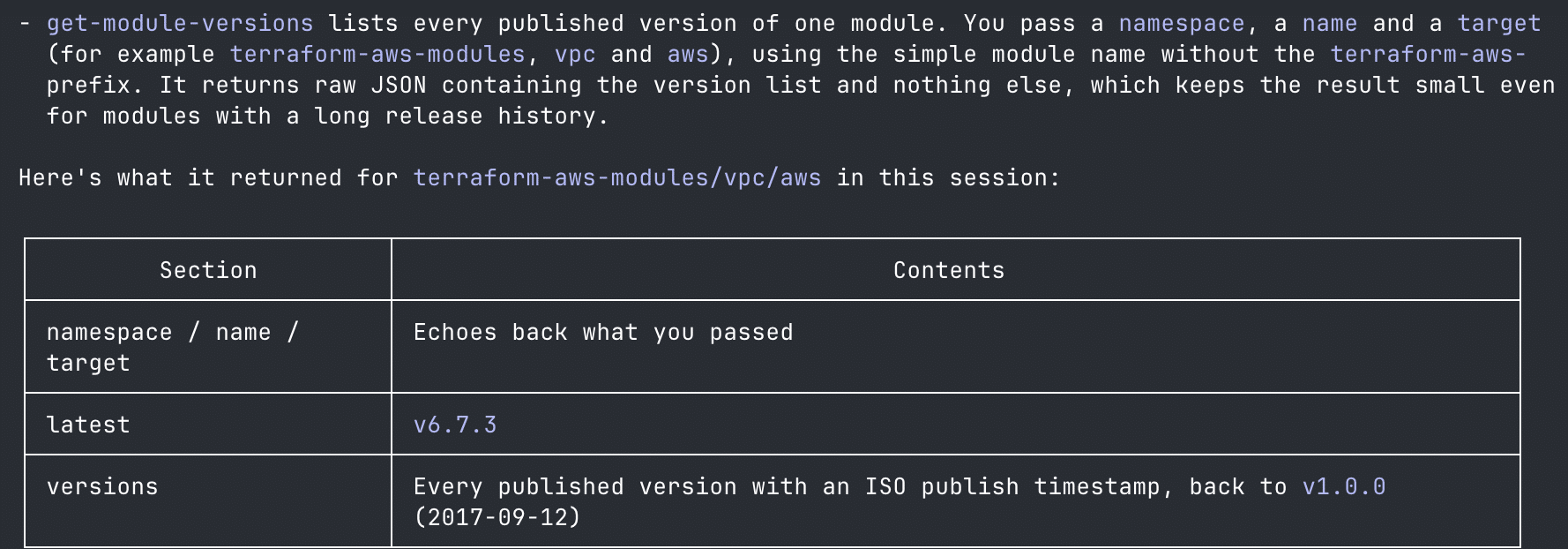
- get-module-versions: Helps you get a list of available versions for a specific module
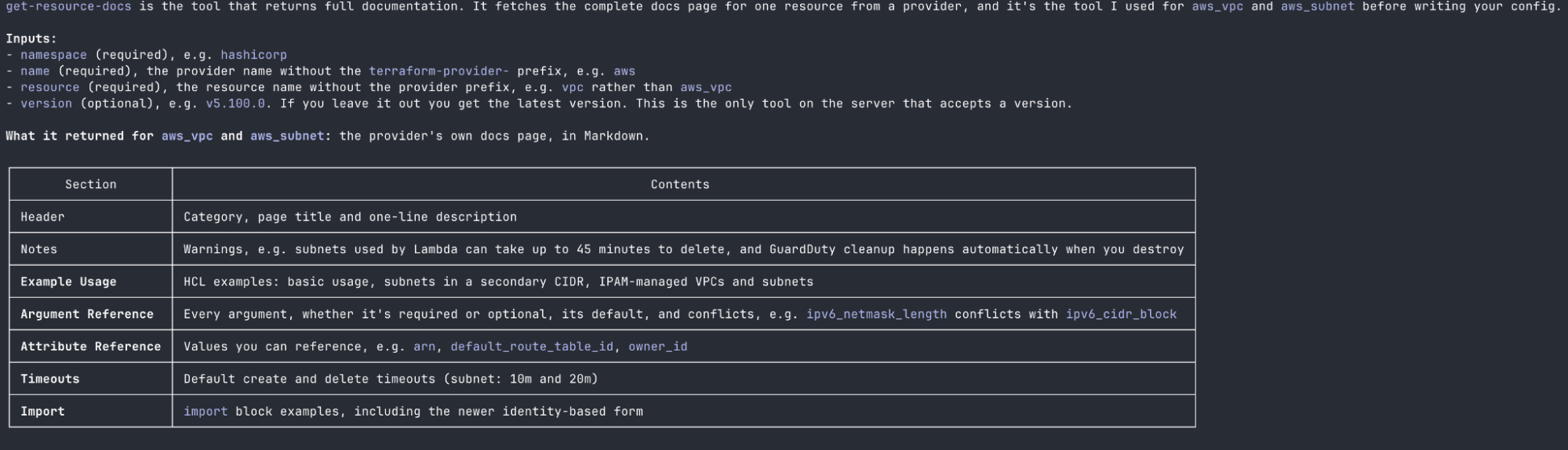
- get-resource-docs: Helps you get documentation for a specific resource
- get-datasource-docs: Helps you get documentation for a specific datasource
Search the OpenTofu Registry (search-opentofu-registry)
search-opentofu-registry is a discovery tool that lets your AI assistant search the OpenTofu registry for providers, modules, resources, and datasources.
For example, if you want your AI assistant to generate any OpenTofu code without the OpenTofu MCP server, it will rely on what it already knows about the providers, modules, resources, and datasources. With the OpenTofu MCP server, the search-opentofu-registry will discover everything your AI assistant needs to fulfill a request.
Get provider details (get-provider-details)
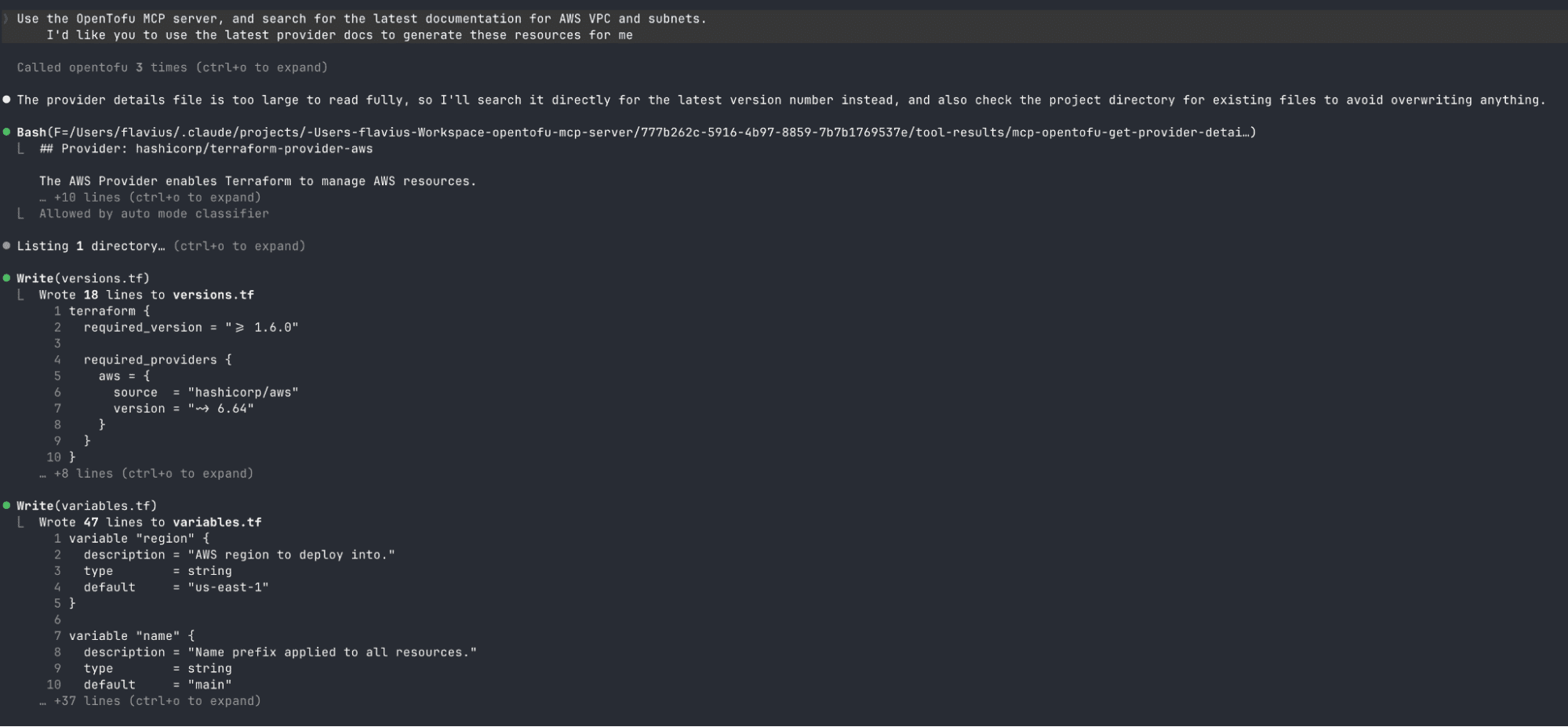
After you identify a provider with the search-opentofu-registry, the get-provider-details can be used to get more detailed information about it. The tool identifies providers by their namespace and provider name, and it can help you determine which provider to use, which resources and datasources belong to that provider, and which examples are available.
Get provider versions (get-provider-versions)
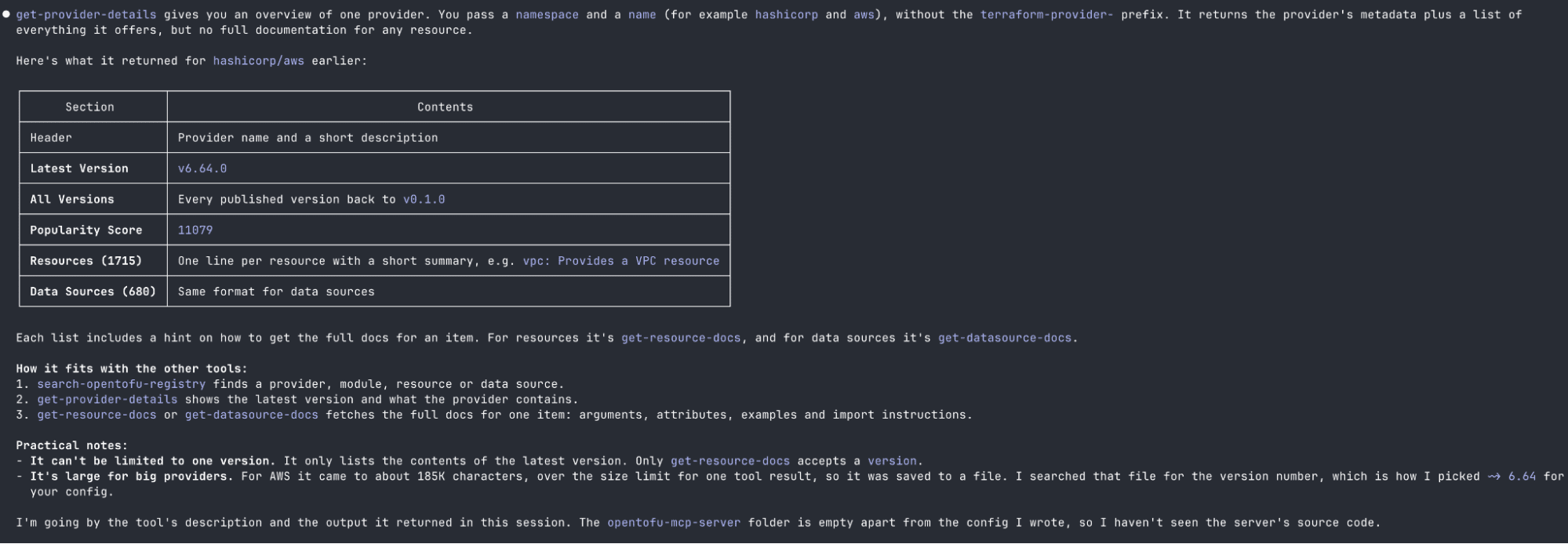
If everything you need is just a list of versions a provider has published, the lighter option you can use is get-provider-versions. This identifies providers in the same way as get-provider-details, but it returns only the available versions and the date each one was released instead of returning the full documentation for a provider. When you are pinning a provider version, this is the tool you should use to ensure the constraint is based on what is actually published in the registry.
Get module details (get-module-details)
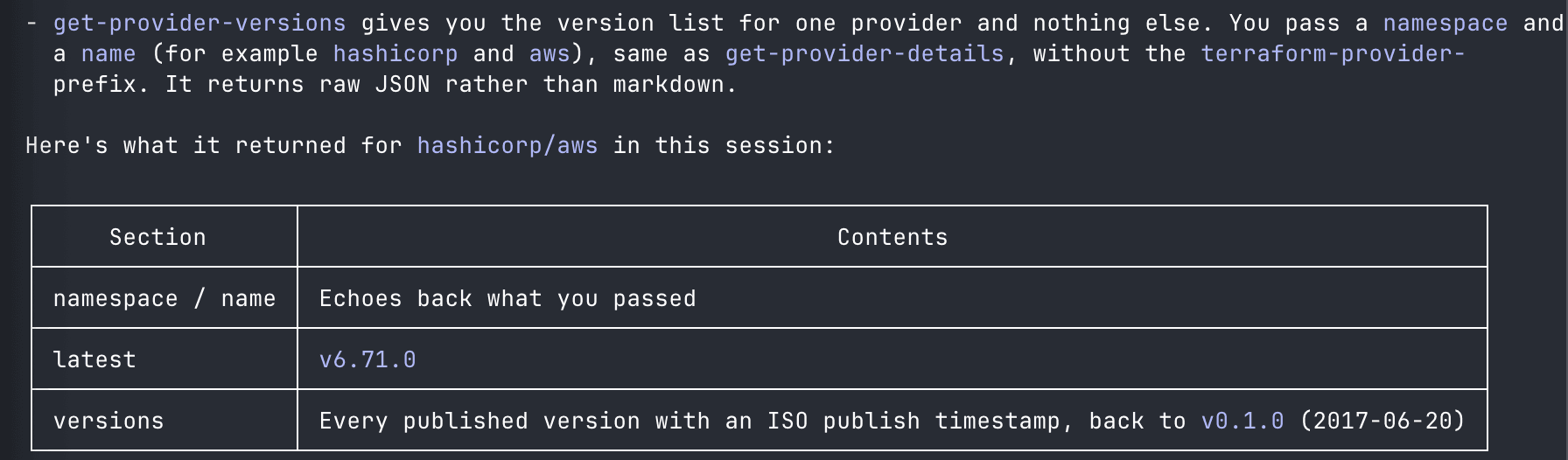
For example, your AI assistant might know a popular module exists for AWS EKS, but it could have outdated knowledge about the required and optional inputs, outputs, supported versions, and usage examples.
With get-module-details, it will retrieve the latest information about a specific module from the registry, enabling it to construct a module block that works with that particular version.
Get module versions (get-module-versions)
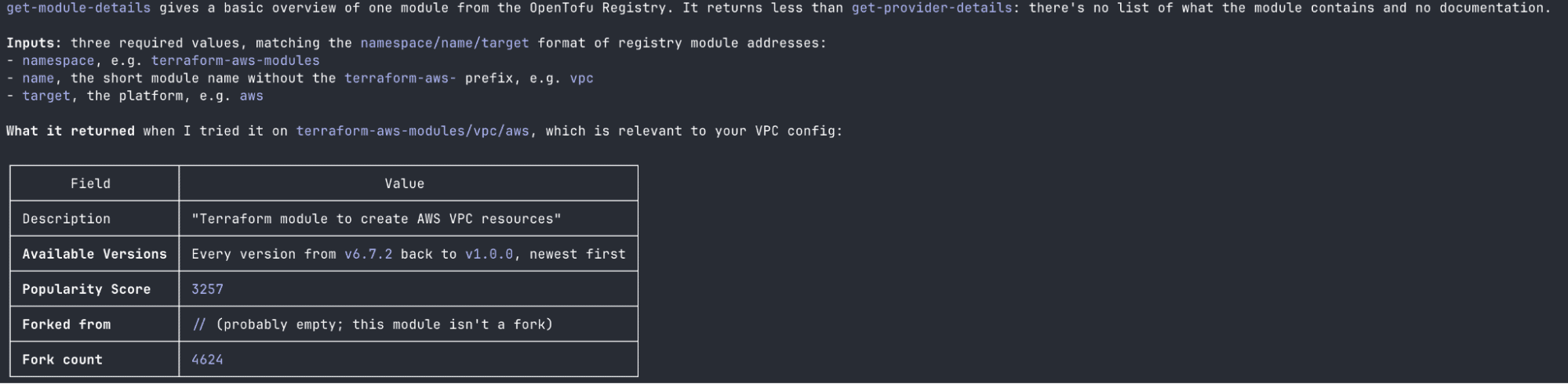
get-module-versions works in the same way that get-provider-versions does, only for modules. It returns every published version of a module together with its release date. This makes it easy to confirm what module versions actually exist before your AI assistant fills in the version argument of a module block with something that isn’t published.
Get resource documentation (get-resource-docs)
get-resource-docs is one of the most useful tools for generating the actual OpenTofu infrastructure docs.
For example, if you ask your AI assistant to create an AWS EC2 instance with an EBS volume attached, it might give you an outdated configuration with deprecated arguments, or a configuration that doesn’t even work anymore.
With the MCP server, it will retrieve the docs for the resources before deciding which blocks and arguments to use, reducing the chance of generating configurations that don’t work or have deprecated fields.
Get datasource documentation (get-datasource-docs)
Datasources enable OpenTofu configurations to get information about existing infrastructure. get-datasource-docs performs the same retrieval as get-resource-docs, but for datasources.
If an AI assistant needs to look up an existing VPC, subnet, image, or any other provider-specific object, it can first get the datasource docs and then produce the HCL. With the OpenTofu MCP server, it gets the correct data instead of guessing.
What the official server does not do
The OpenTofu MCP server does not:
- Run OpenTofu commands like init, plan, apply, or destroy. The tofu binary isn’t invoked at all.
- Read or write state: The OpenTofu MCP server does not have the concept of a backend or a state file.
- Touch your filesystem: It will need to read your OpenTofu configuration or write new ones; Your AI assistant does that part using the OpenTofu MCP Server’s knowledge.
- Handle credentials: There is no cloud authentication or provider authentication, so there is nothing to leak.
- Access your private registries: The OpenTofu MCP Server will only query the public OpenTofu Registry.
It’s important to understand that the OpenTofu MCP server is a read-only knowledge server, and you can hand it to your entire engineering team without a security review because its blast radius is zero.
OpenTofu MCP server vs Terraform MCP server
HashiCorp also ships a Terraform MCP server. Its capabilities are pretty similar to the OpenTofu MCP server’s, but the Terraform one will query HashiCorp’s registry (including Sentinel policies, which don’t have any OpenTofu equivalent since OpenTofu users typically reach out for Open Policy Agent policies), whereas the OpenTofu MCP server queries the OpenTofu registry.
The Terraform MCP server can also interact with HCP Terraform (formerly Terraform Cloud) and Terraform Enterprise, enabling you to create/update/delete workspaces, create runs, get run details, and even get apply logs.
If you use OpenTofu and want your AI assistant to stop hallucinating resource arguments, choose the OpenTofu MCP server. If you are heavily invested in the HashiCorp ecosystem and want to use your AI assistant to help you with managing Terraform Cloud or Terraform Enterprise, you should choose the Terraform MCP server.
Using the OpenTofu MCP server in practice
Let’s explore how easy it is to set up the OpenTofu MCP server:
How to install the OpenTofu MCP server
You can either install the OpenTofu MCP server locally, or you can use the hosted service, which is the path recommended by the OpenTofu team.
The hosted service is available at https://mcp.opentofu.org/mcp, it is globally distributed, and it always runs the current build.
To install it locally, you can do it with npx:
npx @opentofu/opentofu-mcp-serverOr if you need to install it globally, you can use npm:
npm install -g @opentofu/opentofu-mcp-server
opentofu-mcp-server
How to connect the OpenTofu MCP server to your AI assistant
For Claude Code, you simply need to run this one-liner command, and then the OpenTofu MCP server will connect to it:
claude mcp add opentofu -t streamable-http https://mcp.opentofu.org/mcp More details about other AI assistants are here.
How to generate OpenTofu code with the MCP server
Once the OpenTofu MCP server is connected, you don’t need any special prompts to use it. You should be explicit about what resources you need because that allows the AI assistant to leverage the OpenTofu MCP server in a proper manner.
Don’t say: Generate the OpenTofu configuration for an S3 bucket.
Say: Generate the OpenTofu configuration for an S3 bucket. It needs versioning, server-side encryption, and blocked public access. Ensure you check the OpenTofu registry to check the current AWS provider arguments before you start the generation.
Let’s use the above prompt and see what Claude Code will generate. Behind the scenes, Claude Code did the following operations:
opentofu - get-resource-docs (MCP)(namespace: "hashicorp", name: "aws", resource: "s3_bucket")opentofu - get-resource-docs (MCP)(namespace: "hashicorp", name: "aws", resource: "s3_bucket_versioning")opentofu - get-resource-docs (MCP)(namespace: "hashicorp", name: "aws", resource: "s3_bucket_server_side_encryption_configuration")opentofu - get-resource-docs (MCP)(namespace: "hashicorp", name: "aws", resource: "s3_bucket_public_access_block"opentofu - get-provider-details (MCP)(namespace: "hashicorp", name: "aws")
And this is the code it generated:
resource "aws_s3_bucket" "this" {
 bucket        = var.bucket_name
 force_destroy = var.force_destroy

 tags = {
   Name = var.bucket_name
 }
}

resource "aws_s3_bucket_versioning" "this" {
 bucket = aws_s3_bucket.this.id

 versioning_configuration {
   status = "Enabled"
 }
}

resource "aws_s3_bucket_server_side_encryption_configuration" "this" {
 bucket = aws_s3_bucket.this.id

 rule {
   apply_server_side_encryption_by_default {
     sse_algorithm     = var.kms_key_arn == null ? "AES256" : "aws:kms"
     kms_master_key_id = var.kms_key_arn
   }

   # Bucket Keys only apply to SSE-KMS; they cut KMS request costs.
   bucket_key_enabled       = var.kms_key_arn != null
   blocked_encryption_types = ["SSE-C"]
 }
}

resource "aws_s3_bucket_public_access_block" "this" {
 bucket = aws_s3_bucket.this.id

 block_public_acls       = true
 block_public_policy     = true
 ignore_public_acls      = true
 restrict_public_buckets = true
}
Why is the output more accurate than “cold” AI generation
Cold AI generation is mostly recall. The AI model will reproduce the statistically most likely aws_s3_bucket block from everything it saw in training. The model’s training data spans years of blog posts, Slack, Overflow questions, and GitHub/GitLab repos, most of which describe provider versions that no longer exist.
The model has no way to distinguish between version examples, so it blends them. For example, the classic issue with S3 buckets is that the generated code bakes the deprecated versioning block directly into the bucket resource.
Using the MCP server changes a few things:
- The provider version is known: Using get-provider-details, you can get the actual latest version.
- The arguments list is retrieved, not recalled from memory: get-resource-details will return the current documentation list for a resource.
- Deprecations are visible.
Third-party OpenTofu MCP servers for CLI operations
The official OpenTofu MCP server deliberately stops before CLI execution, but third-party projects fill that gap. One of these examples is the cloud-pilot-mcp, which exposes tofu CLI operations (init, plan, apply, destroy).
An MCP server that can run tofu apply and destroy, needs strong controls around:
- State access
- Cloud credentials
- Filesystem access
- Plan review
- Production environment access
- Secret management
AI doesn’t make control unnecessary, because autonomous agents move at machine speed, control becomes even more important.
While doing CLI operations through an MCP server might seem appealing, these operations can be dangerous.
How Spacelift complements the OpenTofu MCP server
Spacelift is an infrastructure orchestration platform that supports OpenTofu, Terraform, Terragrunt, Pulumi, CloudFormation, Ansible, and Kubernetes. You can learn more about Spacelift’s capabilities here.
Spacelift also has its own MCP server that exposes five tools: discover and query for the GraphQL API, mutate for changing Spacelift resources, intent for managing cloud resources using plain language, and provider for inspecting providers, resources, and datasource schemas from the OpenTofu registry.
Let’s suppose you have both the Spacelift MCP server and the OpenTofu MCP server connected to your AI assistant, and your latest stack run has failed after someone bumped the provider version. By asking your AI assistant to investigate and fix the configuration, it will:
- use the Spacelift MCP server with the query tool to understand what has happened by getting the logs of the failed run
- then it will switch to the OpenTofu MCP server to pull the documentation for that resource, seeing exactly what argument changed and what replaces it
- then the agent will fix the code and push it to a new branch
In the end, it will switch back to the Spacelift MCP Server to understand if the proposed run has finished successfully, reporting the run status and plan back to you
Your Spacelift session permissions determine what the AI assistant can do, scoped by RBAC, login policies, and OAuth scopes that separate read from write. When your assistant provisions resources through intent, every Intent action passes through Spacelift’s OPA-based policy engine.
The OpenTofu MCP server gives your assistant knowledge, while the Spacelift MCP server gives it a governed path to act on that knowledge.
Key takeaways
With the OpenTofu MCP server, your AI assistant no longer has to guess which arguments your configuration needs because it can easily look them up. Setting it up is a straightforward, one-minute process.
It is read-only by design, which is why you can leave it connected without the risk of something going wrong.
Generating OpenTofu configurations is only part of the story. You need a place to run the code securely and ensure you get all the features you need for your workflow.
If you are looking for an infrastructure orchestration platform that supports OpenTofu, has its own MCP server, and can help you balance speed and control, book a demo with Spacelift today.
Keep infrastructure moving at AI speed
Spacelift Intelligence keeps platform teams ahead. Fuse traditional IaC and GitOps pipelines with an AI deployment model and a powerful Infrastructure Assistant.
Frequently asked questions
Is the OpenTofu MCP server free to use?
Yes. The local OpenTofu MCP server is open-source under the Mozilla Public License 2.0 (MPL-2.0) and can be run without paying a software license fee. The official hosted service at mcp.opentofu.org is available without requiring a local installation. Check the service’s terms for any applicable usage costs.
Where is the OpenTofu MCP server hosted?
The official hosted OpenTofu MCP server runs on Cloudflare Workers and is accessible at https://mcp.opentofu.org/mcp . Its globally distributed edge deployment is designed to provide low latency and high availability.
How do I install the OpenTofu MCP server?
Point your MCP client at the hosted endpoint https://mcp.opentofu.org/mcp, or run it locally with npx @opentofu/opentofu-mcp-server. For repeated use, install globally with npm install -g @opentofu/opentofu-mcp-server and launch it as opentofu-mcp-server.
Can the OpenTofu MCP server run tofu plan or tofu apply?
No. The official OpenTofu MCP server is a Registry-focused server. It searches for providers, modules, resources and data sources and retrieves their documentation and configuration examples. It does not execute OpenTofu CLI commands such as tofu plan or tofu apply. Those operations must be performed separately using the OpenTofu CLI or another execution tool.
Can I use the OpenTofu MCP server with Cursor and VS Code?
Yes. Both editors support it through their settings.json, where you add an opentofu entry with type: streamable-http and the URL https://mcp.opentofu.org/mcp. Cursor also offers a one-click install button on the project’s GitHub page.