
You automated provisioning. Day 2 is still manual.
For years, platform teams built frameworks to make provisioning fast and governed. Every apply now goes through policy and review. Then the run finishes, and the work that takes 75% of your team’s time begins: alerts, incident response, and cleanup. Nobody can say which automations are running, and a new one takes weeks to build. Agents act with your credentials and no clear audit log, self-service still ends in a ticket, and the cron job holding it all together belongs to someone who left.
Moving fast takes more than simply deploying fast. Your team needs the same speed and governance for Day 2 operations that it has for provisioning. That’s why we built Spacelift Flows.
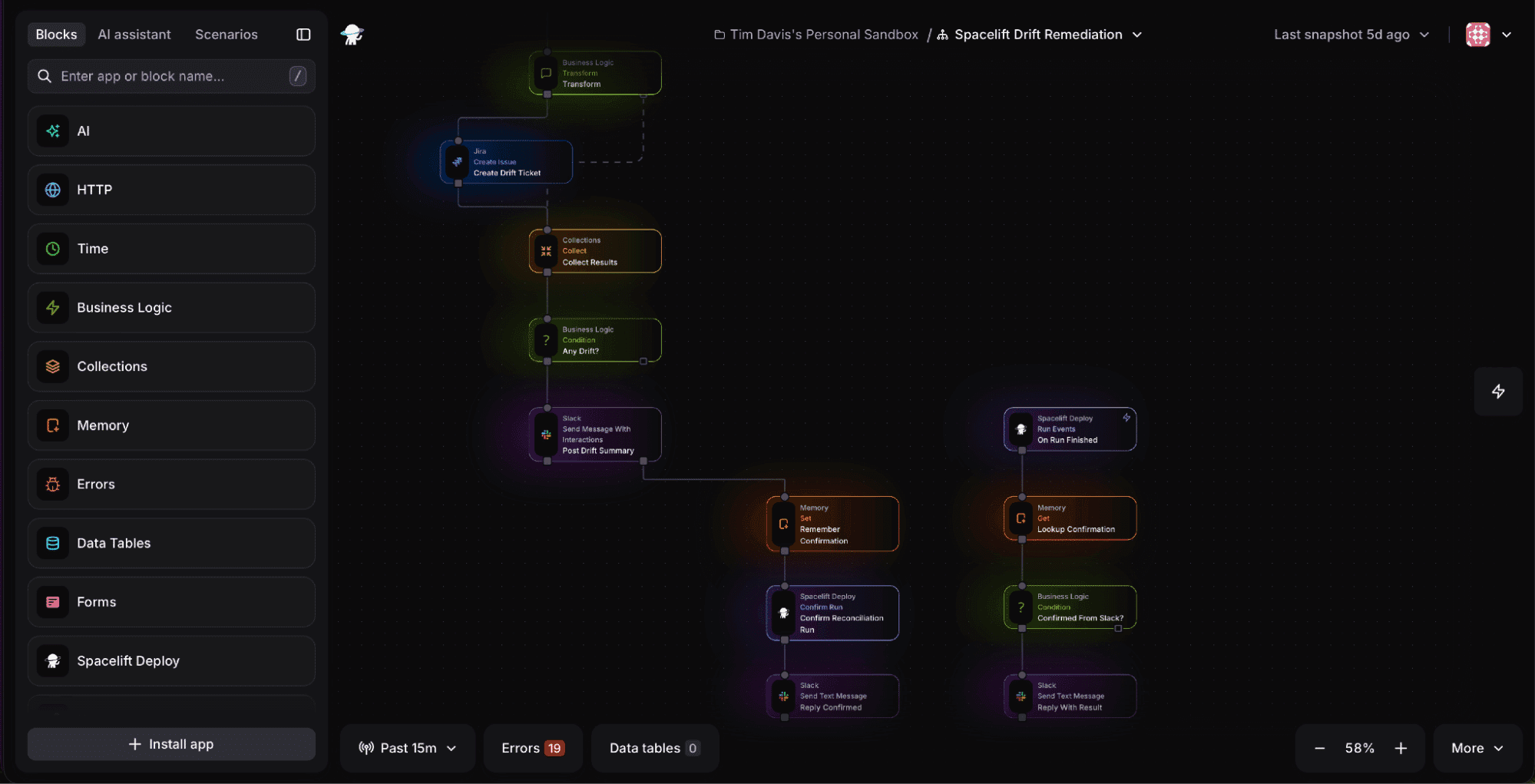
Flows is visual workflow automation for platform and DevOps teams, and the Day 2 operations layer of Spacelift’s Full-Stack Infrastructure Orchestration Platform. It brings the speed, governance, and automation of IaC to everything that happens after the apply. Flows is here to help you automate your Day 2 operations.
See every automation in one place
Automation is scattered across scripts and Lambda functions, and no single view shows what exists or whether it even still works. You don’t know what’s going on until something goes wrong.
Flows puts every automation on a visual, event-based canvas with full observability and a step-by-step execution trail. When a run fails, you don’t have to start the whole thing over. You could replay the whole flow if you’d like, or you can simply just replay the part of the flow that didn’t execute properly.
Build a new automation in hours, no sprint required
Building a new Day 2 automation is a full project, so it usually drops to the bottom of the backlog, and takes two weeks to be completed once it finally makes it into a sprint.
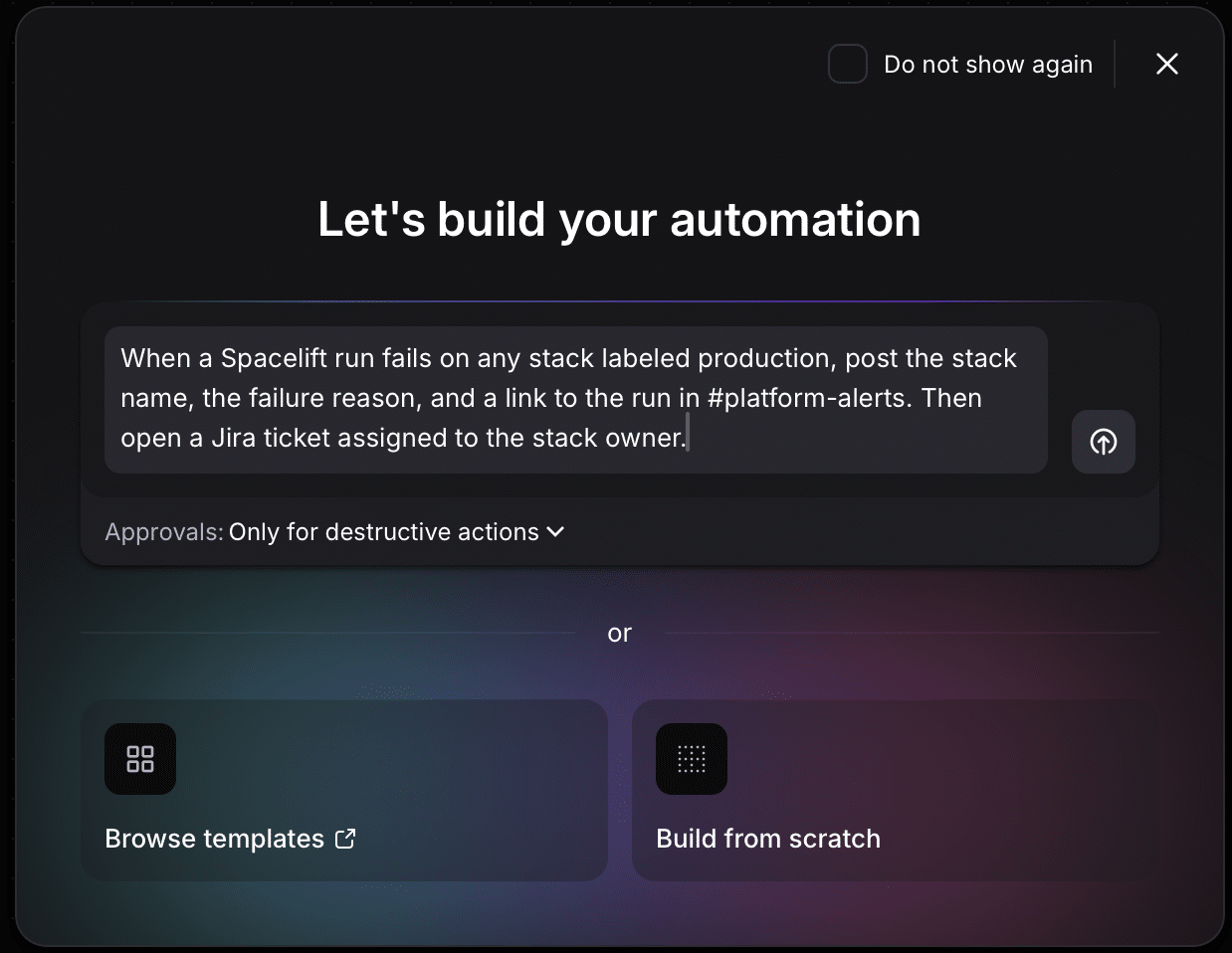
Why wait all that time? Open Flows and describe exactly what you want to the AI assistant in Flows, and it gets built from pre-built blocks for integrations like AWS, Kubernetes, Terraform, Datadog, PagerDuty, Jira, and Slack, with no containers to build or hosting to setup. This means production-grade automation in an afternoon, not two weeks.
Take incident response, for example. When PagerDuty fires off an alert, you could have the AI assistant build a flow that could automatically pull incident context from Spacelift runs and Datadog events, and post it into a Slack channel before the on-call engineer logs on.
Guardrails for Agentic Infrastructure
Most teams connect their AI agents to infrastructure tooling as a person, or on shared credentials, so nobody can really trace what an agent did, and your team carries all the risk.
Flows gives agents governed access through MCP servers, private agents, and approval gates, with a complete audit trail. Agents act as themselves, not as a shared account. That access can run inside your VPC, on-premises, or air-gapped.
For example, you could expose a flow as an MCP tool that provisions a development environment. When the agent calls it, an approval gate pauses the run for a human to sign off on it, while the audit trail records it all.
Self-service infrastructure, not self-service tickets
A form that simply creates a ticket that has to wait on the platform team, is self-service theater. Developers are having to wait on routine requests, and your team becomes the sticking point.
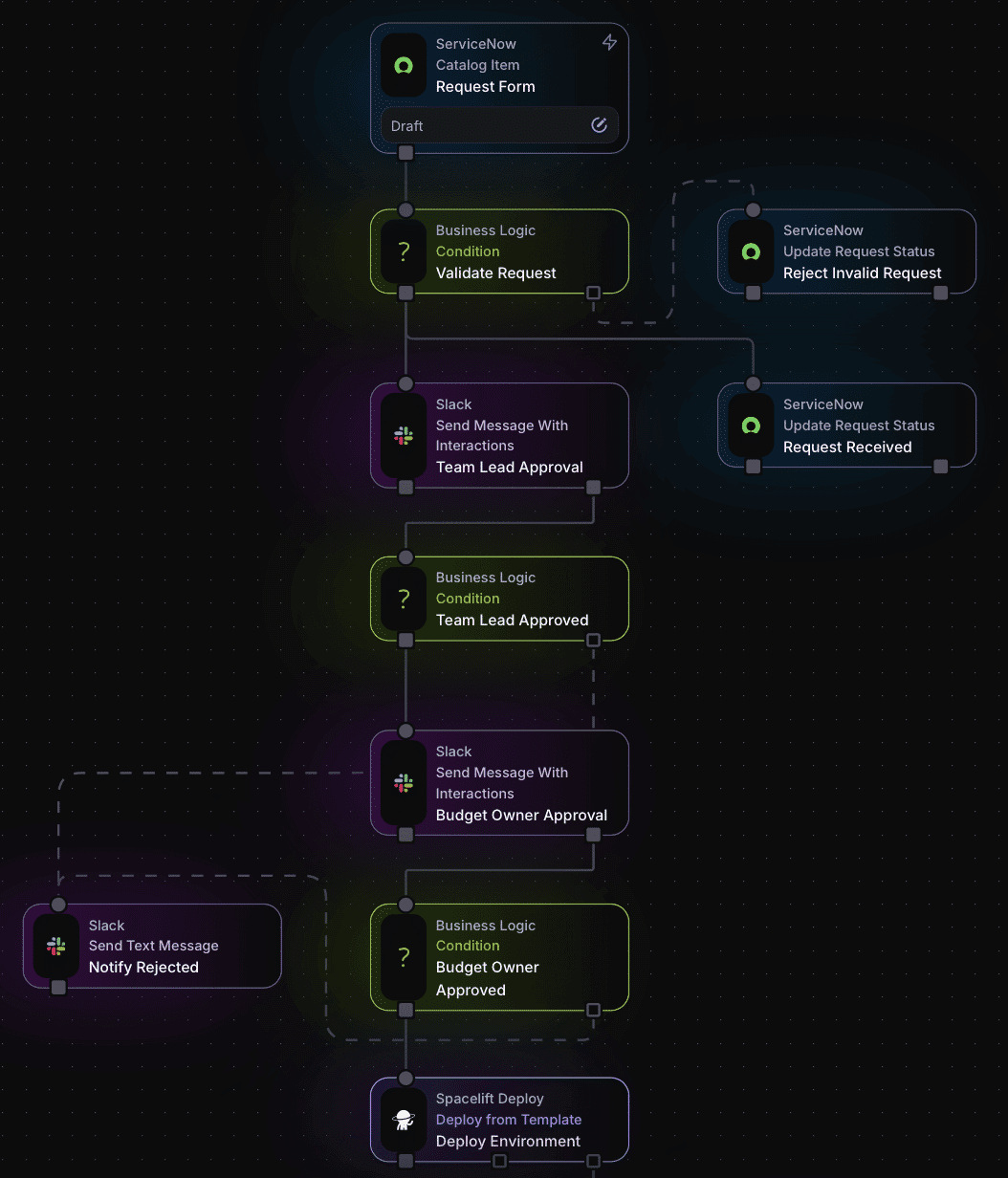
With Flows, developers describe what they need and get it configured immediately, while staying inside your guardrails. Start from a pre-made template from the gallery for things like S3 buckets, Kubernetes namespaces with resource quotas, PostgreSQL management forms, or even full environment vending flows with multi-level approvals.
Automations your whole team can build
Let’s say the automation that currently exists in your environment was built by someone who changed companies a year ago, and nobody remaining knows how it works, or how to change it safely.
Every flow you create is a visual canvas that anyone on the team can easily read. Flows can also live in Git and ship through the Terraform provider, so changes get the same review and history as the rest of your infrastructure. This way, anyone who takes over can easily see how it works, and the history of how it came to be.
One control plane, from deploy through Day 2
If you currently run Spacelift Deploy, Flows is already fully integrated with Deploy as the Day 2 operations piece of the Spacelift Full Stack Infrastructure Orchestration platform. Spacelift Deploy events can start flows, and flows can start runs, so deployment and Day 2 operations drive each other under the same governance and visibility. Drift alerts can land in Slack and Jira. A staged rollout moves through dev, staging, and production with a human Slack approval at each gate.
Build automations visually, with AI, or with code
Every engineer builds differently, so Flows gives you three ways to do it. Drag blocks onto the canvas and wire them together visually. Describe what you need and let AI build it, right in Flows or from your own AI assistant through the Flows MCP server. Or write the code yourself.
However you build it, every flow is JavaScript or YAML underneath. Copy it out, paste it in somewhere else, or manage it in Git with the rest of your code. Your on-call engineer can sketch a fix on the canvas at 2:00 AM, and your platform team can review it as code the next morning.
Get started
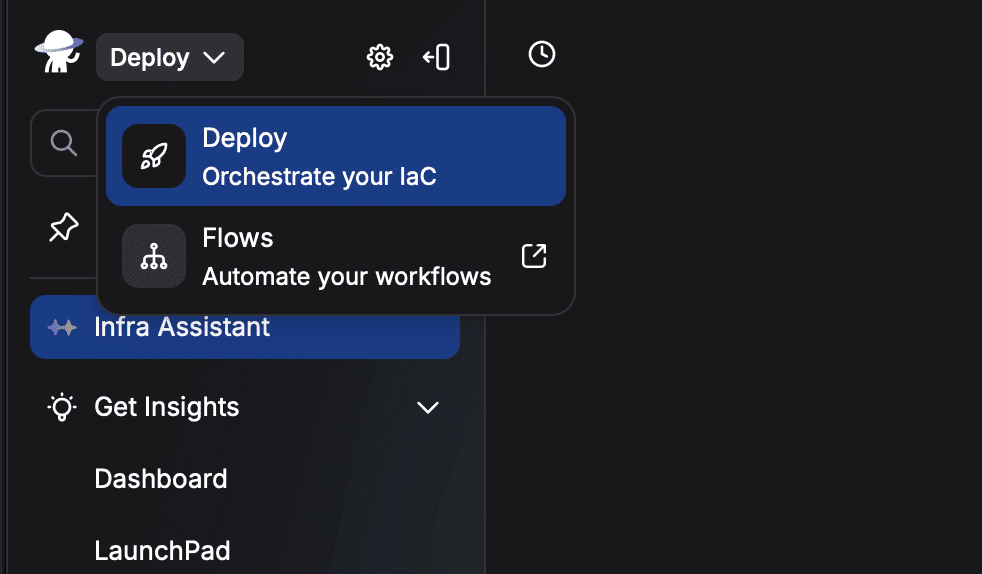
Open the app switcher in the top left corner of the Spacelift Deploy platform, and select Flows. Describe what you want to automate to the AI Assistant, or start from one of 40+ templates, and connect your first app.
Browse the template gallery or read the Flows docs to see what tech debt you can retire first.
Solve your infrastructure challenges
Spacelift is an infrastructure orchestration platform built for IaC. It brings collaboration, automation, and governance into a single workflow, so your team can provision cloud infrastructure faster without losing control.